

Dear JoomlArt community,
What if a change to your JoomlArt site took one sentence instead of an afternoon?
That question has kept our team busy for the past few months. Because we know how it goes: one small change can turn into a hunt through the Joomla admin.
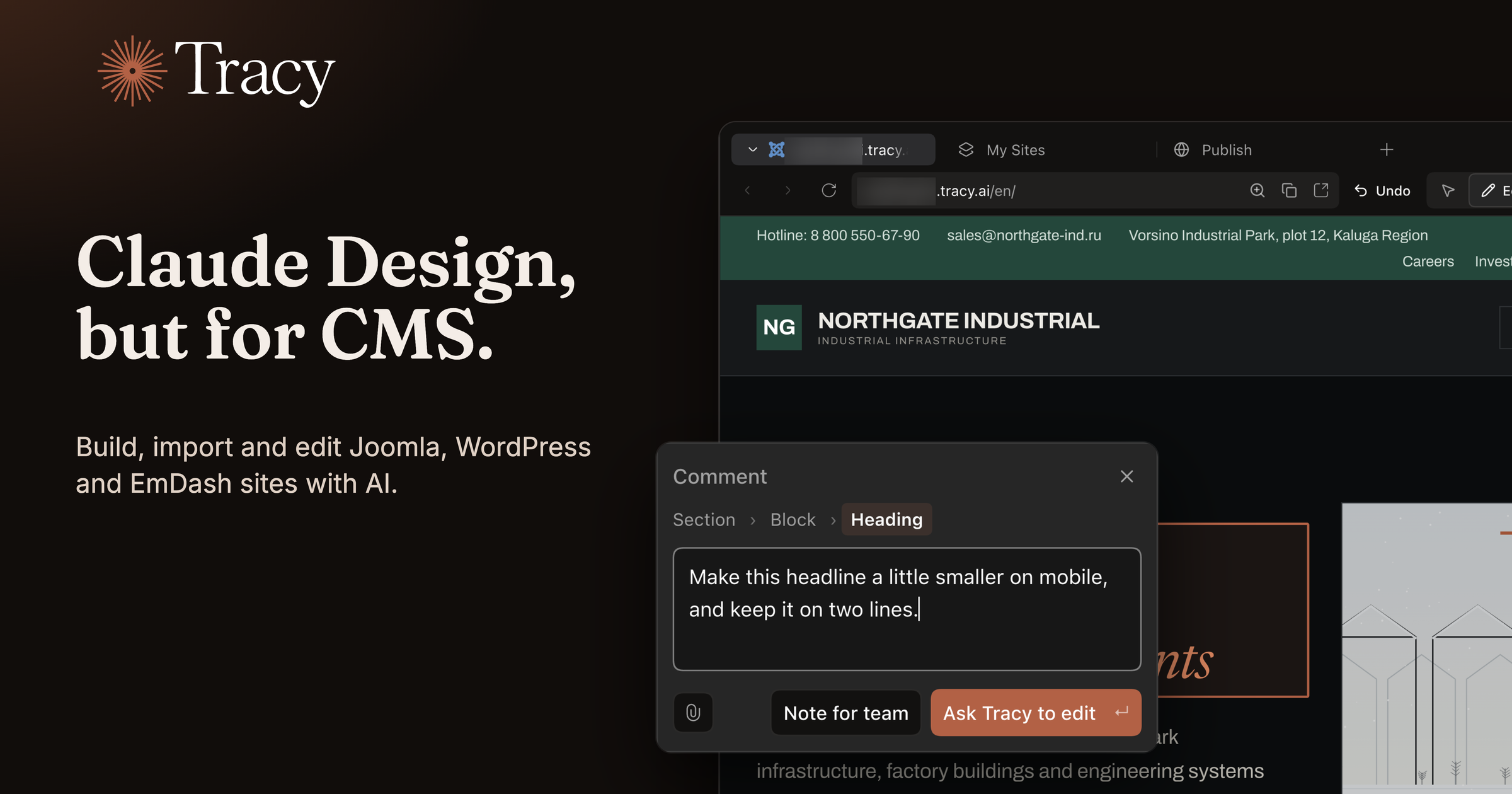
We found our answer. Meet Tracy: Claude Design, but for CMS.
Read more about beta access ↓
What can Tracy do for you?
- Build a new site on Joomla, WordPress or EmDash, starting from a ready-made design.
- Use the JoomlArt template library: JA Vega, JA Kinetic, JA Morgan and many more, on Joomla and now on WordPress too.
- Bring the site you already run: Tracy imports your Joomla or WordPress site as a copy you can edit, so your live site stays as it is.
- Ask in plain words in your own language, or click the part of the page you want changed.
- Undo any request with one click.
- Go live when you are ready, on your tracy.ai address or your own domain.
- Work with your team: invite teammates and clients to one site as Editor or Viewer.
- Use the AI account you already have, such as Claude or ChatGPT Codex, or start with Tracy AI, which is included.
- Work on the web or in the desktop app for Mac, Windows and Linux.
Watch Tracy in action:
How it works, step by step
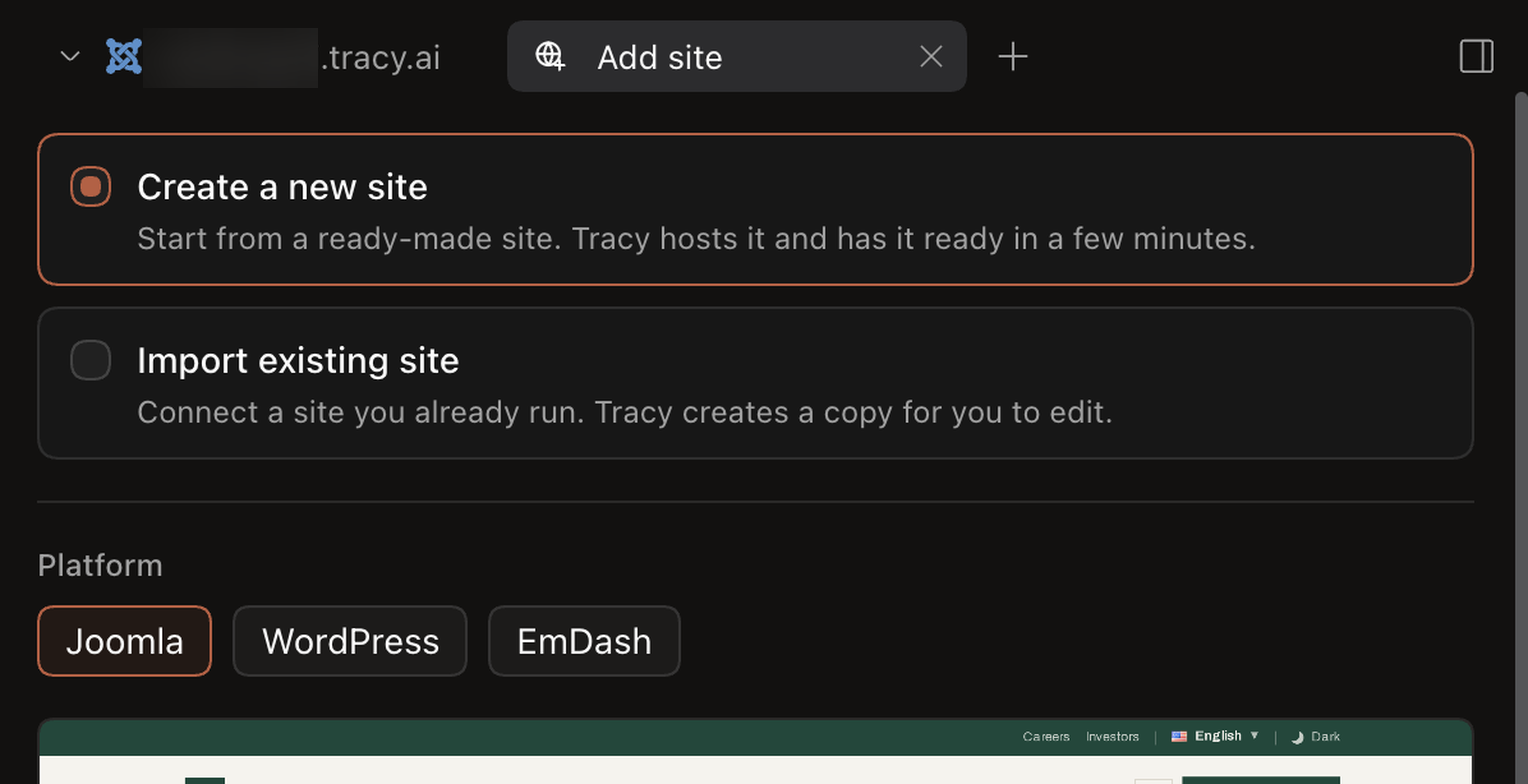
Step 1. Add a site
Click Add site. Choose Create a new site to start from a ready-made design that Tracy hosts and has ready in a few minutes, or Import existing site to bring in a Joomla or WordPress site you already run. Tracy creates a copy for you to edit.
Pick your platform and your site address. Then open Customize your site if you like: a few short questions about your business name, what you do, the pages you need, the site language and the tone let Tracy fill the design with your own words. Every question is optional, so you can also click Create site straight away.
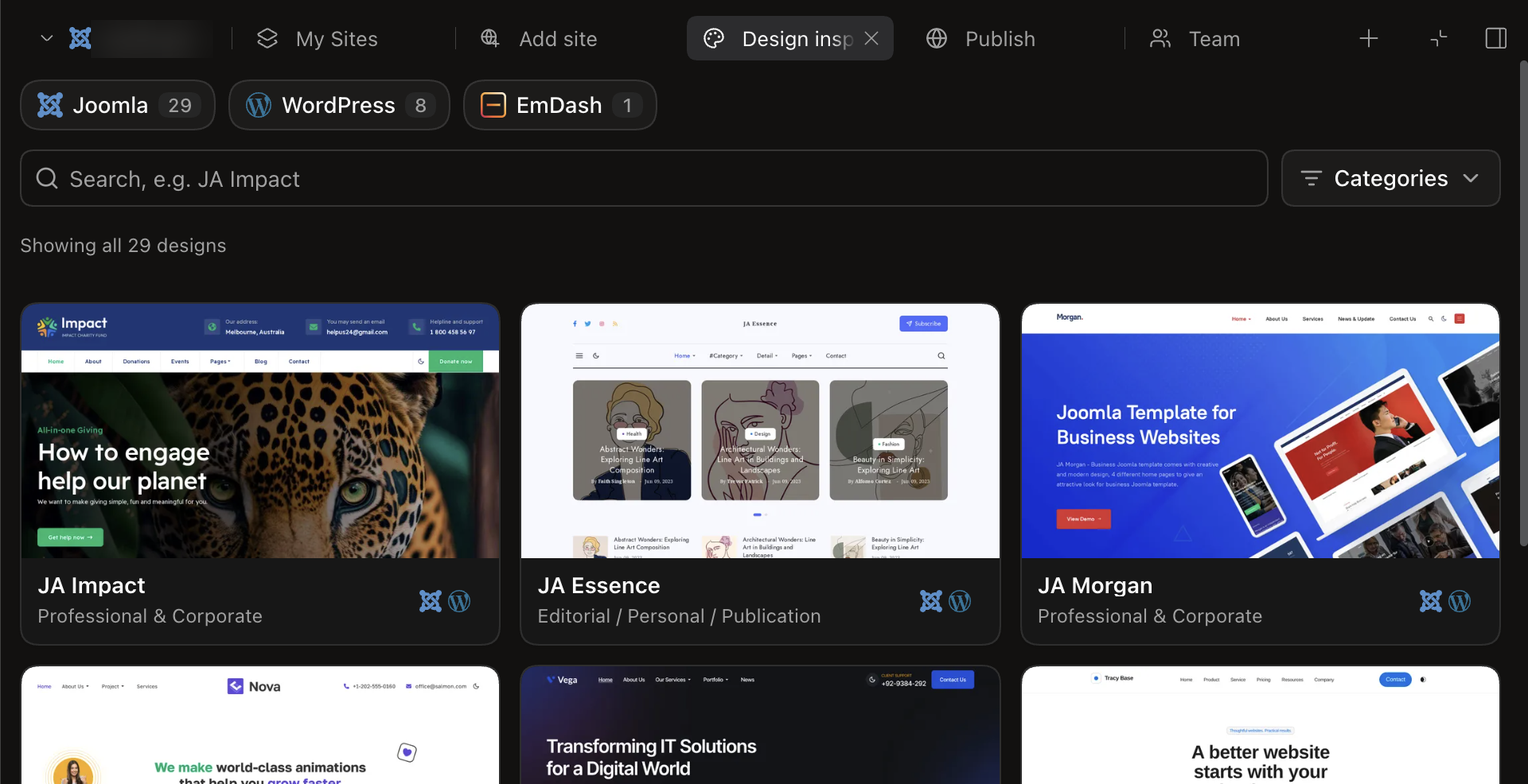
Step 2. Pick a design
Click Change design to browse Design inspirations. Filter by Joomla, WordPress or EmDash, search by name, or browse by category. JoomlArt designs such as JA Vega, JA Kinetic and JA Morgan sit next to Tracy designs, and many come in both a Joomla and a WordPress version.
Step 3. Ask for the change you want
Click Edit, click the part of the page you want changed, and describe it the way you would to a colleague. Choose Ask Tracy to edit, or Note for team to leave a comment for a colleague instead. You can also simply type your request in the chat.
- “Make the hero darker, and add a Contact page in German.”
- “On mobile, stack the three service boxes.”
- “Replace the photo on the About page.”
Tracy reads how your site is built before it acts, so it works with your theme and content, instead of guessing. Not sure how something works? Type /help in the chat and ask.

Step 4. Keep it, or undo it
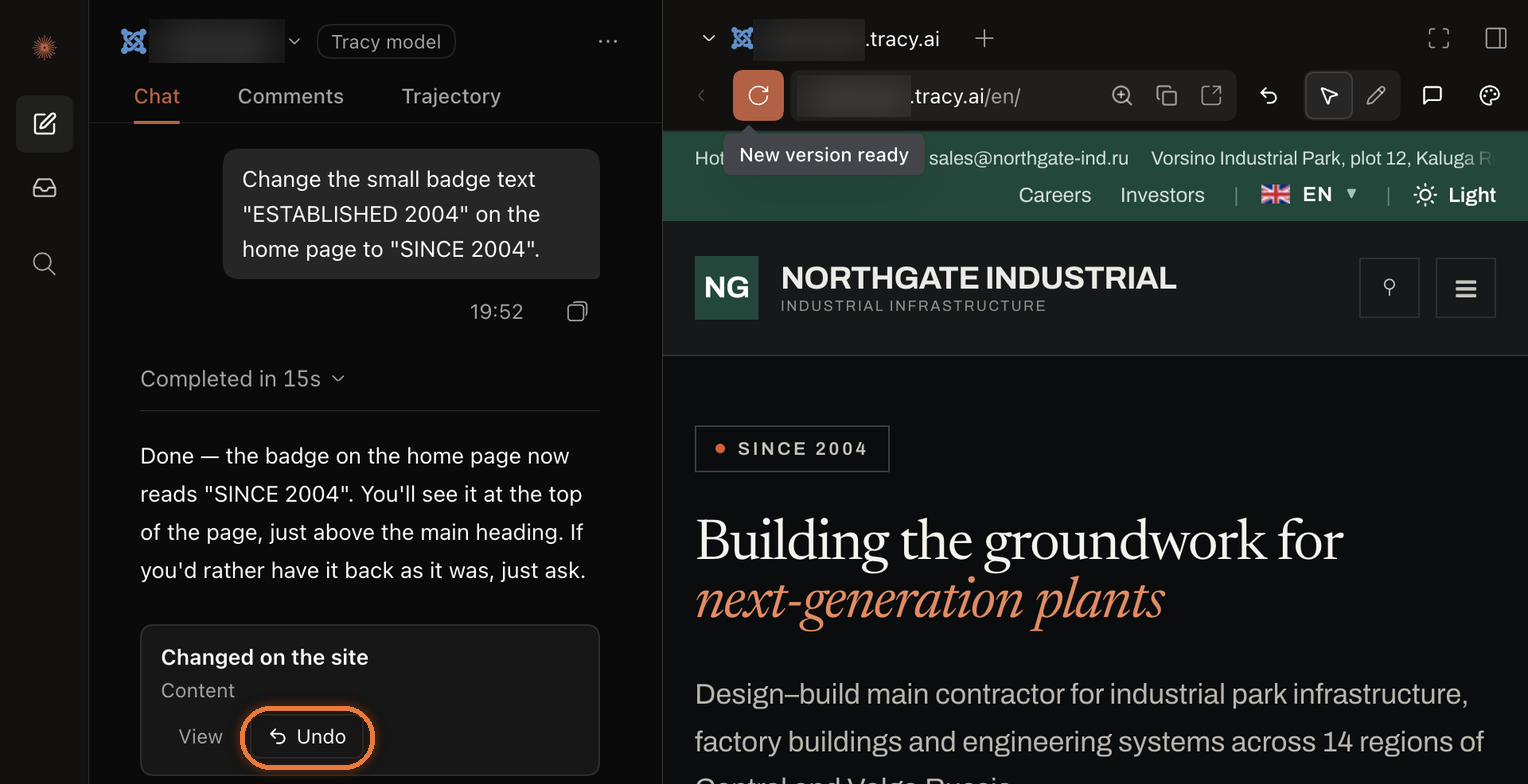
When Tracy finishes, a Changed on the site card appears under its reply. Click View to see what changed, or Undo to put the site back the way it was before that request. The Undo button above the preview does the same for your last request.
Every request also stays in Site changes, so you can see what happened and when. For bigger edits, click Create a backup first, so you can restore it whenever you need to.
Step 5. Invite your team
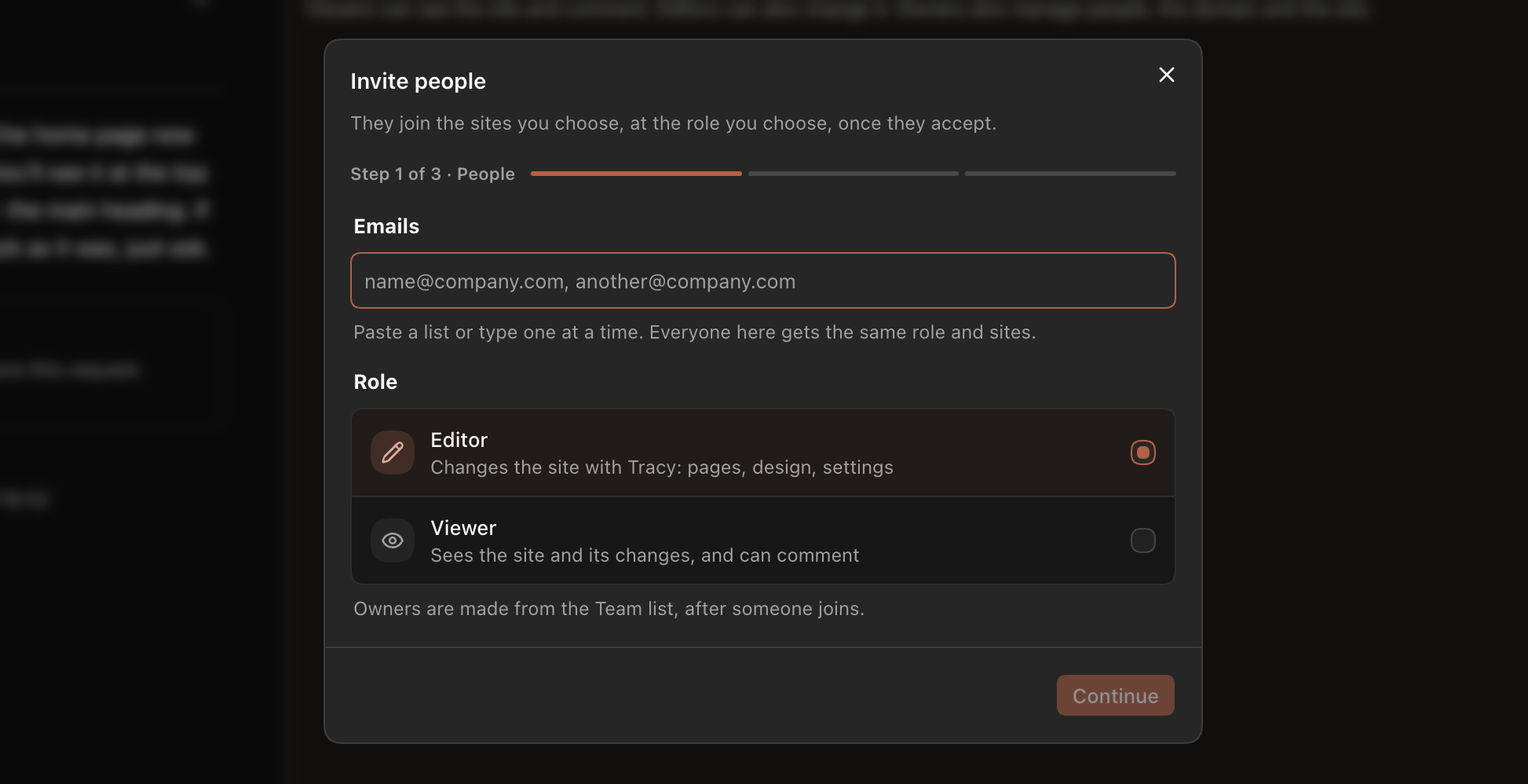
Open Team and invite people by email. Choose a role for them: an Editor changes the site with Tracy, a Viewer sees the site and its changes and can leave comments. Once someone has joined, you can make them an Owner from the Team list. An agency can give each client access to their own site, and nothing else.
Step 6. Go live
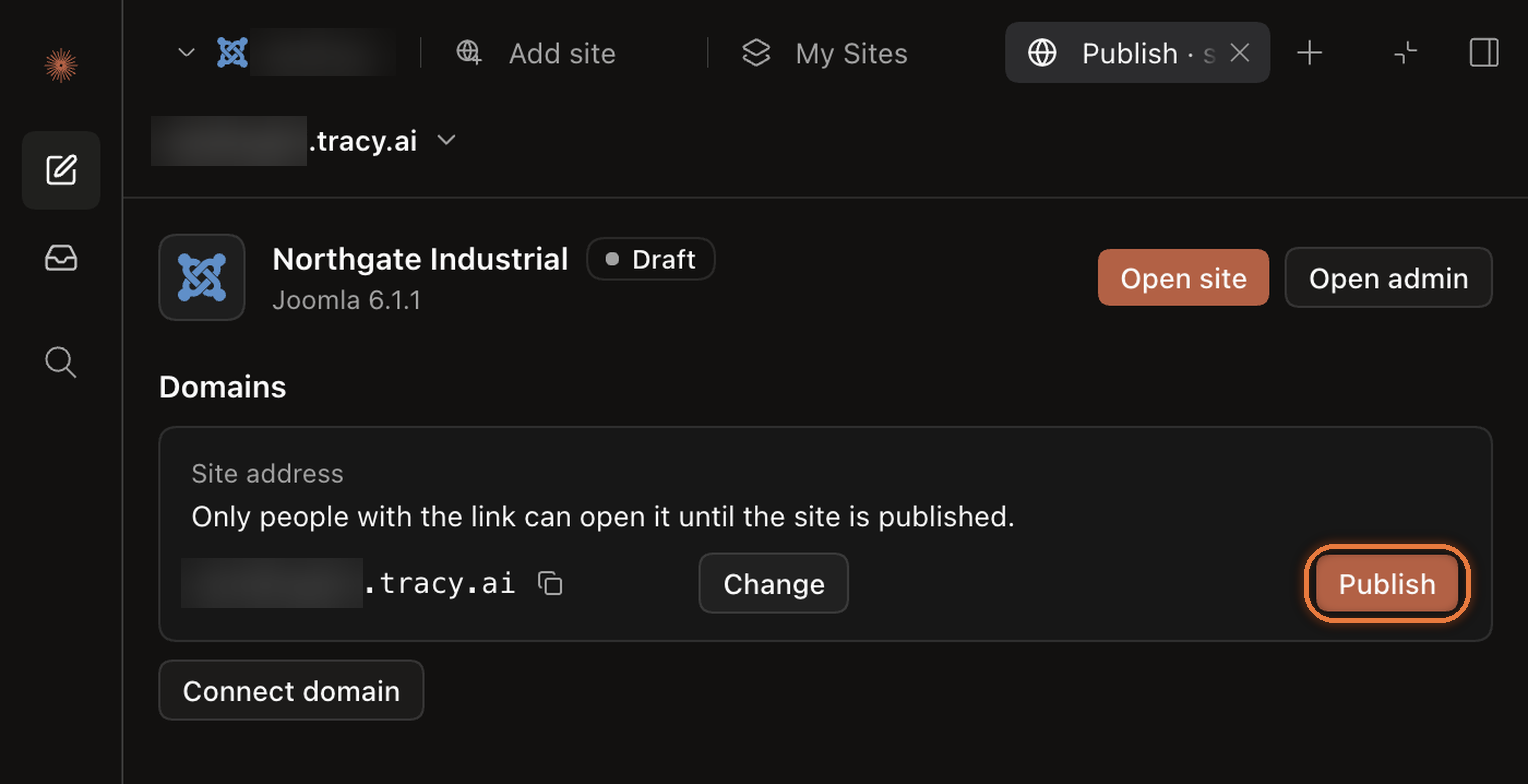
When your site is ready, open Publish. Until you publish, only people with the link can open it. Click Publish to make it live at its tracy.ai address, or Connect domain to put it on your own domain name.
Use the AI account you already have
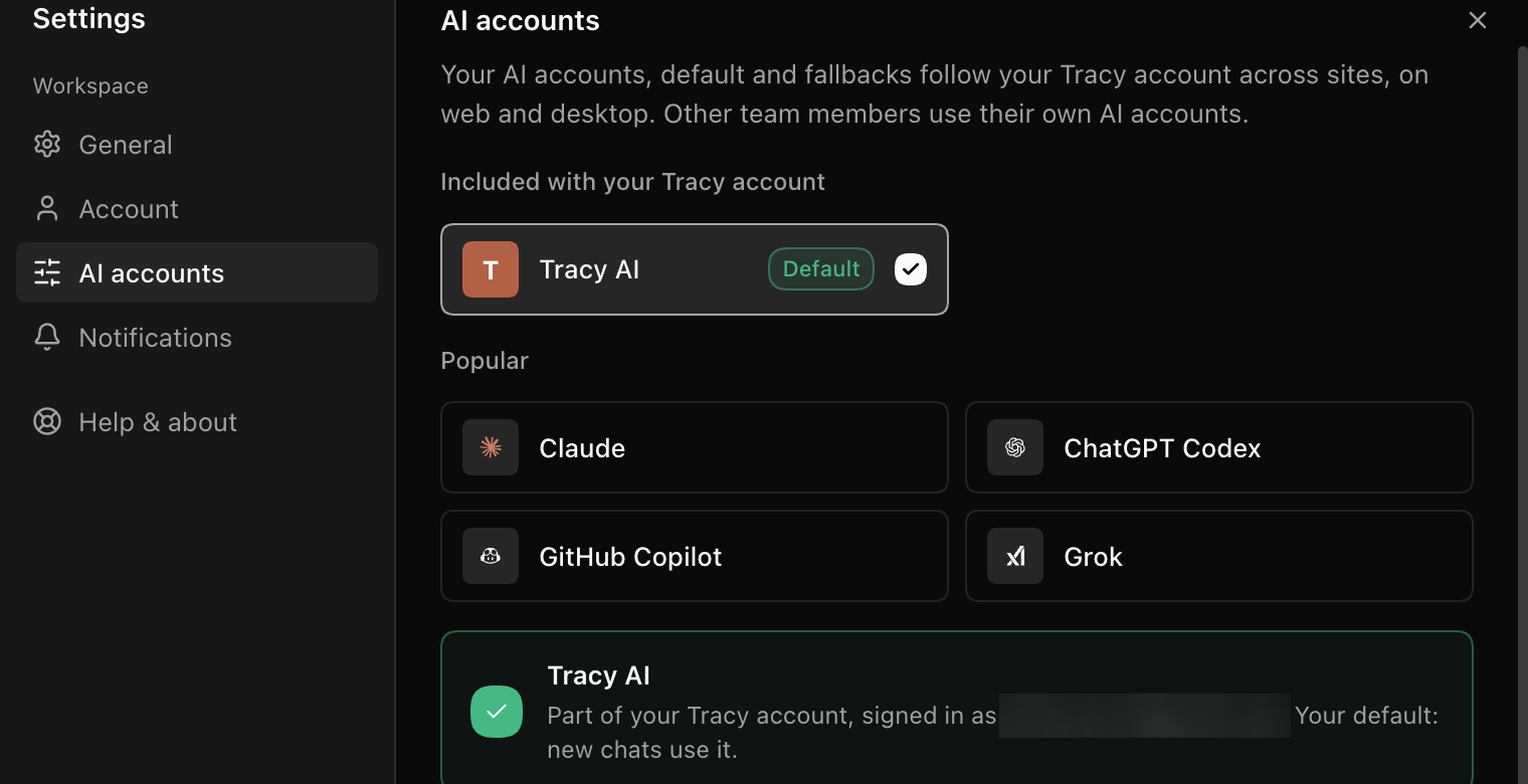
Already paying for an AI subscription? Tracy can use it. Open Settings, then AI accounts, and connect Claude, ChatGPT Codex, GitHub Copilot or Grok. Choose which one new chats use by default, and the order Tracy tries next when an account reaches its limit.
No AI account yet? No problem. Tracy AI is included with your Tracy account and is the default until you change it. Your AI accounts follow you across all your sites, on the web and in the desktop app, and each teammate uses their own.
Tracy on your desktop
Prefer an app to a browser tab? Tracy Cowork is available for Mac, Windows and Linux. It does everything the web version does, in a window of its own:
- Keep it in your Dock or taskbar, separate from your browser tabs.
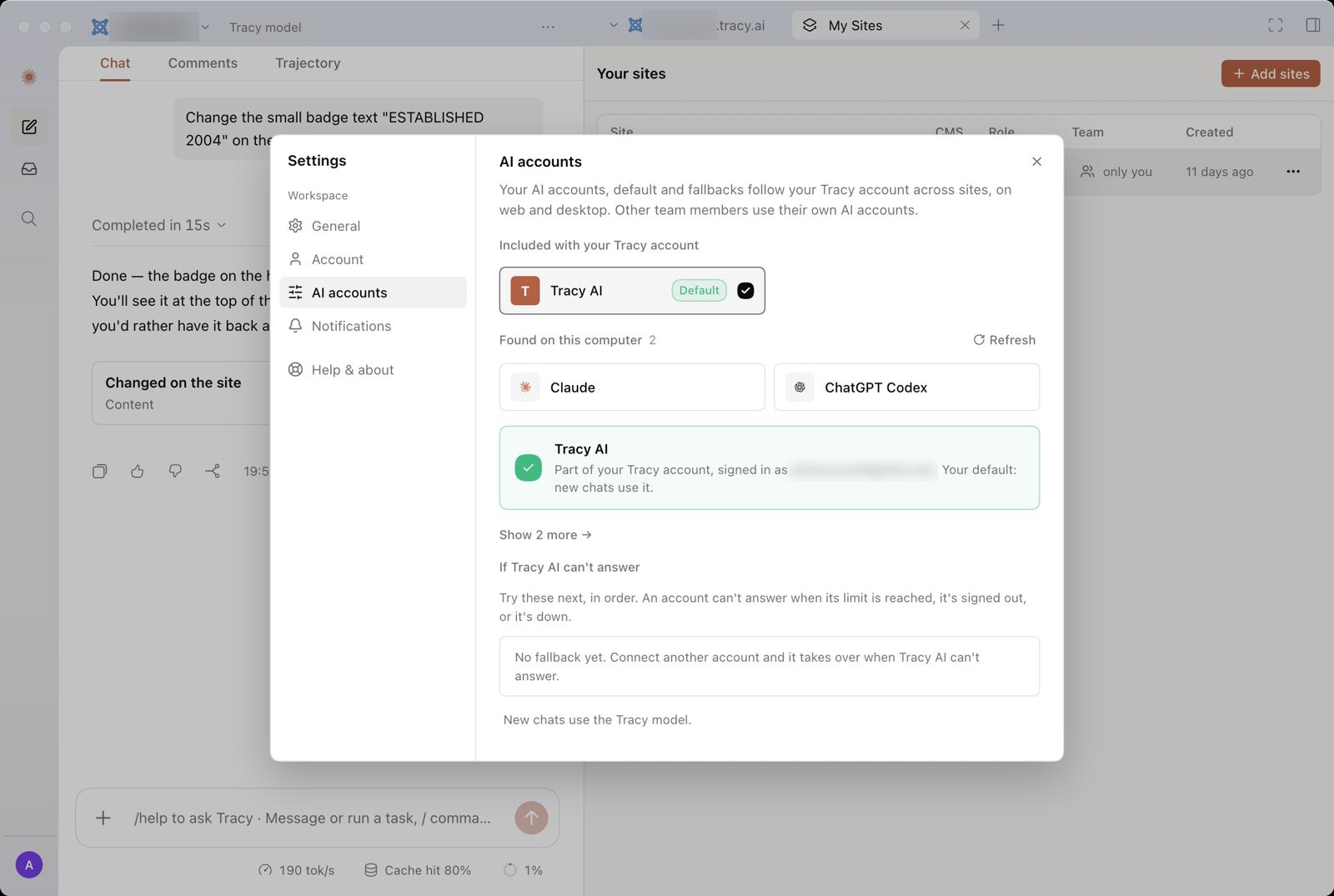
- Spot the AI tools already on your computer, such as Claude Code or Codex, and list them first under AI accounts, ready to connect.
- Work on several sites side by side, each in its own window.
- Sign in with Google, GitHub or email, and come straight back to the app.
- Updates install themselves in the background.
The app uses the same Tracy account as the web, so the same beta access applies.
Download Tracy app ↓ Open web app ↗
Beta access is open now for active JoomlArt subscribers
Active JoomlArt subscribers get free beta access to Tracy for one month, on the web and in the desktop app. Every active paid plan is included, except lifetime plans. Sign in with the email you use on joomlart.com, and you can start right away.
Tracy keeps getting better during the beta. We ship new versions often, so you will see new features arrive alongside bug fixes and improvements shaped by your feedback.
Nothing switches to a paid plan automatically. Pricing after the free month has not been set yet.

Help us shape Tracy
Tracy is in beta, and the people who use it decide what we build next. Your feedback matters more than anything else right now.
Found a bug, or missing something you need? Tell us in the Tracy Discord, where you can talk directly to the Tracy team and other users.
Start with Tracy
So, what will your first sentence be? Sign in with the email you use on joomlart.com, and let Tracy take it from there.
Open web app ↗ Download Tracy app ↓ Learn how Tracy works
With thanks,
The JoomlArt Team
