JoomlArt's Blog

Joomla Tutorials, info, Discussions and much more...

Hi everyone,

We’re excited to introduce GeoReport — a brand-new product from JoomlArt that measures and improves your website’s AI visibility. It shows whether AI assistants like ChatGPT, Gemini, Claude and Perplexity can find, trust, and cite your site — and gives you the exact fixes.

The best part: your active JoomlArt subscription is already active on GeoReport. Just sign in with your JoomlArt account — there’s no separate account to create.

Details

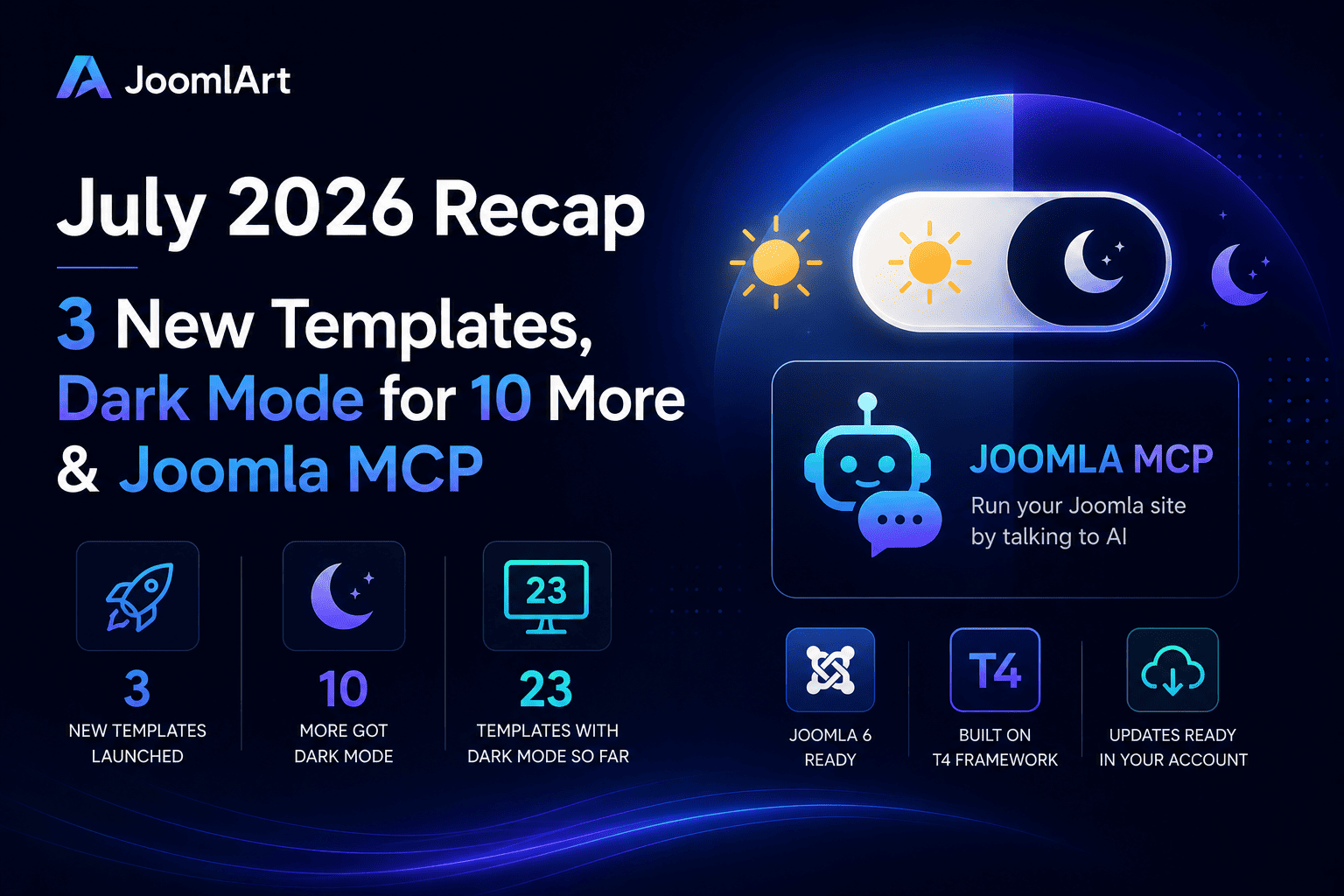
June was one of our busiest months yet. We brought built-in Dark Mode to 13 templates - and rebuilt the entire T4 toolkit to be ready for Joomla 6. Here's the full recap.

13
templates got Dark Mode
T4
ready for Joomla 6
200+
templates in one plan

Dark Mode arrived on 13 templates

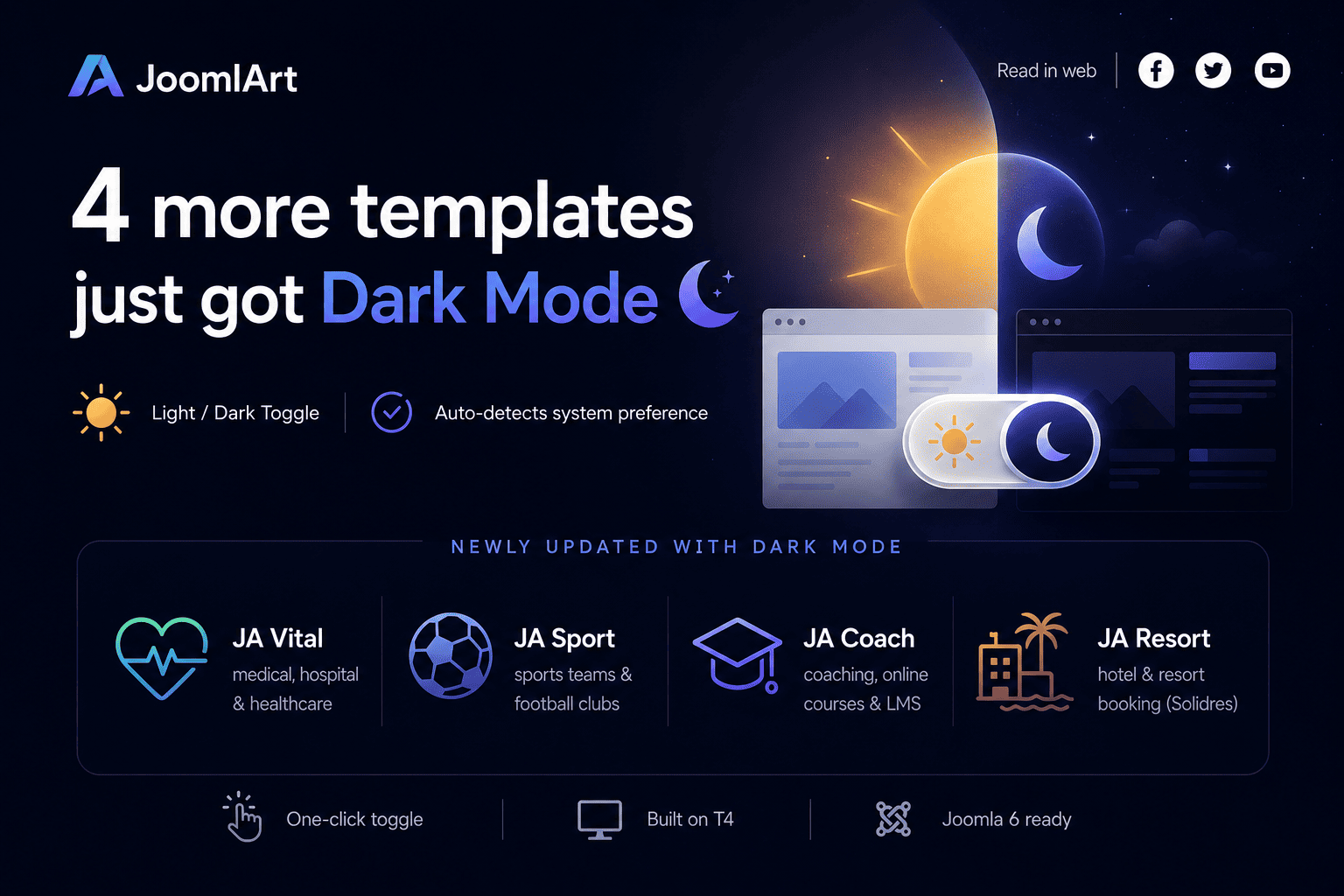
Dark Mode was the headline of the month. One by one, we added a built-in light / dark toggle to 13 of our most popular templates - each with automatic detection of the visitor's system preference, a remembered choice for returning visitors, and your existing light design left fully intact.

JoomlArt

Templates updated with Dark Mode in June

Switching on takes one quick template update - your content and settings stay exactly where they are. Prefer light only? Leave it: light mode remains the default and untouched.

The T4 toolkit is now Joomla 6 ready

It wasn't only about looks. We also shipped a major update to the T4 ecosystem, focused on Joomla 6 compatibility, PHP 8.x support, and improved stability across the board - so upgrading your site is smoother and safer.

What we updated

  • T4 Page Builder v2.2.0 - full Joomla 6 support, with the same drag-and-drop visual editing
  • T4 Framework v2.6.0 - Joomla 6 compatible and more stable across T4-based templates
  • T4 Builder Article Integration Plugin v2.2.0 - smoother Joomla article editing inside the builder
  • T4 Blank Template v1.2.0 - a clean Joomla 6 starting point for developers and agencies

If you're planning a move to Joomla 6, this release is built to make that transition reliable - tested for modern hosting environments and the latest Joomla backend changes.

Why this matters

Modern visitors expect a dark option, and Joomla 6 is the platform's next chapter. In a single month, your JoomlArt collection moved forward on both fronts - and the roll-out keeps going into July, with more dark-mode templates and ongoing Joomla 6 updates landing week after week.

The simplest way to get all of it? A JoomlArt membership. One plan unlocks every template above, the full T4 toolkit, and everything we ship next.

Get every template with one membership

All 200+ templates, the full T4 toolkit, and every update we ship next.

Explore membership plans →

Thank you for being part of the journey - here's to an even bigger July.
— The JoomlArt Team
Details

Dark Mode is moving quickly across the JoomlArt template collection. In just one week, seven Joomla templates have been updated with built-in light and dark mode support.

This is part of our ongoing effort to keep JoomlArt templates modern, flexible, and easier to use for real websites. Whether you run a business site, magazine, travel portal, non-profit project, or agriculture brand, your visitors can now enjoy a cleaner browsing experience in both light and dark styles.

No redesign required. These updates are built into the templates, so your existing light design remains untouched while Dark Mode becomes available as an additional viewing option.

7 Templates Updated with Dark Mode

JoomlArt

This week’s rollout brings Dark Mode support to the following templates:

JA Vega

Business and corporate Joomla template with a modern professional design.

JA Morgan

Multipurpose business template for companies, agencies, and service websites.

JA Impact

NGO and non-profit template for campaigns, events, donations, and causes.

JA Vogue

Fashion, lifestyle, and magazine template with strong visual storytelling.

JA Trip

Travel and tour template for destinations, tour packages, and travel blogs.

JA Spark

Modern multipurpose Joomla template for creative and business websites.

JA Agrivita

Agriculture and organic farming template for farms, food brands, and green businesses.

What Dark Mode Adds to Your Website

Dark Mode gives your visitors more control over how they view your site. Some users prefer a brighter interface during the day, while others prefer a darker layout at night or in low-light environments.

With these updates, each supported template now offers a more flexible front-end experience without changing your content structure, menu setup, modules, or existing layouts.

Main highlights

  • Built-in Light / Dark Mode support
  • Clean sun / moon toggle for visitors
  • Automatic system preference detection
  • Remembered mode selection for returning visitors
  • Dark styling refined across key template pages
  • Existing Light Mode design preserved
  • Simple template update process

Why We Are Rolling This Out Across More Templates

Dark Mode is no longer just a visual trend. It has become a common expectation across apps, operating systems, dashboards, and modern websites.

For Joomla site owners, this means a site can feel more current and user-friendly without needing a complete redesign. That is why we are gradually bringing Dark Mode to more templates in the JoomlArt library, starting with popular templates across different categories.

The goal is simple: help your existing Joomla website stay fresh, while giving you more design flexibility for new projects.

A Better Experience Across Different Website Types

Each template serves a different type of website, so the Dark Mode treatment has been adjusted to fit the purpose of each design.

For business websites

Templates like JA Vega, JA Morgan, and JA Spark benefit from a sharper, more polished presentation that works well for corporate profiles, service pages, portfolios, and landing pages.

For content-heavy websites

JA Vogue and JA Trip can now offer a more comfortable reading experience for magazine articles, travel stories, destination guides, and blog content.

For cause-driven and niche websites

JA Impact and JA Agrivita now support a modern dark interface while keeping the warmth and clarity needed for non-profit, agriculture, organic, and community-focused websites.

How to Update Your Template

If you are already using one of the updated templates, you can access Dark Mode by installing the latest template package from JoomlArt.

  1. Go to your JoomlArt account and download the latest version of your template.
  2. Install the update over your current template version.
  3. Open your site and test the Light / Dark Mode toggle in the front-end header.
  4. Review your main pages to make sure everything looks right with your own content and images.

Your existing content, modules, and template settings remain in place during the update.

If your website uses heavy custom CSS or third-party extensions, we recommend checking the main pages after updating to make sure custom sections also look good in Dark Mode.

More Updates Are Coming

This seven-template rollout is another step in our wider update plan for the JoomlArt collection. We will continue improving templates with modern features, compatibility updates, design refinements, and Joomla platform support.

If your favorite template is not in this batch yet, stay tuned. More Dark Mode updates and template improvements are on the way.

Thank you for using JoomlArt.
— The JoomlArt Team

Details

After bringing Dark Mode to JA Vega, we are happy to extend the same feature to three more popular templates: JA Morgan, JA Impact, and JA Trip.

Each template now ships with built-in Dark Mode, giving your visitors a more modern viewing experience while keeping the original light design fully intact. No matter which of these templates powers your site, the upgrade is a simple template update - your content and settings stay exactly where they are.

JoomlArt

Why Dark Mode Matters

Many website visitors now expect the option to switch between light and dark viewing modes.

Dark Mode is especially useful when visitors browse in the evening, in low-light environments, or on devices where a darker interface feels easier on the eyes. It also adds a more modern and premium feel to your site without changing its core structure.

With this release, visitors to your Morgan, Impact, or Trip site can choose the experience that fits them best.

What's New Across All Three Templates

The main highlight of this release is built-in Dark Mode support. Every site can now display beautifully in both light and dark styles.

This update includes

  • A clean sun / moon toggle in the site header
  • Automatic detection of the visitor's system preference
  • Remembered mode selection for returning visitors
  • Dark Mode styling across key template pages
  • Light Mode kept as the default experience
  • No need to rebuild your existing website layout

Your current light design remains unchanged. If you prefer to keep using only the light version, you can continue exactly as before.

The Three Updates

JA Morgan 2.3.0

JA Morgan - Multipurpose Business Template

JA Morgan is a flexible, multipurpose template for businesses, corporate firms, and creative agencies. Built on the T3 Framework, it now brings Dark Mode to all 4 homepage styles plus the About, Services, Blog, and Contact pages - so your company site looks polished in either mode.

Update JA Morgan →
JA Impact 1.2.0

JA Impact - NGO & Non-Profit Template

JA Impact is purpose-built for NGOs, non-profits, environmental initiatives, and animal welfare organizations. Powered by the T4 Framework, Dark Mode now extends across its campaign, event, donation, blog, and contact layouts - helping your cause look current and trustworthy at any time of day.

Update JA Impact →
JA Trip 1.2.0

JA Trip - Travel & Tour Template

JA Trip is our premier template for travel agencies and tour operators. Also built on the T4 Framework, it now offers Dark Mode across the home, tours, destinations, travel blog, and contact pages - giving your destinations a sleek, modern showcase in both light and dark.

Update JA Trip →

Designed for a Smooth Update

We know many Joomla site owners want improvements but do not want complicated updates. That is why each of these releases was designed to be a simple template update.

You can download the latest package, install it over your current version, and continue using your existing content and settings. There is no need to rebuild your pages from scratch, and no framework or core files were changed.

How to Update

To use the new Dark Mode feature on any of the three templates:

  1. Download the latest package for your template (JA Morgan, JA Impact, or JA Trip) from JoomlArt.
  2. Install the update over your current template.
  3. Open your site and use the sun / moon toggle in the header to preview Dark Mode.

Your content and existing configuration will remain in place.

Get the Update Today

If you are already using JA Morgan, JA Impact, or JA Trip, this is a quick update that can make your website feel more modern in just a few minutes. Dark Mode is part of our ongoing effort to bring this feature to more JoomlArt templates - stay tuned for the next ones.

Thank you for using JoomlArt.
— The JoomlArt Team
Details

Hi guys,

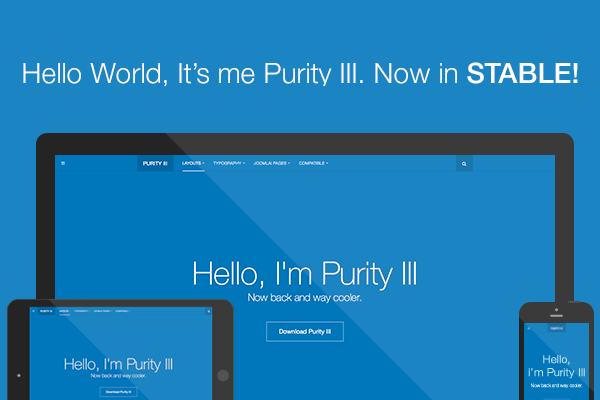
After the Developer Preview version of Purity III released 2 weeks ago, we are still amazed on how much feedback, support and love we are receiving on a daily basis toward Purity III. For these, we THANK YOU.

And today, the long-wait is now over. We're glad to announce that Purity III stable version is OUT.

Details

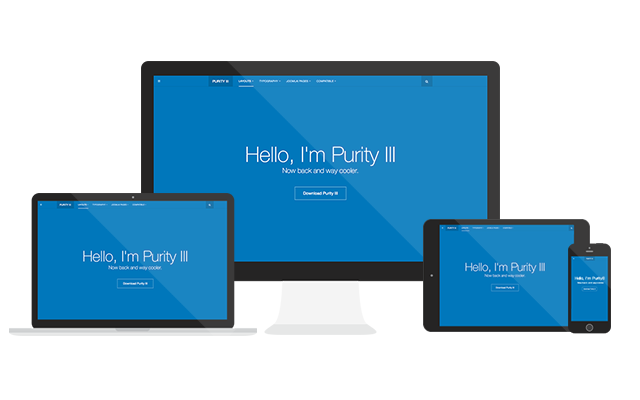
Time flies and I can't imagine that it is already 7 years since our Purity template was chosen to be the winner of Joomla 1.5 template contest. The template was later selected to be included into the core of Joomla 1.5. Purity has been the most successful template so far because of its simplicity yet flexibility. It does not look fancy, but it works seamlessly with any type of content you come up with.

Details

Developing a portfolio or showcasing Joomla site from scratch? JA Appolio will definitely help cutting down the time and efforts of the whole process with its upto date features : latest Joomla version, updated Joomla extensions, interactive UI & UX, social login authentication, T3 Framework featuring all new Bootstrap 3, powerful blogging tool EasyBlog, Responsive and RTL language layouts.

Details

T3 Framework - a powerful Joomla template framework version 2.0.1 was shipped last week.

What can you expect in T3 Framework version 2.0.1?

  • Up-to-date with Joomla & Bootstrap 3 framework
  • Improved in UI for both front-end & back-end
  • Even more flexible in term of navigation system

Apart from the new features, T3 Framework still embraces its core such as: Layout Configuration, ThemeMagic, Layout Customization, Megamenu Configuration, and more. If you are unfamiliar with T3 Framework, here are the shortcut to learn more about the Framework:

Details

Hello folks,

As you might already know, our T3 Joomla template framework has integrated Bootstrap in full features since the very beginning. And whoops!!! The new version Bootstrap 3.0 has been released a few days back to celebrate Bootstrap 2nd birthday. Bootstrap 3.0 took the team almost 9 months to work on it, and was officially shipped out to the world with tons of new features and changes.

Details

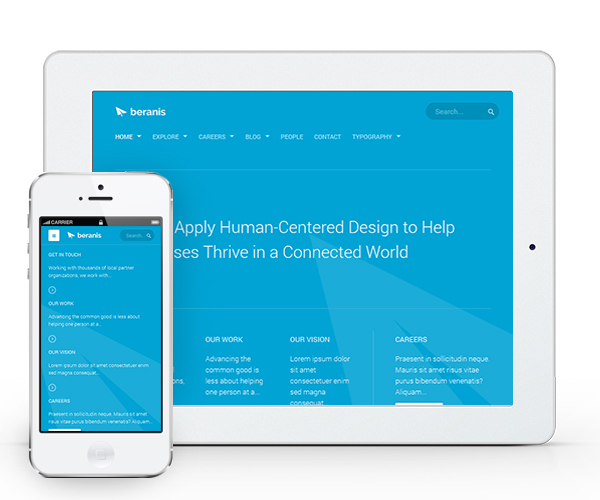
The latest of our Joomla 2.5 & 3.0 responsive template is JA Beranis. Fully loaded with great features including: RTL language layout support, EasyBlog component support, brand new module - image hotspot, our first ever vertical Mega Menu support and not to mention 5 more complimentary extensions. It also incorporates text and image animation (scrolling down on the home page to see it in action). JA Beranis is hands-down one of the most charismatic Joomla business template in our current collection. Let me give you a short tour of this template.

Details

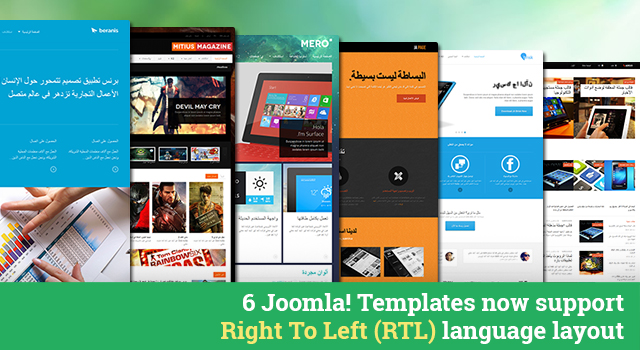
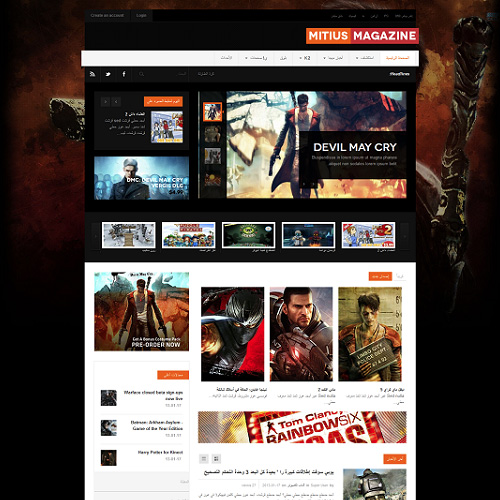
Following up for RTL language layout support for Joomla 2.5 & 3.1 templates, we have immediately updated 6 templates featuring this outstanding feature including: JA Beranis, JA Argo, JA Mitius, JA Onepage, JA Mero, and JA Brisk. If you haven’t known already, we now support RTL language layout in our T3 framework integrated with Bootstrap at core, it is amazingly easy to use. That means any Joomla templates that are compatible with the latest version of T3 Framework are RTL layout friendly. Woot woot!

Details

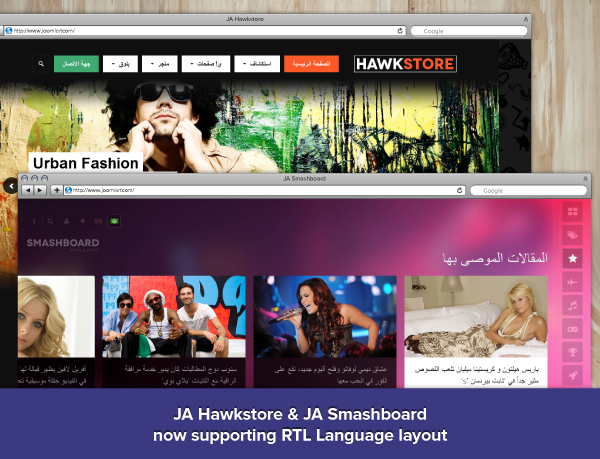
Yes! we did it right this time. Our Joomla templates (running T3v3 framework) now supports Right to left (RTL) language layouts. If you all remember we were the first to introduce native RTL support in Joomla templates via our T3v2 framework but it was a cumbersome process and hard work to release and maintain them, we eventually had to pause the RTL support, it was a hard decision then. For quite many months we have been working hard for the development and improvement of our T3 framework for Joomla! 2.5 / 3.0. Addition of Right to left layouts was one of the important feature and I am happy to announce that the feature is now available. RTL support in the latest T3 framework now uses the bootstrap RTL and is amazingly simple to use.

Details

Overview

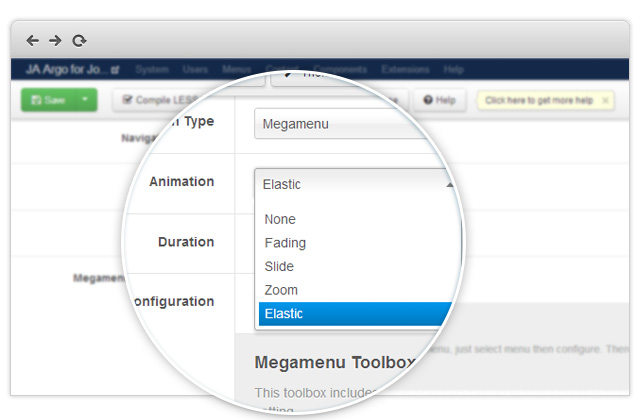
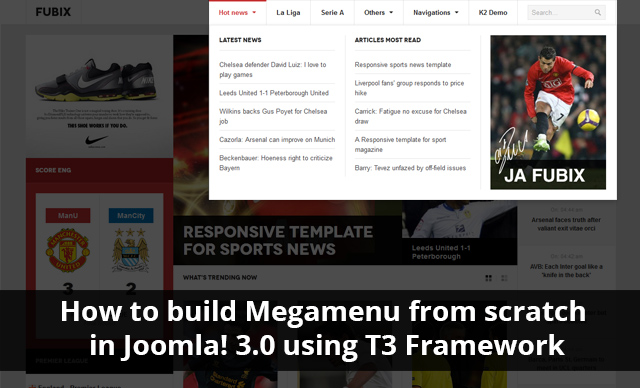
We were probably the first of the Joomla template clubs to introduce Mega Menu feature with our first generation T3 framework way back in 2009. It was an instant hit and we have refined the mega menu workflow since then and in our latest T3 framework V3, we moved to jquery instead of mootools. In the template userguides, we provide screenshots of how we configure the Mega Menu as in the demo site. But what if you are trying to configure Mega Menu without any userguides? That is when this tutorial comes in to play its role.

Details

Last night Joomla announced that the T3 Framework for Joomla responsive templates will be officially integrated into the upcoming Joomla 3.5 distribution with an early alpha release with Joomla 3.1. This is fantastic news, as 6 years ago JA Purity won the Joomla Template Contest and now its our template framework, the day is not far when all Joomla templates will be based on our T3 framework.

At JoomlArt we are very excited about this and have already started working on early integration of T3 framework with the Joomla 3.1 release scheduled April 15th 2013. We have been thrilled ever since this idea was introduced after the release of Joomla 3.1 during last years World Joomla Conference held in San Jose, California. T3 Framework is the best of the best Joomla template framework especially for the responsive templates for Joomla 2.5 and Joomla 3.0 and is the best solution for ease of use and its ability to personally customize each template to a previously unthinkable level of detail.

Details

Have you ever been on a website and just can’t figure out how to navigate to a certain page? Or perhaps suddenly been frustrated by trying to find the navigation bar after reading through countless comments or posts down the page. Not only is this annoying but often happens even more when using a mobile device or tablet, and is more complicated to remedy.

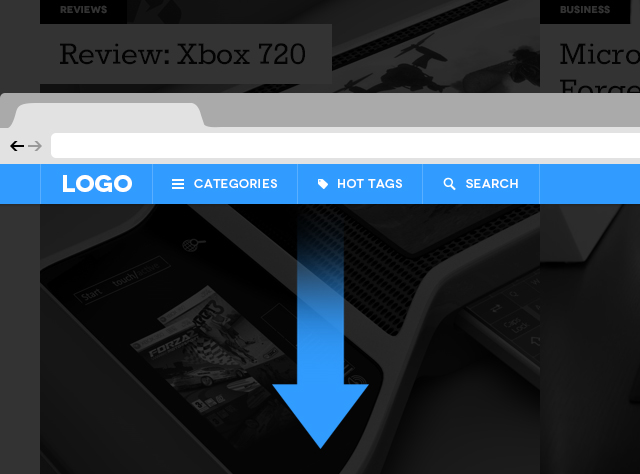
I have, and these problems while small, really bother me and countless other users too. Navigation is among the most important features in web design and focusing on it’s development will be a huge trend in 2013. To help improve the users experience and improve customer satisfaction we have recently incorporated Sticky Navigation for Desktop and Off Canvas Navigation for Mobile in JA Argo - responsive Joomla 2.5 / 3.0 template based on our all new T3 Framework , as well as in T3 Framework.

Overview of web navigation

A. Traditional navigation

In the past we would see all kinds of links listed on the top navigation bar. First we would scroll down to read the article, information, or blog post then have to scroll up to find the navigation bar located at the top of the page. Let’s be honest, that is one annoying and inconvenient thing to have to do everyday of your life.

Details

After 4 months of hard work, T3v3 has finally released the stable version for Joomla 2.5 and Joomla 3.0 a few days back accompanied with JAEM (JA Extensions Manager) urgent bug fix in upgrading T3 plugin.

1. T3v3 Stable Version 1.1.0

During the last couple of months, we have released a few beta and RC versions of T3 Framework and received numerous feedback from the Joomla community to improve the current Framework to the current level.

Details

About 2 months ago, Anthony from JoomlaBamboo buzzed me on Skype and said “I've just looked at the new version of T3 and I think it is absolutely amazing. I'm considering moving to that as our framework and I just wanted to discuss that with you.”

In the past I have had several similar chats with well known template providers about T3. I had the same discussions with Gavick as well as other ThemeForest developers who wanted to turning to T3 v1 and T3 v2. But this time, it is a bit different. We have reached now a momentum to do something big as a community, something that we, Anthony, me and a few awesome Joomla folks, talked about 8 months ago.

Details

Gangnam, Obama, Syria, Greece, Israel, London, Hurricane, NASA, Whitney Houston, Gunmen, space jump, God particle and a lot more keywords to summarize 2012. For us in 2012 the keyword was responsive design as most of our work has been impacted by RWD. Besides, keywords like JA Elastica, JA Wall, T3v3, J! 3.0 are also popular keywords popping across our social channels.

Details

Page 1 of 2