

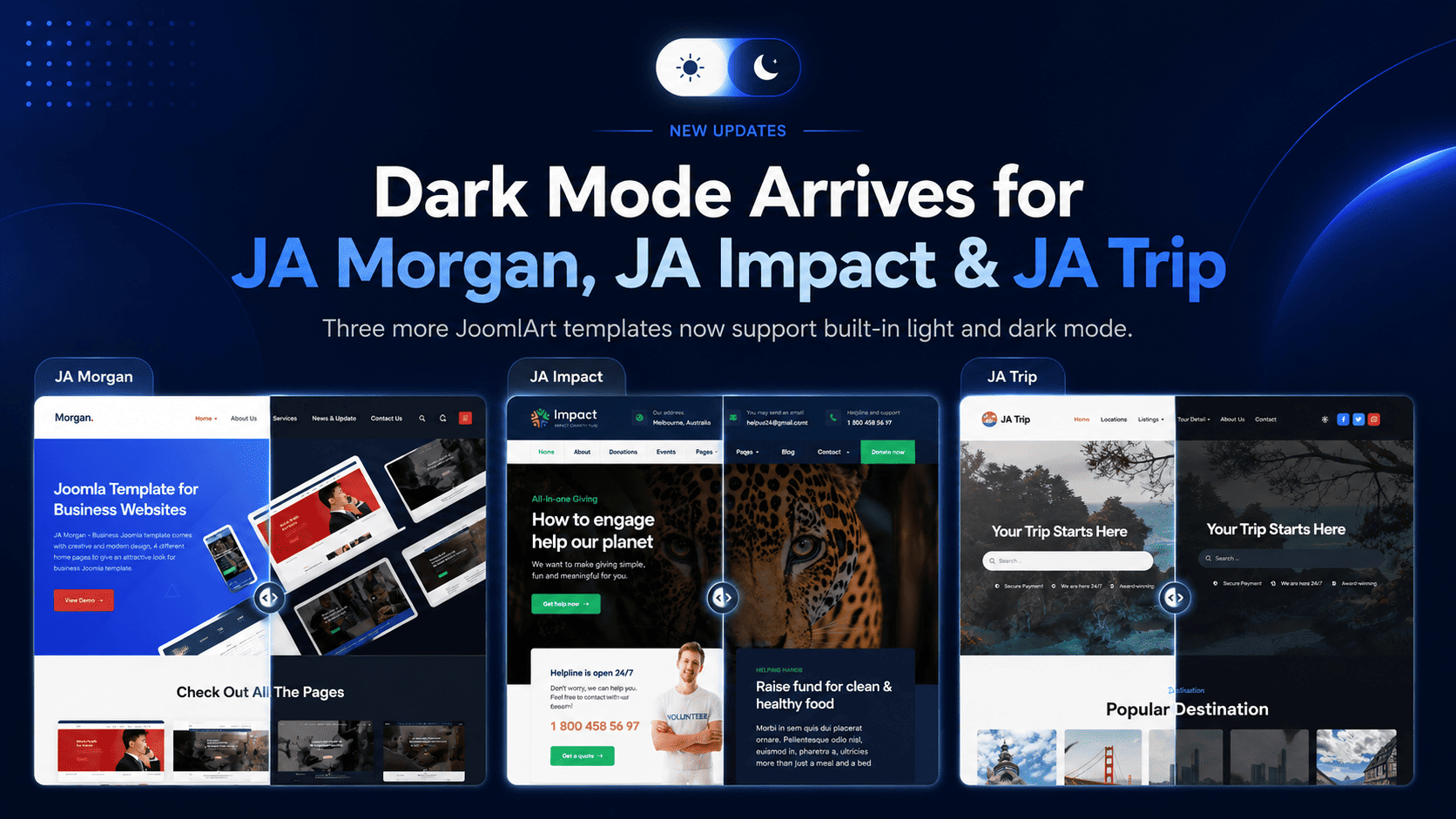
Dark Mode is moving quickly across the JoomlArt template collection. In just one week, seven Joomla templates have been updated with built-in light and dark mode support.
This is part of our ongoing effort to keep JoomlArt templates modern, flexible, and easier to use for real websites. Whether you run a business site, magazine, travel portal, non-profit project, or agriculture brand, your visitors can now enjoy a cleaner browsing experience in both light and dark styles.
No redesign required. These updates are built into the templates, so your existing light design remains untouched while Dark Mode becomes available as an additional viewing option.
7 Templates Updated with Dark Mode
This week’s rollout brings Dark Mode support to the following templates:
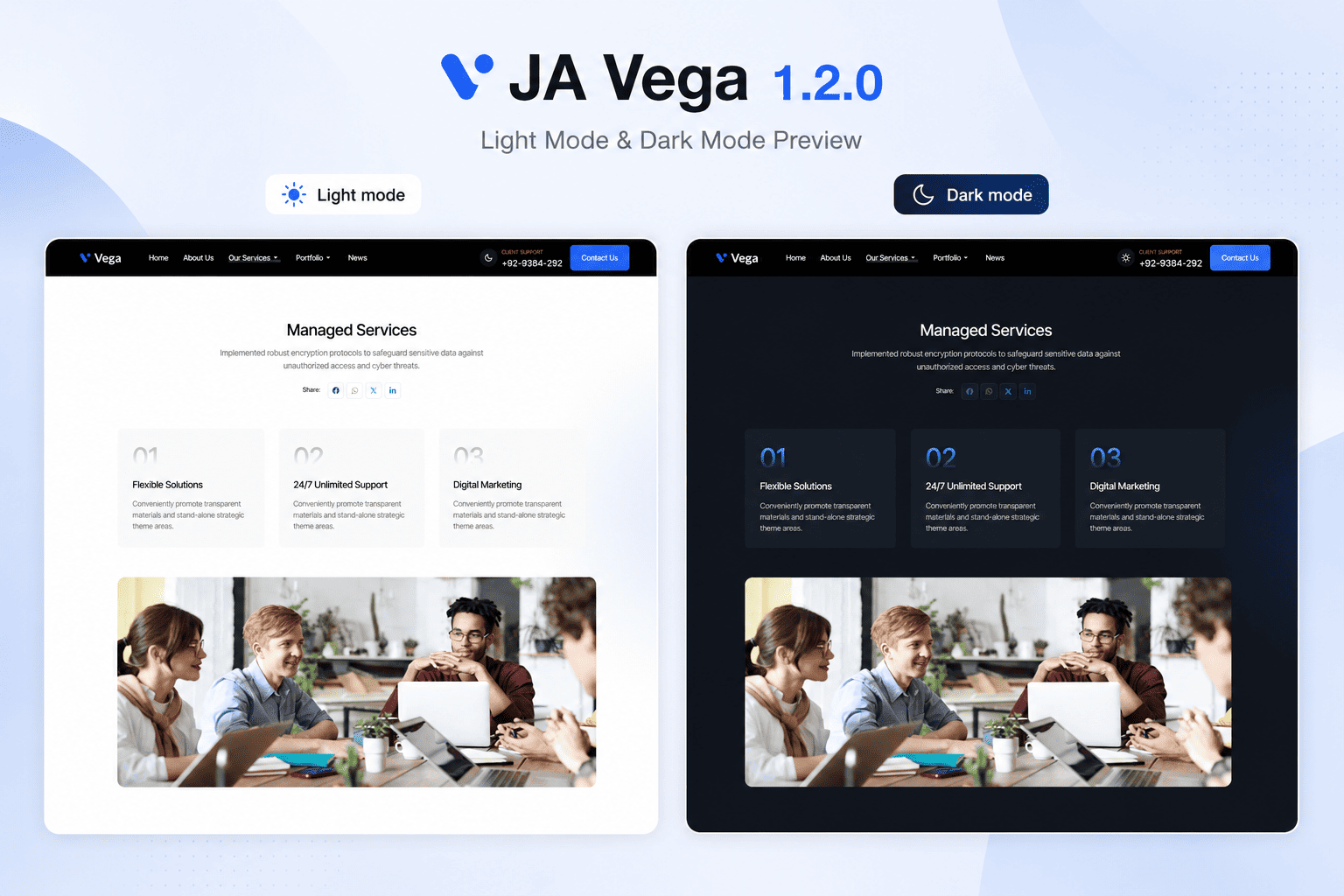
JA Vega
Business and corporate Joomla template with a modern professional design.
JA Morgan
Multipurpose business template for companies, agencies, and service websites.
JA Impact
NGO and non-profit template for campaigns, events, donations, and causes.
JA Vogue
Fashion, lifestyle, and magazine template with strong visual storytelling.
JA Trip
Travel and tour template for destinations, tour packages, and travel blogs.
JA Spark
Modern multipurpose Joomla template for creative and business websites.
JA Agrivita
Agriculture and organic farming template for farms, food brands, and green businesses.
What Dark Mode Adds to Your Website
Dark Mode gives your visitors more control over how they view your site. Some users prefer a brighter interface during the day, while others prefer a darker layout at night or in low-light environments.
With these updates, each supported template now offers a more flexible front-end experience without changing your content structure, menu setup, modules, or existing layouts.
Main highlights
- Built-in Light / Dark Mode support
- Clean sun / moon toggle for visitors
- Automatic system preference detection
- Remembered mode selection for returning visitors
- Dark styling refined across key template pages
- Existing Light Mode design preserved
- Simple template update process
Why We Are Rolling This Out Across More Templates
Dark Mode is no longer just a visual trend. It has become a common expectation across apps, operating systems, dashboards, and modern websites.
For Joomla site owners, this means a site can feel more current and user-friendly without needing a complete redesign. That is why we are gradually bringing Dark Mode to more templates in the JoomlArt library, starting with popular templates across different categories.
The goal is simple: help your existing Joomla website stay fresh, while giving you more design flexibility for new projects.
A Better Experience Across Different Website Types
Each template serves a different type of website, so the Dark Mode treatment has been adjusted to fit the purpose of each design.
For business websites
Templates like JA Vega, JA Morgan, and JA Spark benefit from a sharper, more polished presentation that works well for corporate profiles, service pages, portfolios, and landing pages.
For content-heavy websites
JA Vogue and JA Trip can now offer a more comfortable reading experience for magazine articles, travel stories, destination guides, and blog content.
For cause-driven and niche websites
JA Impact and JA Agrivita now support a modern dark interface while keeping the warmth and clarity needed for non-profit, agriculture, organic, and community-focused websites.
How to Update Your Template
If you are already using one of the updated templates, you can access Dark Mode by installing the latest template package from JoomlArt.
- Go to your JoomlArt account and download the latest version of your template.
- Install the update over your current template version.
- Open your site and test the Light / Dark Mode toggle in the front-end header.
- Review your main pages to make sure everything looks right with your own content and images.
Your existing content, modules, and template settings remain in place during the update.
If your website uses heavy custom CSS or third-party extensions, we recommend checking the main pages after updating to make sure custom sections also look good in Dark Mode.
More Updates Are Coming
This seven-template rollout is another step in our wider update plan for the JoomlArt collection. We will continue improving templates with modern features, compatibility updates, design refinements, and Joomla platform support.
If your favorite template is not in this batch yet, stay tuned. More Dark Mode updates and template improvements are on the way.
Thank you for using JoomlArt.
— The JoomlArt Team








![[VIDEO] Introduction to Joomla 1.6 - New Features, Extensions and Templates](http://www.joomlart.com/images/stories/joomlart/blog/201012_welcome_joomla_16/01.png)