JoomlArt's Blog

Joomla Tutorials, info, Discussions and much more...

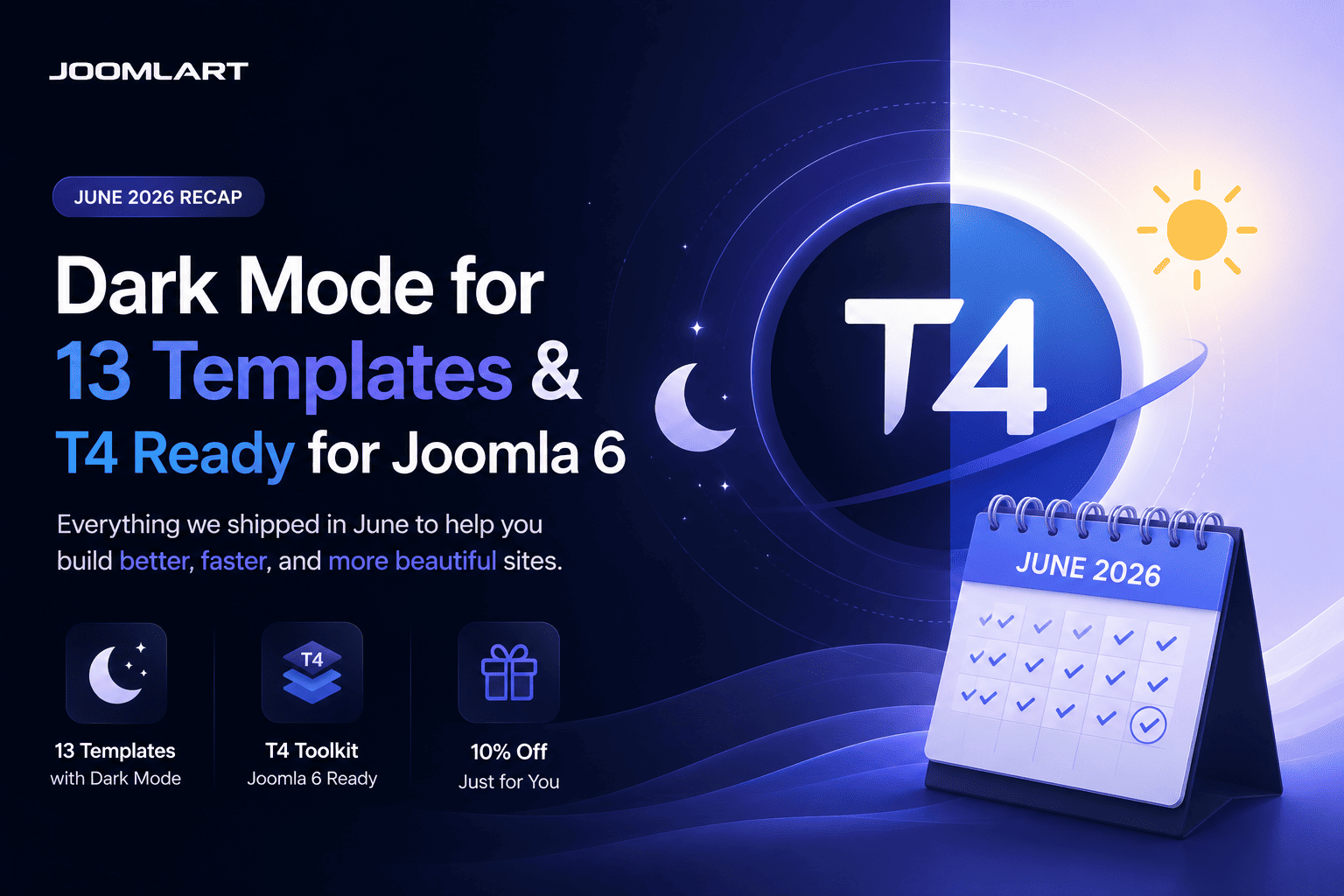
June was one of our busiest months yet. We brought built-in Dark Mode to 13 templates - and rebuilt the entire T4 toolkit to be ready for Joomla 6. Here's the full recap.

13
templates got Dark Mode
T4
ready for Joomla 6
200+
templates in one plan

Dark Mode arrived on 13 templates

Dark Mode was the headline of the month. One by one, we added a built-in light / dark toggle to 13 of our most popular templates - each with automatic detection of the visitor's system preference, a remembered choice for returning visitors, and your existing light design left fully intact.

JoomlArt

Templates updated with Dark Mode in June

Switching on takes one quick template update - your content and settings stay exactly where they are. Prefer light only? Leave it: light mode remains the default and untouched.

The T4 toolkit is now Joomla 6 ready

It wasn't only about looks. We also shipped a major update to the T4 ecosystem, focused on Joomla 6 compatibility, PHP 8.x support, and improved stability across the board - so upgrading your site is smoother and safer.

What we updated

  • T4 Page Builder v2.2.0 - full Joomla 6 support, with the same drag-and-drop visual editing
  • T4 Framework v2.6.0 - Joomla 6 compatible and more stable across T4-based templates
  • T4 Builder Article Integration Plugin v2.2.0 - smoother Joomla article editing inside the builder
  • T4 Blank Template v1.2.0 - a clean Joomla 6 starting point for developers and agencies

If you're planning a move to Joomla 6, this release is built to make that transition reliable - tested for modern hosting environments and the latest Joomla backend changes.

Why this matters

Modern visitors expect a dark option, and Joomla 6 is the platform's next chapter. In a single month, your JoomlArt collection moved forward on both fronts - and the roll-out keeps going into July, with more dark-mode templates and ongoing Joomla 6 updates landing week after week.

The simplest way to get all of it? A JoomlArt membership. One plan unlocks every template above, the full T4 toolkit, and everything we ship next.

Get every template with one membership

All 200+ templates, the full T4 toolkit, and every update we ship next.

Explore membership plans →

Thank you for being part of the journey - here's to an even bigger July.
— The JoomlArt Team

Details

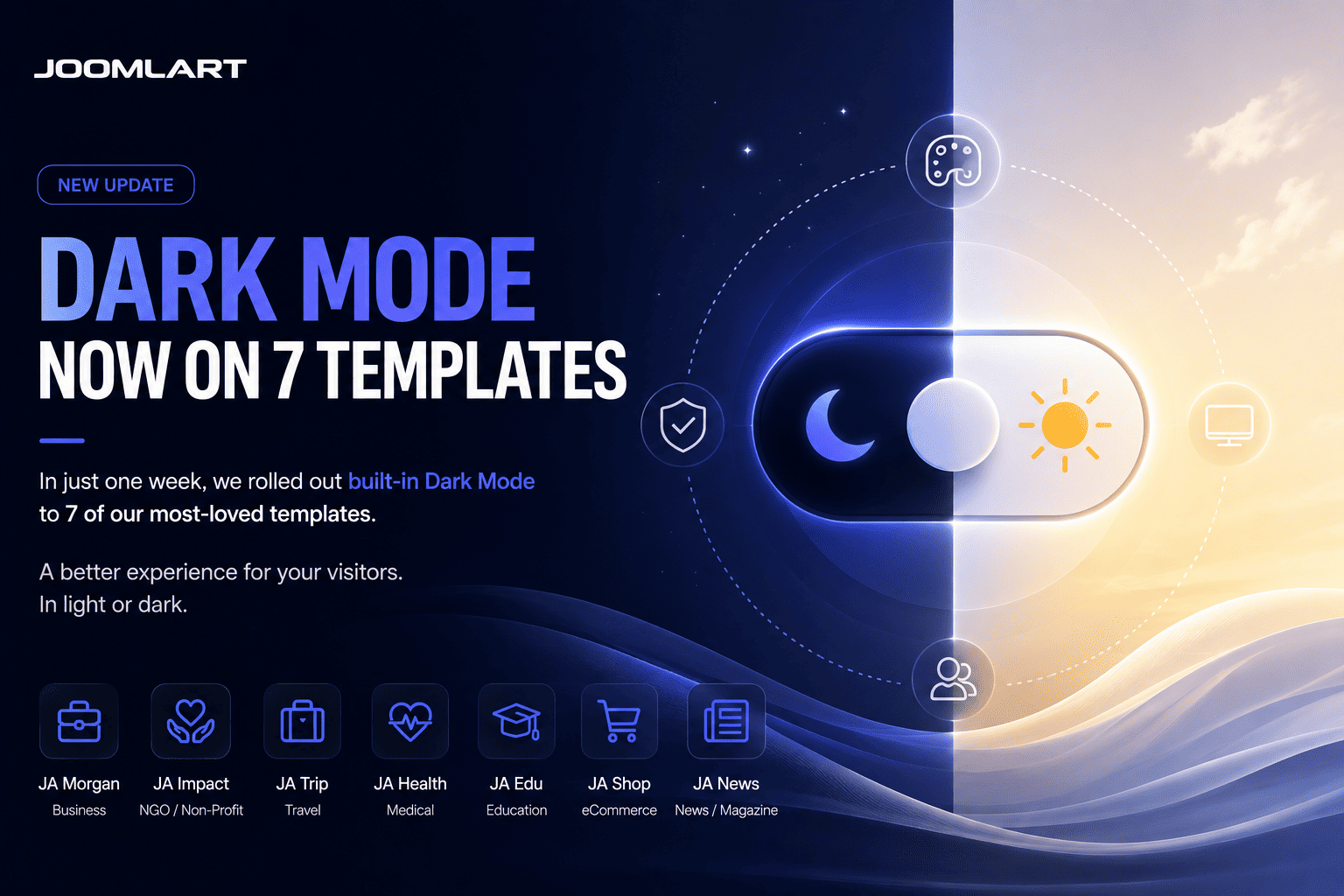
Dark Mode is moving quickly across the JoomlArt template collection. In just one week, seven Joomla templates have been updated with built-in light and dark mode support.

This is part of our ongoing effort to keep JoomlArt templates modern, flexible, and easier to use for real websites. Whether you run a business site, magazine, travel portal, non-profit project, or agriculture brand, your visitors can now enjoy a cleaner browsing experience in both light and dark styles.

No redesign required. These updates are built into the templates, so your existing light design remains untouched while Dark Mode becomes available as an additional viewing option.

7 Templates Updated with Dark Mode
JoomlArt

This week’s rollout brings Dark Mode support to the following templates:

JA Vega

Business and corporate Joomla template with a modern professional design.

JA Morgan

Multipurpose business template for companies, agencies, and service websites.

JA Impact

NGO and non-profit template for campaigns, events, donations, and causes.

JA Vogue

Fashion, lifestyle, and magazine template with strong visual storytelling.

JA Trip

Travel and tour template for destinations, tour packages, and travel blogs.

JA Spark

Modern multipurpose Joomla template for creative and business websites.

JA Agrivita

Agriculture and organic farming template for farms, food brands, and green businesses.

What Dark Mode Adds to Your Website

Dark Mode gives your visitors more control over how they view your site. Some users prefer a brighter interface during the day, while others prefer a darker layout at night or in low-light environments.

With these updates, each supported template now offers a more flexible front-end experience without changing your content structure, menu setup, modules, or existing layouts.

Main highlights

  • Built-in Light / Dark Mode support
  • Clean sun / moon toggle for visitors
  • Automatic system preference detection
  • Remembered mode selection for returning visitors
  • Dark styling refined across key template pages
  • Existing Light Mode design preserved
  • Simple template update process

Why We Are Rolling This Out Across More Templates

Dark Mode is no longer just a visual trend. It has become a common expectation across apps, operating systems, dashboards, and modern websites.

For Joomla site owners, this means a site can feel more current and user-friendly without needing a complete redesign. That is why we are gradually bringing Dark Mode to more templates in the JoomlArt library, starting with popular templates across different categories.

The goal is simple: help your existing Joomla website stay fresh, while giving you more design flexibility for new projects.

A Better Experience Across Different Website Types

Each template serves a different type of website, so the Dark Mode treatment has been adjusted to fit the purpose of each design.

For business websites

Templates like JA Vega, JA Morgan, and JA Spark benefit from a sharper, more polished presentation that works well for corporate profiles, service pages, portfolios, and landing pages.

For content-heavy websites

JA Vogue and JA Trip can now offer a more comfortable reading experience for magazine articles, travel stories, destination guides, and blog content.

For cause-driven and niche websites

JA Impact and JA Agrivita now support a modern dark interface while keeping the warmth and clarity needed for non-profit, agriculture, organic, and community-focused websites.

How to Update Your Template

If you are already using one of the updated templates, you can access Dark Mode by installing the latest template package from JoomlArt.

  1. Go to your JoomlArt account and download the latest version of your template.
  2. Install the update over your current template version.
  3. Open your site and test the Light / Dark Mode toggle in the front-end header.
  4. Review your main pages to make sure everything looks right with your own content and images.

Your existing content, modules, and template settings remain in place during the update.

If your website uses heavy custom CSS or third-party extensions, we recommend checking the main pages after updating to make sure custom sections also look good in Dark Mode.

More Updates Are Coming

This seven-template rollout is another step in our wider update plan for the JoomlArt collection. We will continue improving templates with modern features, compatibility updates, design refinements, and Joomla platform support.

If your favorite template is not in this batch yet, stay tuned. More Dark Mode updates and template improvements are on the way.

Thank you for using JoomlArt.
— The JoomlArt Team

Details

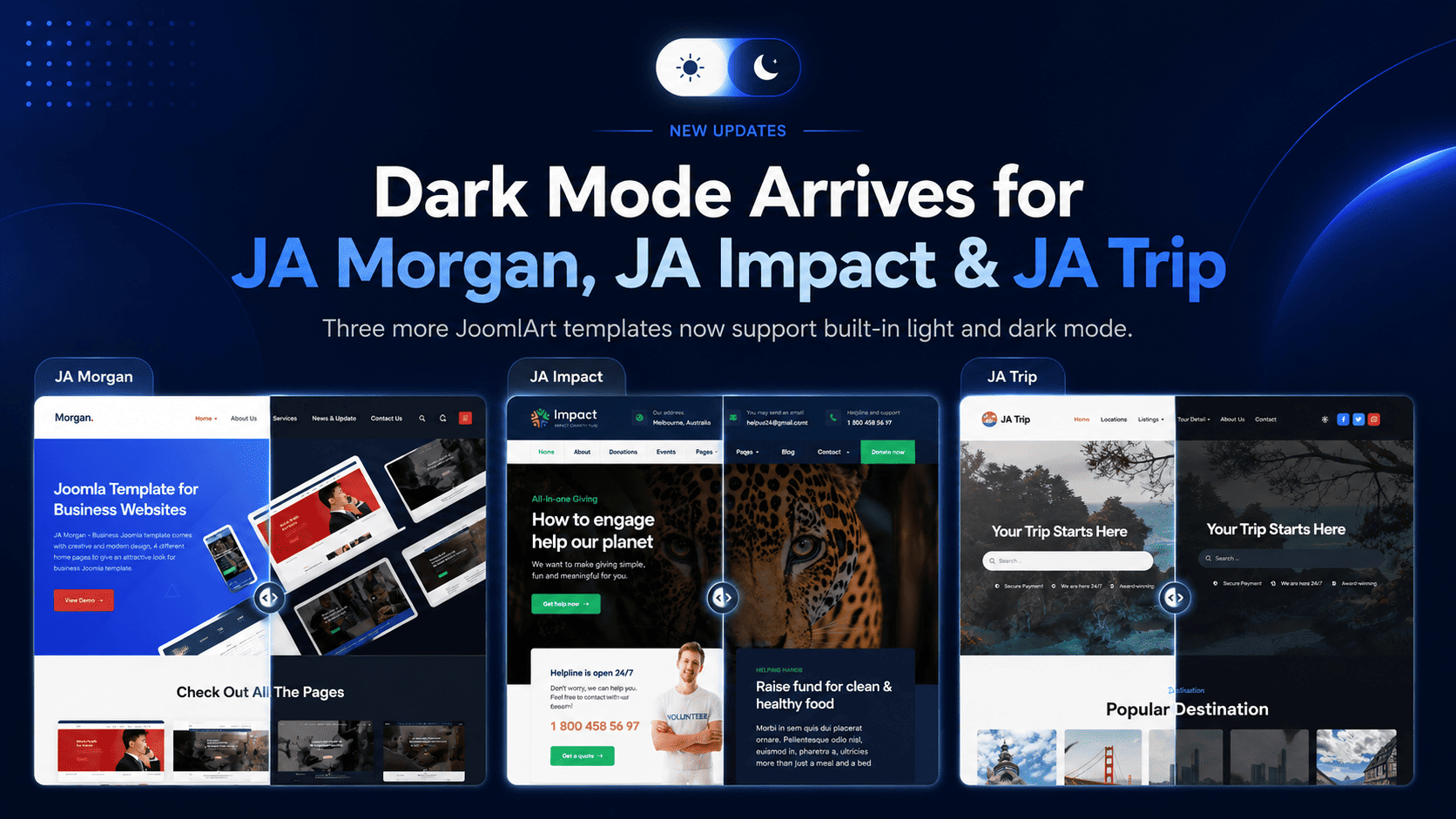
After bringing Dark Mode to JA Vega, we are happy to extend the same feature to three more popular templates: JA Morgan, JA Impact, and JA Trip.

Each template now ships with built-in Dark Mode, giving your visitors a more modern viewing experience while keeping the original light design fully intact. No matter which of these templates powers your site, the upgrade is a simple template update - your content and settings stay exactly where they are.

JoomlArt

Why Dark Mode Matters

Many website visitors now expect the option to switch between light and dark viewing modes.

Dark Mode is especially useful when visitors browse in the evening, in low-light environments, or on devices where a darker interface feels easier on the eyes. It also adds a more modern and premium feel to your site without changing its core structure.

With this release, visitors to your Morgan, Impact, or Trip site can choose the experience that fits them best.

What's New Across All Three Templates

The main highlight of this release is built-in Dark Mode support. Every site can now display beautifully in both light and dark styles.

This update includes

  • A clean sun / moon toggle in the site header
  • Automatic detection of the visitor's system preference
  • Remembered mode selection for returning visitors
  • Dark Mode styling across key template pages
  • Light Mode kept as the default experience
  • No need to rebuild your existing website layout

Your current light design remains unchanged. If you prefer to keep using only the light version, you can continue exactly as before.

The Three Updates

JA Morgan 2.3.0

JA Morgan - Multipurpose Business Template

JA Morgan is a flexible, multipurpose template for businesses, corporate firms, and creative agencies. Built on the T3 Framework, it now brings Dark Mode to all 4 homepage styles plus the About, Services, Blog, and Contact pages - so your company site looks polished in either mode.

Update JA Morgan →
JA Impact 1.2.0

JA Impact - NGO & Non-Profit Template

JA Impact is purpose-built for NGOs, non-profits, environmental initiatives, and animal welfare organizations. Powered by the T4 Framework, Dark Mode now extends across its campaign, event, donation, blog, and contact layouts - helping your cause look current and trustworthy at any time of day.

Update JA Impact →
JA Trip 1.2.0

JA Trip - Travel & Tour Template

JA Trip is our premier template for travel agencies and tour operators. Also built on the T4 Framework, it now offers Dark Mode across the home, tours, destinations, travel blog, and contact pages - giving your destinations a sleek, modern showcase in both light and dark.

Update JA Trip →

Designed for a Smooth Update

We know many Joomla site owners want improvements but do not want complicated updates. That is why each of these releases was designed to be a simple template update.

You can download the latest package, install it over your current version, and continue using your existing content and settings. There is no need to rebuild your pages from scratch, and no framework or core files were changed.

How to Update

To use the new Dark Mode feature on any of the three templates:

  1. Download the latest package for your template (JA Morgan, JA Impact, or JA Trip) from JoomlArt.
  2. Install the update over your current template.
  3. Open your site and use the sun / moon toggle in the header to preview Dark Mode.

Your content and existing configuration will remain in place.

Get the Update Today

If you are already using JA Morgan, JA Impact, or JA Trip, this is a quick update that can make your website feel more modern in just a few minutes. Dark Mode is part of our ongoing effort to bring this feature to more JoomlArt templates - stay tuned for the next ones.

Thank you for using JoomlArt.
— The JoomlArt Team
Details

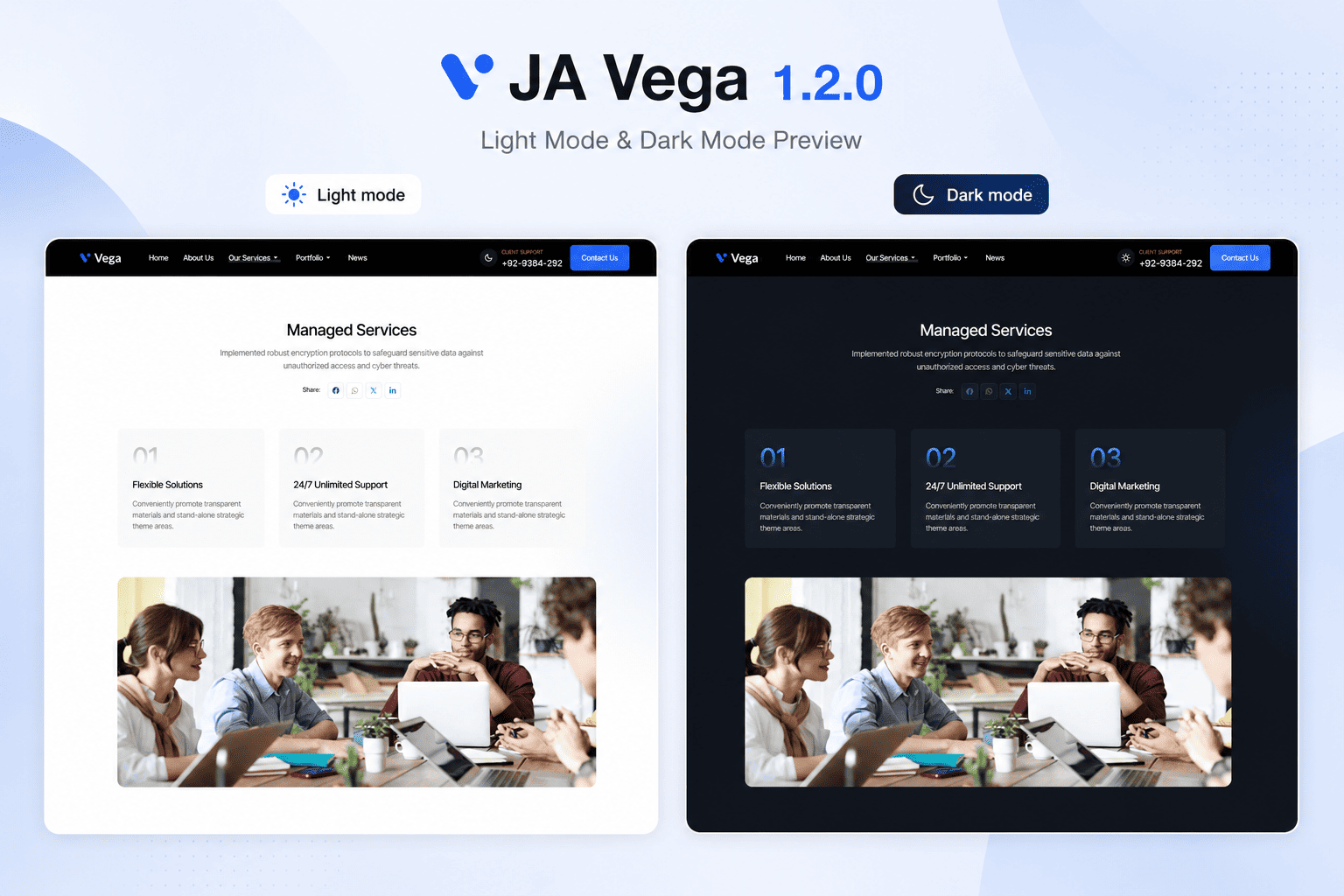
We are pleased to announce the release of JA Vega 1.2.0, now available with a brand-new Dark Mode.

JA Vega was built for business, corporate, agency, and service websites that need a clean and professional Joomla template. With this update, the template now gives your visitors a more modern viewing experience while keeping the original light design fully intact.

JoomlArt

Why Dark Mode Matters

Many website visitors now expect the option to switch between light and dark viewing modes.

Dark Mode is especially useful when visitors browse your site in the evening, in low-light environments, or on devices where a darker interface feels easier on the eyes.

For business websites, it also adds a more modern and premium feel without changing the core structure of your site.

With JA Vega 1.2.0, you can now offer both experiences.

What's New in JA Vega 1.2.0

The main highlight of this release is built-in Dark Mode support. Your site can now display beautifully in both light and dark styles, giving visitors a choice that fits their preference.

This update includes

  • A clean sun / moon toggle in the site header
  • Automatic detection of the visitor's system preference
  • Remembered mode selection for returning visitors
  • Dark Mode styling across key template pages
  • Light Mode kept as the default experience
  • No need to rebuild your existing website layout

Your current light design remains unchanged. If you prefer to keep using only the light version, you can continue exactly as before.

Designed for a Smooth Update

We know many Joomla site owners want improvements, but do not want complicated updates. That is why JA Vega 1.2.0 was designed to be a simple template update.

You can download the latest package, install it over your current version, and continue using your existing content and settings. There is no need to rebuild your pages from scratch.

A Better Experience for Business Websites

JA Vega is often used for company websites, service pages, portfolios, and corporate landing pages.

With Dark Mode, these websites can now feel more current and polished while still keeping the same clear structure that business visitors expect.

Whether your visitors prefer a bright interface during the day or a darker interface at night, JA Vega now supports both.

How to Update

To use the new Dark Mode feature:

  1. Download the latest JA Vega 1.2.0 package from JoomlArt.
  2. Install the update over your current JA Vega template.
  3. Open your site and use the sun / moon toggle in the header to preview Dark Mode.

Your content and existing configuration will remain in place.

Update JA Vega Today

If you are already using JA Vega, this is a quick update that can make your website feel more modern in just a few minutes.

Dark Mode is now available in JA Vega 1.2.0.

Thank you for using JoomlArt.
— The JoomlArt Team
Details