
Installation
JA Civica is a civic template for Joomla 6, built for NGOs, foundations and political organisations. It uses editorial serif headlines, full-bleed photography and a calm forest-green and marigold palette. It ships light and dark modes, three home variants (Alliance, Campaign and NGO), and every section is editable in the administrator. It is built on the T4 Framework.
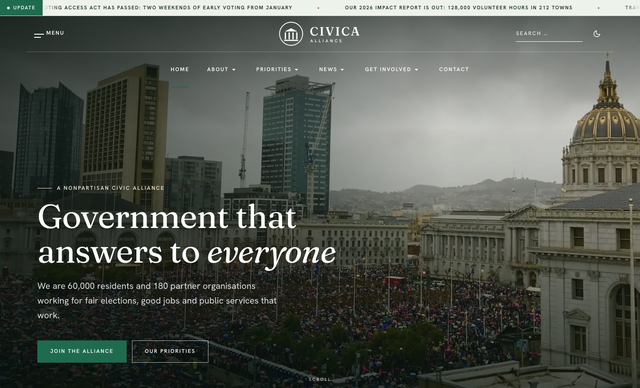
- Quickstart installation: replicate the Civica demo (modules, styles, home variants, sample content) on your server.
- Manual installation: install the template and JA extensions on an existing Joomla site.
System requirements
Make sure your host meets Joomla 6 requirements:
Software
- PHP: 8.3.0+ (8.4 recommended)
- Required: json, simplexml, dom, zlib, gd, and mysqli or pdo_mysql
- Recommended: mbstring, zip, intl, curl, openssl, fileinfo
Databases
- MySQL (InnoDB): 8.0.13+
- MariaDB: 10.4+
Web servers
- Apache 2.4+
- Nginx 1.26+
- Microsoft IIS 10+
Browsers
- Firefox, Chrome, Edge, Safari (latest)
Development environment
Localhost is preferred while building.
Windows
- WAMP / XAMPP
Linux
- LAMP / XAMPP
Mac OS
- MAMP / XAMPP
Demo stack notes
- Joomla 6.x
- T4 Framework plugin (2.6+)
- JA ACM module (2.5+)
- JA Extension Manager
Download packages
The JA Civica download section includes:
- Quickstart package for Joomla 6
- JA Civica template (
ja_civica) - T4 Framework plugin
- JA ACM module
- JA Extension Manager component
Quickstart installation
Quickstart installs a full demo: three home variants, megamenu, ACM inner pages (About, Leadership, Questions and answers, Priorities, Get involved, Take action, Donate), news blog, contact, member pages and all chrome modules.
Manual installation
On an existing Joomla site, go to System » Install » Extensions and install in this order:
- T4 Framework plugin
- JA Civica template
- JA ACM module
- JA Extension Manager component
Confirm the T4 plugin is enabled under System » Plugins.
Set default template style
Go to System » Site Template Styles. Set JA Civica - Inner as the default style (layout default, with breadcrumbs and a right sidebar). Then assign the other styles to their menu items: JA Civica - Home to the Home item, and the remaining styles as listed below.
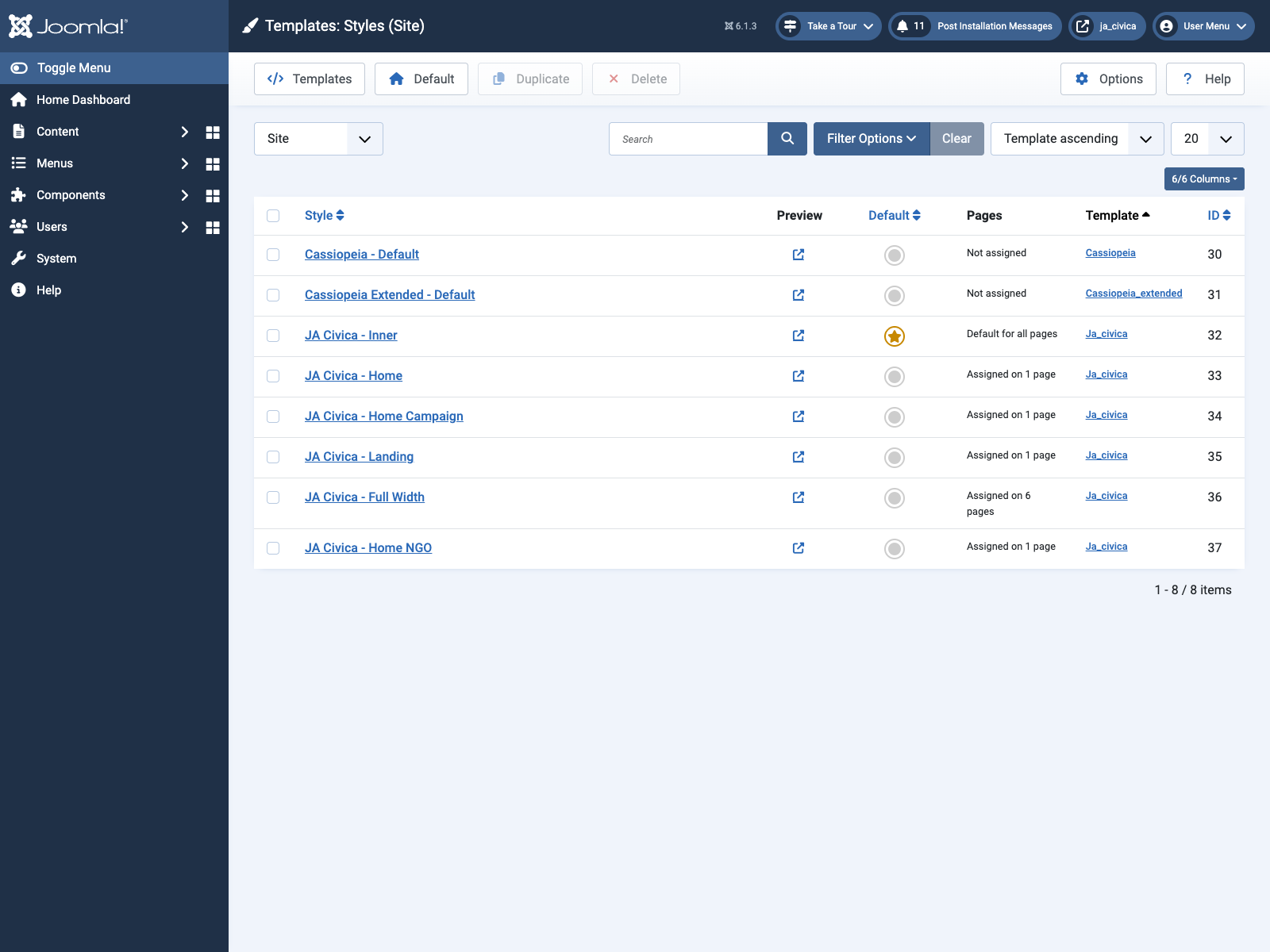
| Style | Layout | Site profile | Typical use |
|---|---|---|---|
| JA Civica - Inner (default) | default |
default | News, priority articles, contact, member pages |
| JA Civica - Home | home |
default (Civica Alliance) | Default home |
| JA Civica - Home Campaign | home-2 |
campaign (Every Vote) | Campaign home |
| JA Civica - Home NGO | home-3 |
ngo (Civica Foundation) | NGO / foundation home |
| JA Civica - Full Width | no-sidebar |
default | About, Leadership, Questions and answers, Priorities, Get involved, Donate |
| JA Civica - Landing | landing |
default | Take action landing page |
Template folder structure
/templates/ja_civica/
	+-- acm/                 /* 19 ACM blocks */
	+-- etc/
	¦    +-- layout/          /* default, home, home-2, home-3, landing, no-sidebar */
	¦    +-- site/            /* default, campaign, ngo */
	¦    +-- theme/
	¦    +-- navigation/
	+-- scss/                /* template, darkmode, civica tokens / base / chrome / content / acm */
	+-- css/
	+-- html/                /* com_content + mod_articles_category overrides, layouts/t4 blocks */
	+-- js/                  /* template.js, darkmode.js */
	+-- images/              /* logo-civica, logo-campaign, logo-ngo */
	+-- fonts/
	+-- language/
	+-- darkmode-resolver.php
	+-- templateDetails.xml
Do not customize inside the T4 plugin. Use Custom CSS/SCSS tools or files under templates/ja_civica/.
Template configuration
All settings below are edited in the administrator under System » Site Template Styles » JA Civica - Home (or another ja_civica style) » Theme Configuration.
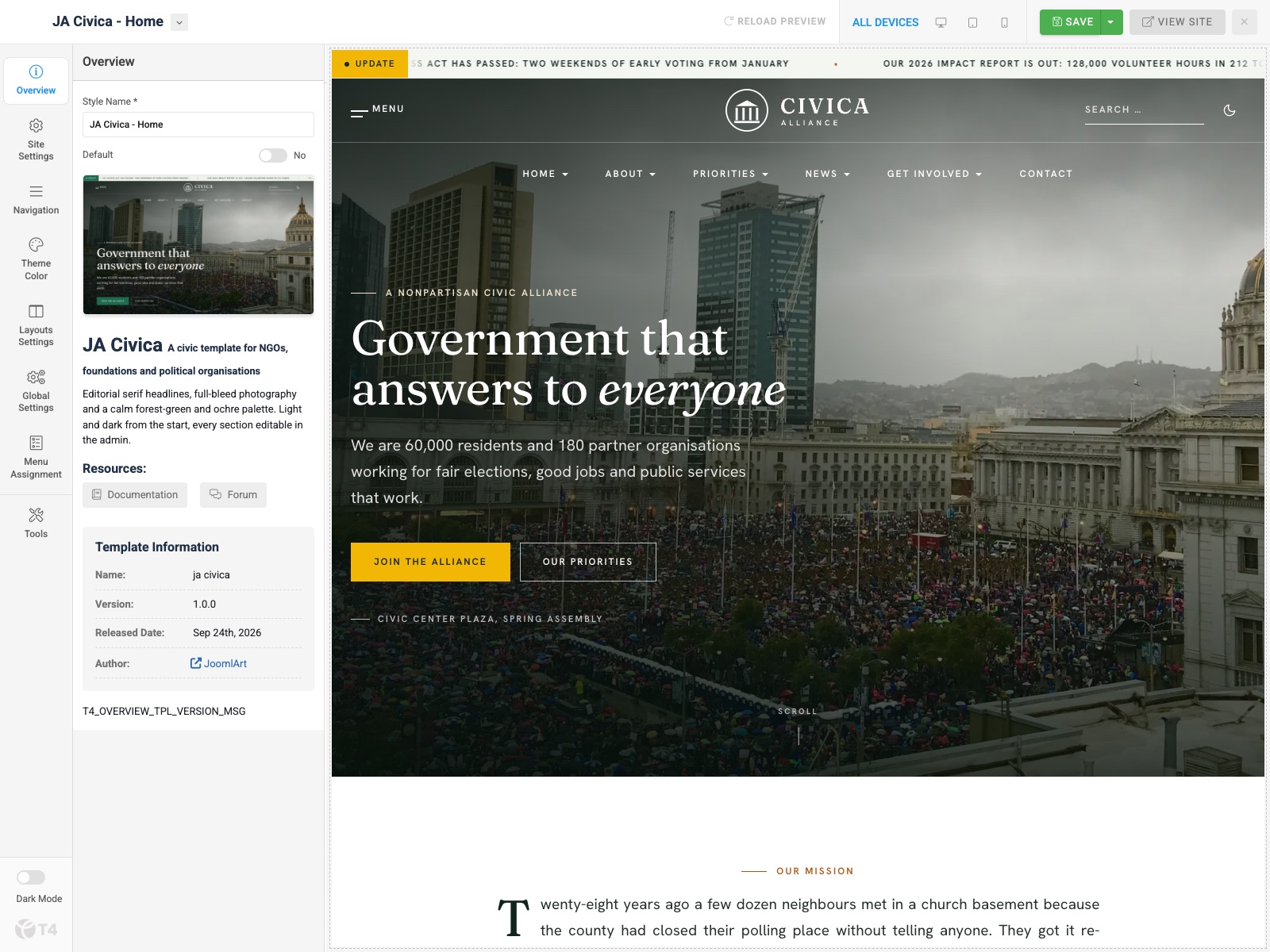
1. Layout configuration
Open Layouts Settings and assign a layout for the style. The demo home style uses layout home.
- home — ticker → civica-header (centred logo, overlays the hero) →
hero→section-1…section-6→ footnav → footer-brand → footer - home-2 / home-3 — same stack with civica-header-bar (logo left, search, dark toggle and
header-ctabutton). Used by the Campaign and NGO homes. - landing — civica-header →
hero→section-1…section-4→ footer-brand (no ticker, no footer menus) - no-sidebar — ticker → header → masthead →
page-top→ main body →page-bottom→ footer. Inner shell for ACM pages. - default — ticker → header → masthead →
breadcrumbs→ main body +sidebar-r→page-bottom→ footer
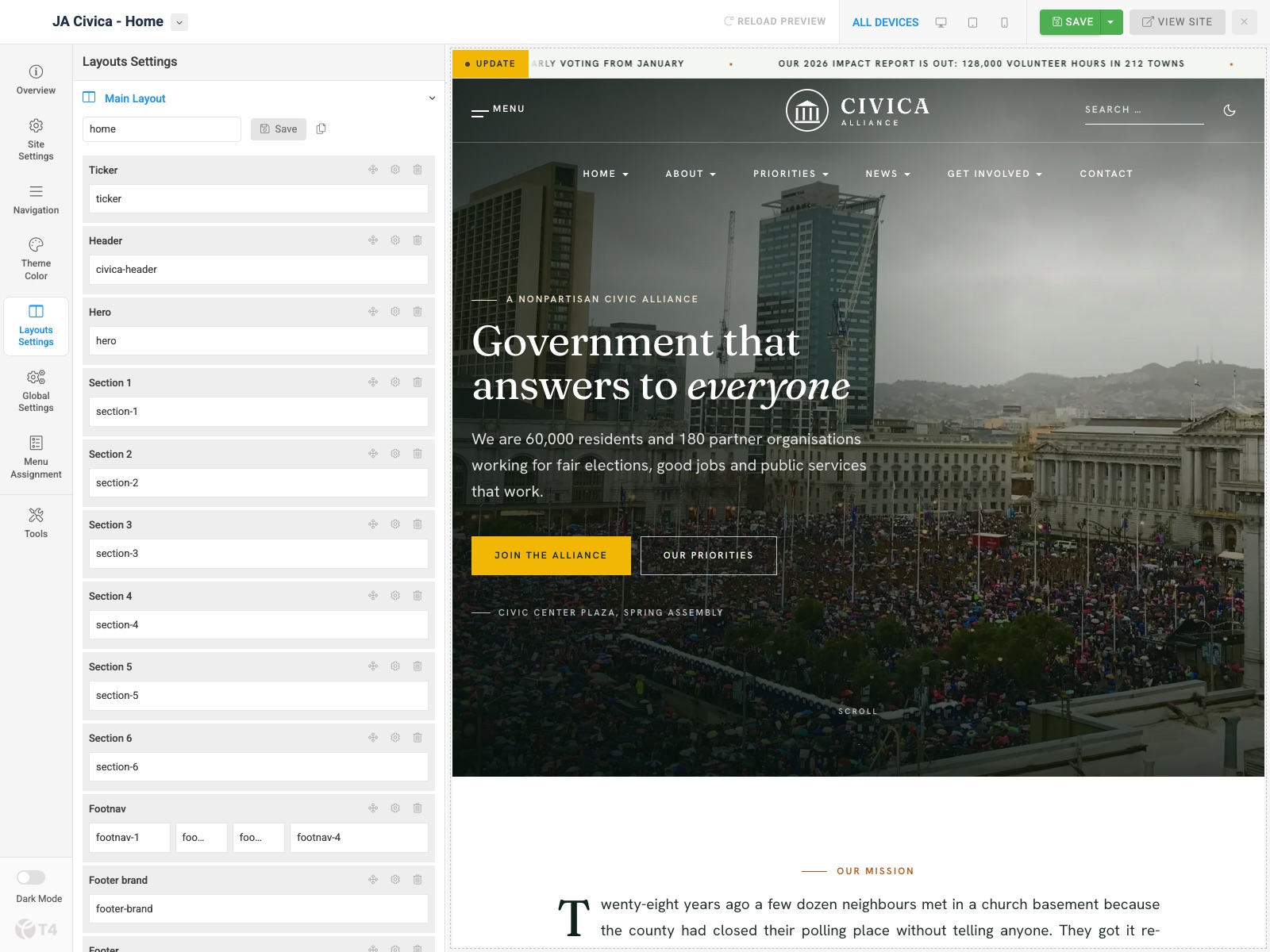
Note: Create multiple template styles with different layouts, then assign each style to menu items.
2. Site settings
Open Site Settings. The profile dropdown (default / campaign / ngo) selects the site JSON for that style: site name, logo, typography and dark mode defaults.
| Profile | Site name | Logo | Used by |
|---|---|---|---|
default |
Civica Alliance | images/logo-civica.svg |
Home, Inner, Full Width, Landing |
campaign |
Every Vote - Civica 2026 | images/logo-campaign.svg |
Home Campaign |
ngo |
Civica Foundation | images/logo-ngo.svg |
Home NGO |
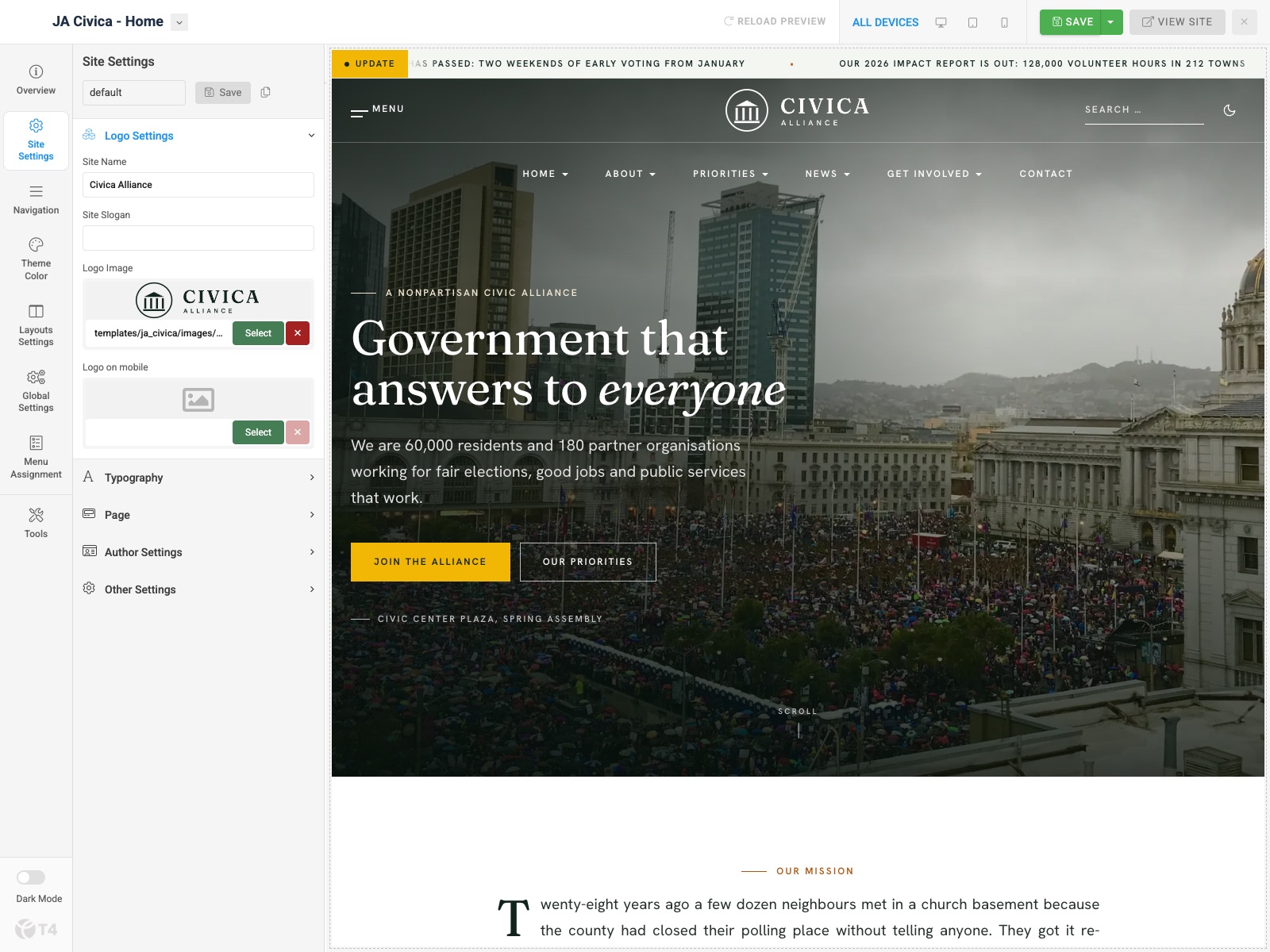
Logo settings
Expand Logo Settings: site name, slogan, logo image, and mobile logo.
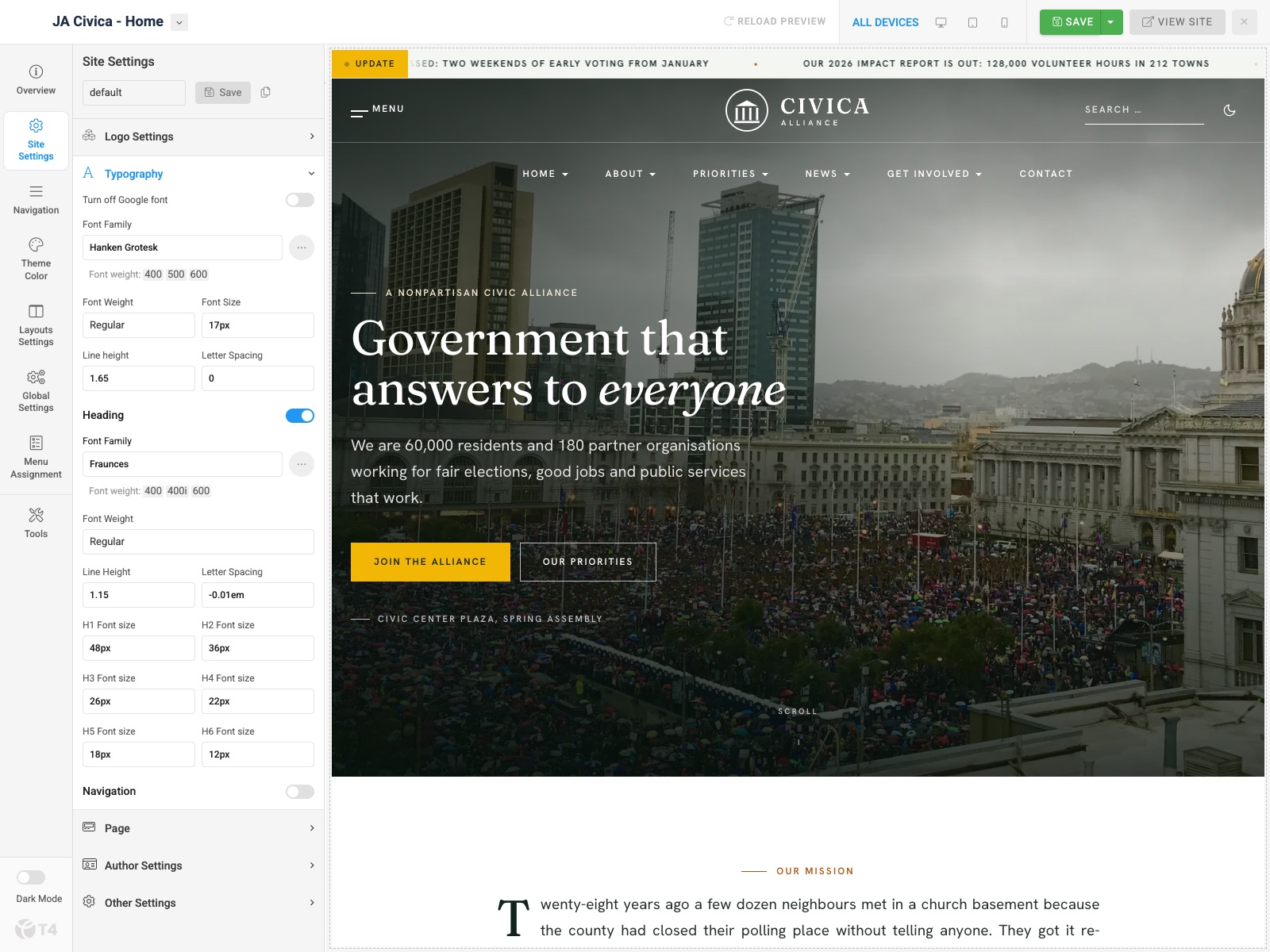
Typography
Expand Typography. The demo uses Hanken Grotesk for body text (17px, line height 1.65) and Fraunces for headings (H1 48px down to H6 12px). Local fonts are supported via Custom Fonts.
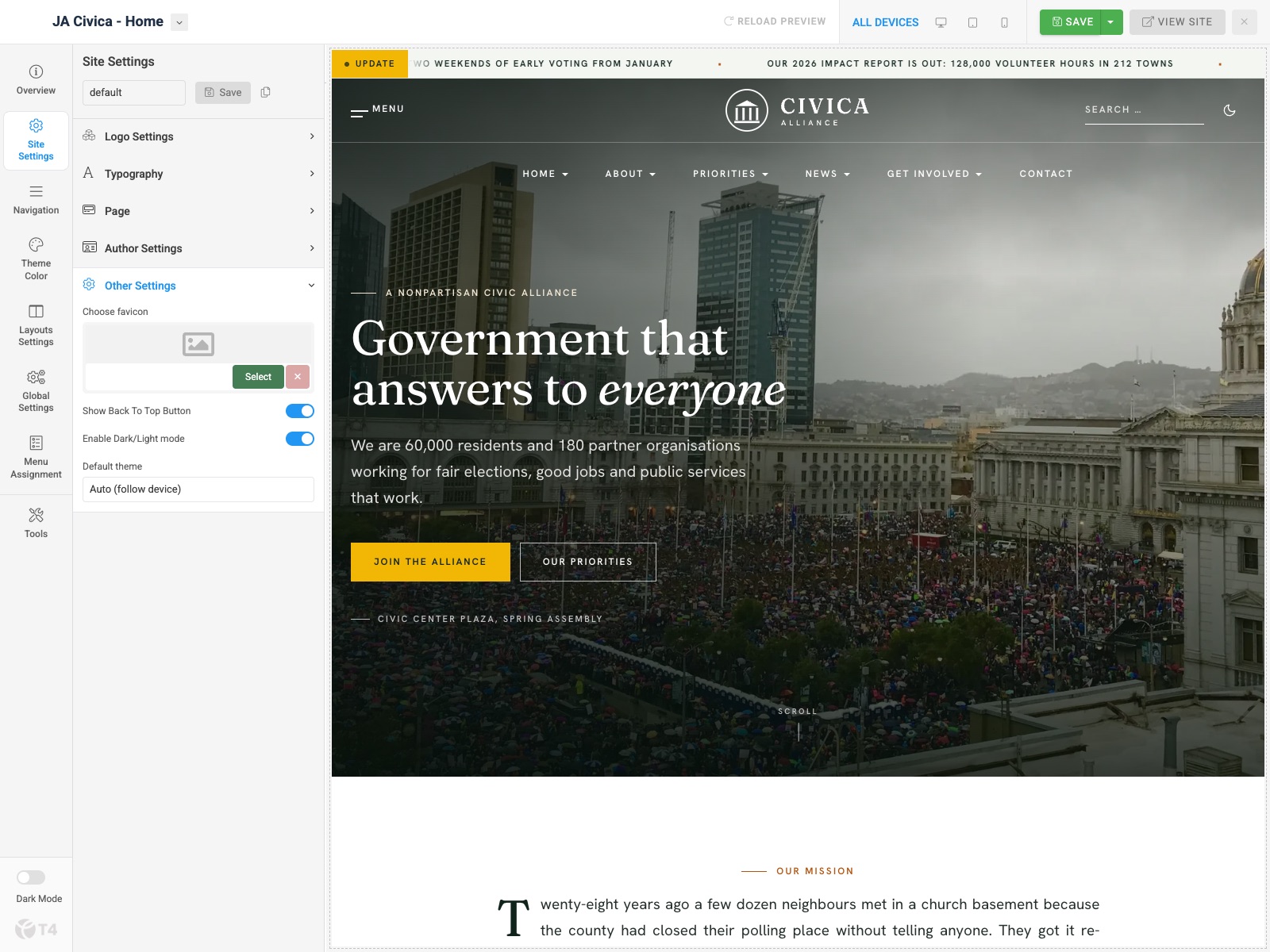
Other settings
Expand Other Settings: favicon, back to top, Enable Dark/Light mode, and Default theme (auto / light / dark). See Light & dark mode.
3. Navigation configuration
Open Navigation in Theme Configuration.
Megamenu
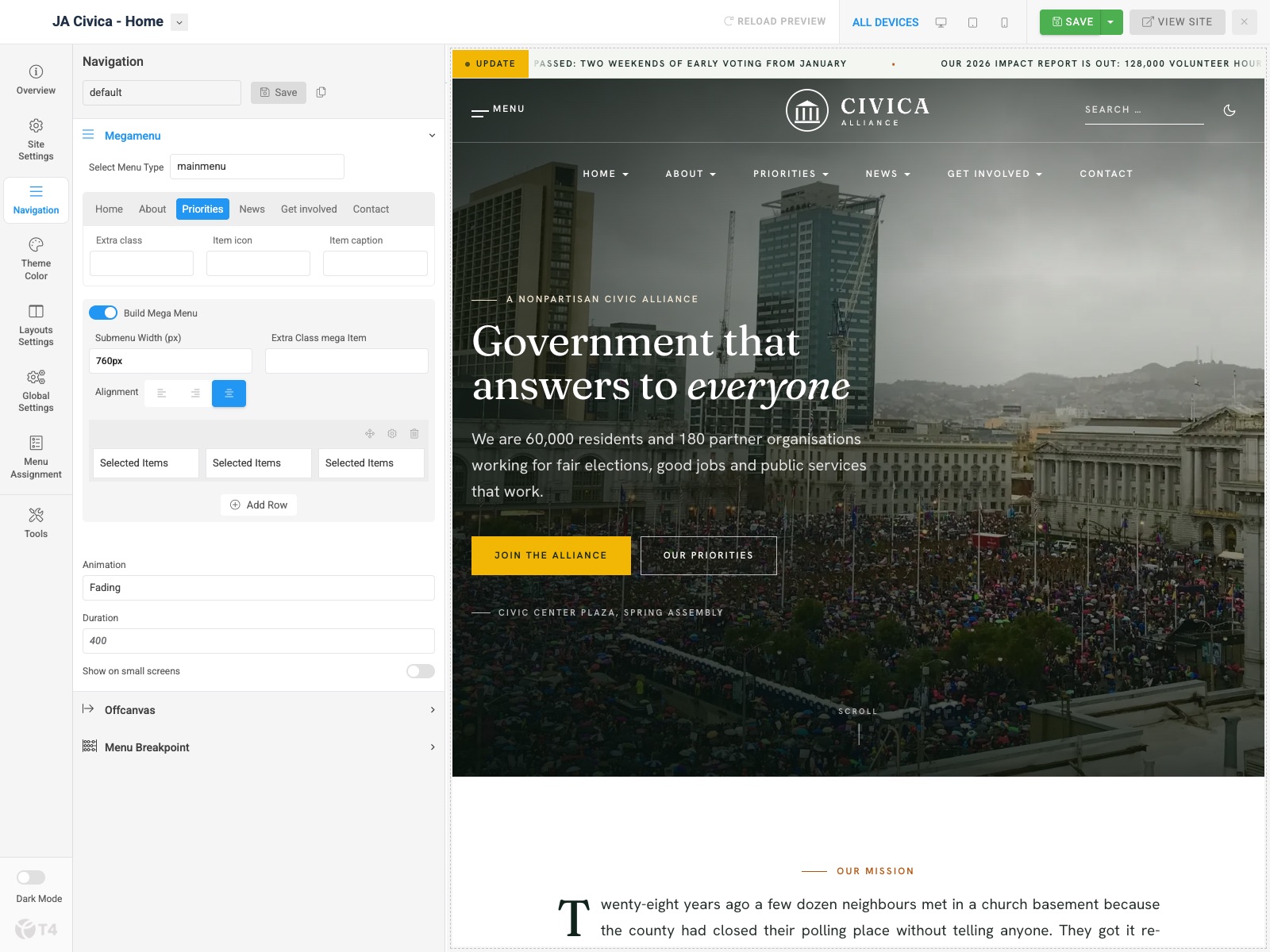
Expand Megamenu and select menu type mainmenu. The demo builds two mega menus:
- Priorities — 760px wide, centred, three columns: Rights and democracy (Fair elections, Safe communities), Livelihoods (Good jobs, Health care), Communities (Public schools, Climate resilience)
- Get involved — 520px wide, centred, two columns: Act (Take action, Campaign 2026) and Give (Donate)
Other top-level items (Home, About, News) use standard dropdowns. Animation: Fading.
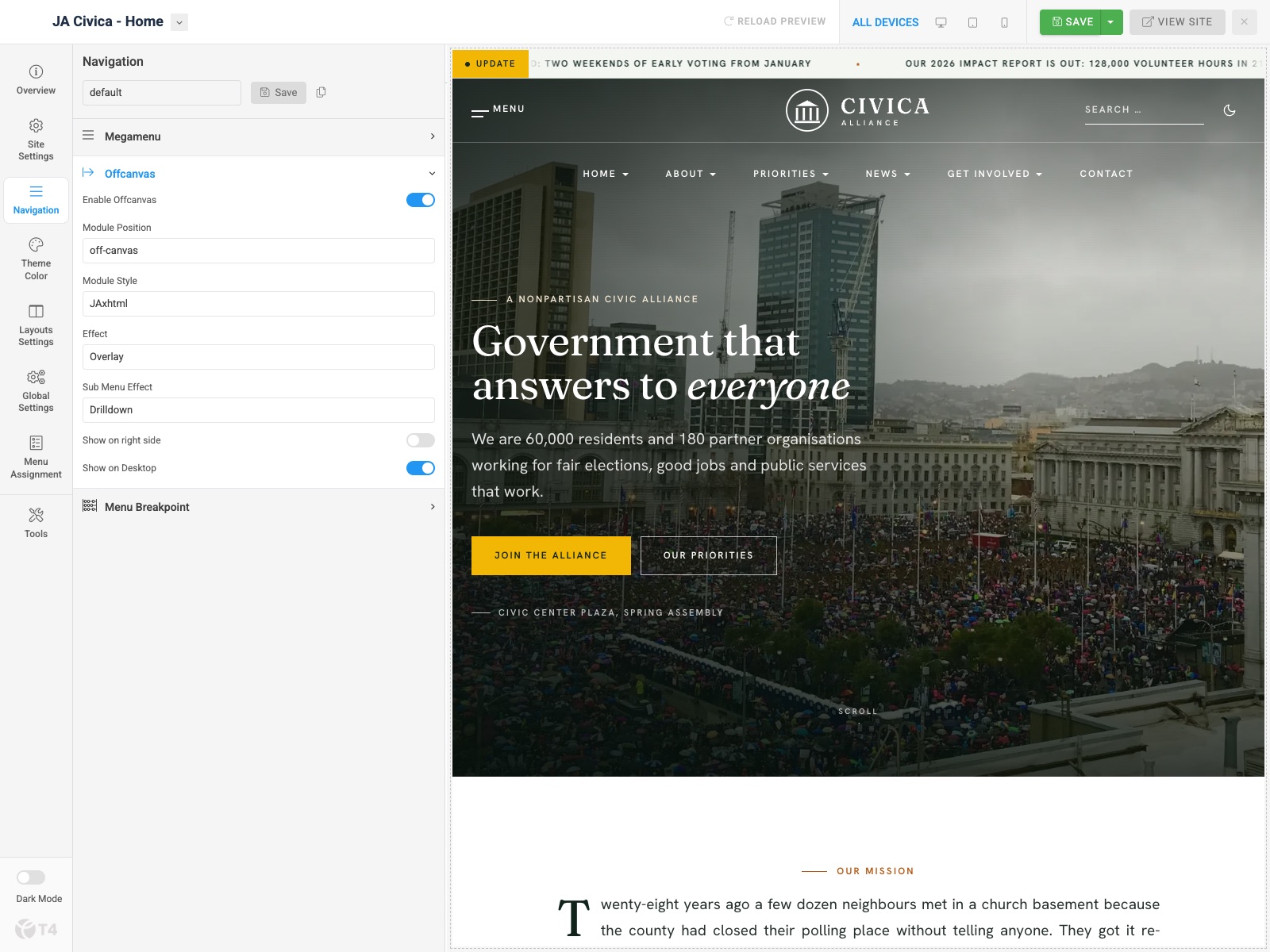
Off-canvas
Expand Offcanvas: enabled, module position off-canvas, module style JAxhtml, drilldown submenus, and Show on Desktop on (the Menu button in the header). The off-canvas panel shows the Main Menu, Members and Explore menu modules.
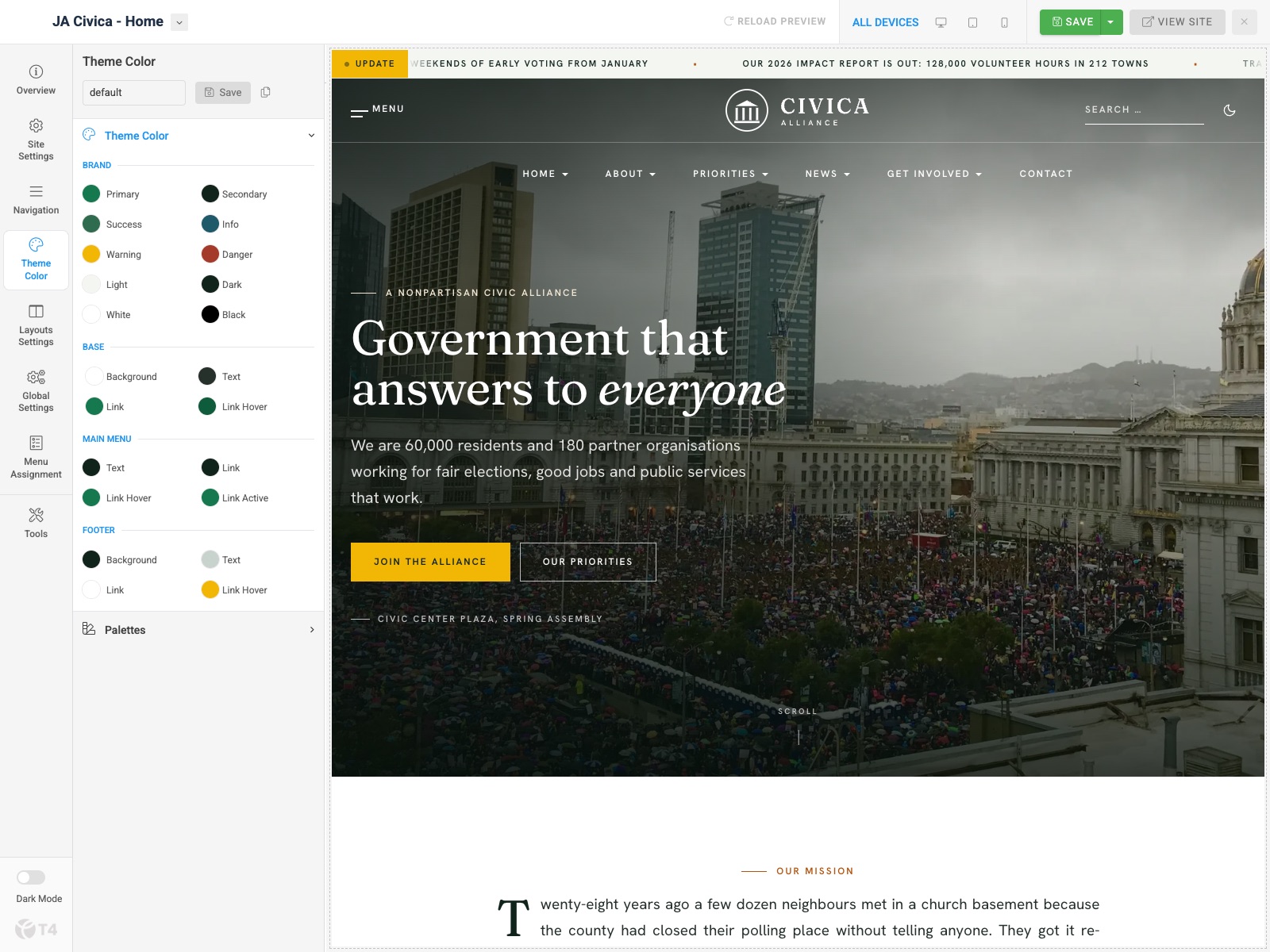
4. Theme color settings
Open Theme Color. Adjust Brand, Base, Main Menu, and Footer colors with the live preview on the right. Civica’s default palette uses forest green #15784f as primary, deep green #10241c for dark surfaces and the footer, and marigold #f2b705 for action buttons.
Section palettes available in the layout builder: Dark band, Soft tint, Brand action (marigold), Light and Mainnav.
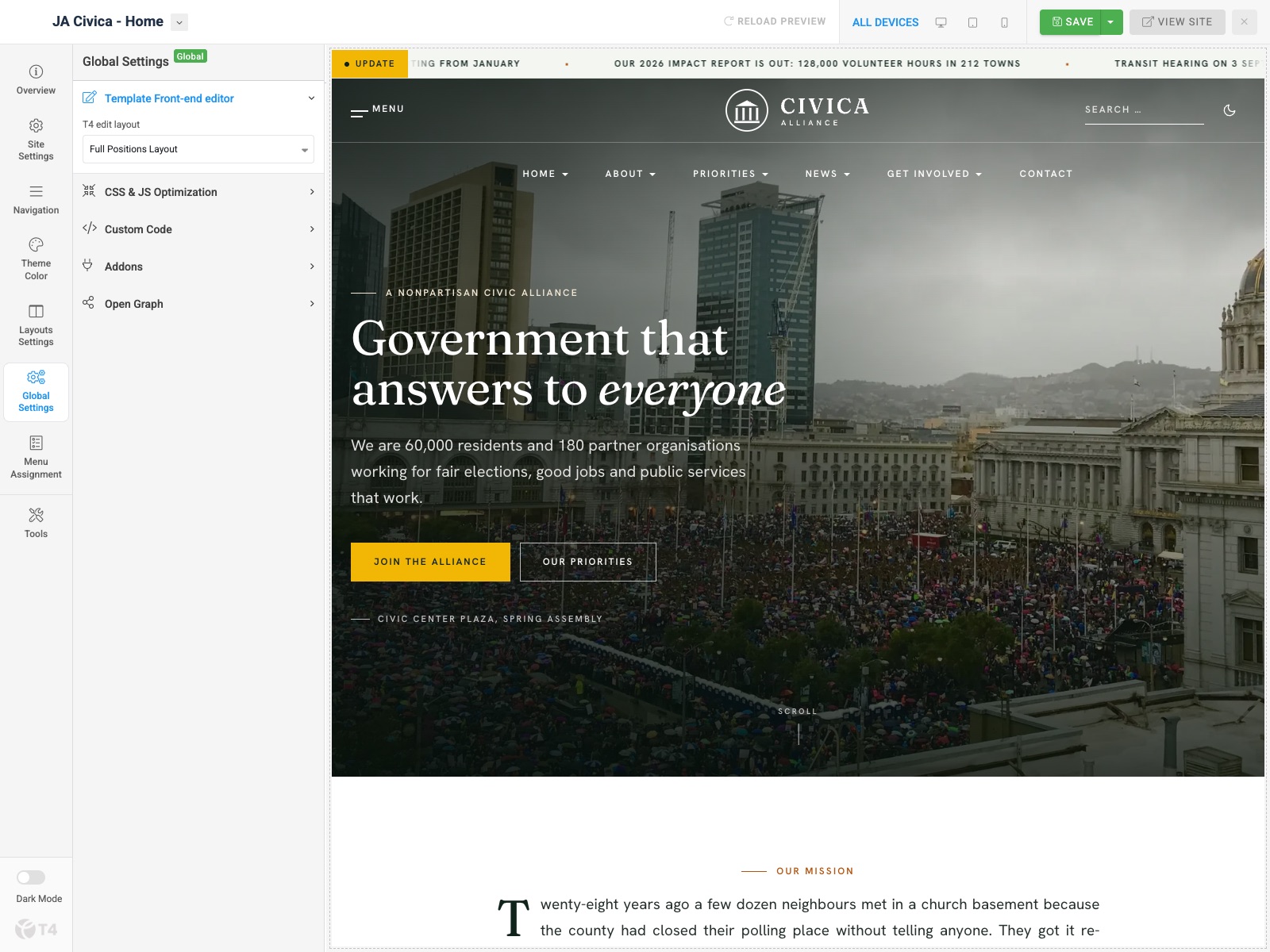
5. Global settings
Open Global Settings:
- T4 edit layout — front-end editor chrome
- CSS & JS optimization — minify/combine (enabled on the demo)
- Custom Code — inject CSS/JS/meta
- Add-ons — Font Awesome 5 (enabled on the demo) / Icomoon toggles
- Open Graph — social defaults
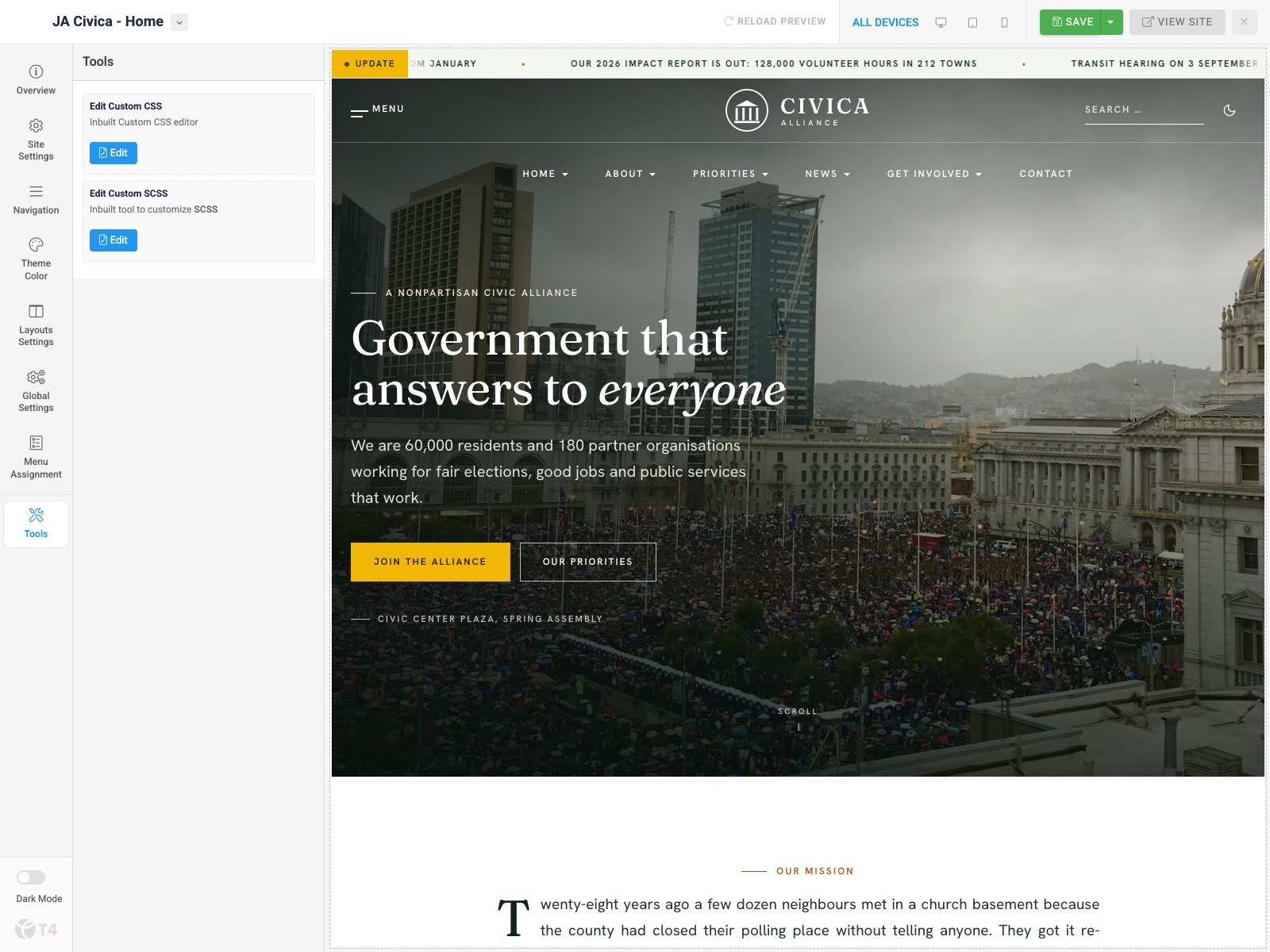
6. CSS & SCSS editor tool
Open Tools. Use Edit Custom CSS and Edit Custom SCSS to override styles without editing core template files.
7. Light & dark mode
JA Civica ships a full light and dark palette. Visitors switch with the moon/sun toggle in the header, which is present on every header variant and in the mobile header. The choice is remembered in a cookie and applied on the server, so pages load in the right mode without a flash.
- Enable Dark/Light mode (Site Settings » Other Settings) — turn the toggle on or off for a site profile
- Default theme —
autofollows the visitor’s operating system;lightordarkforces a starting mode until the visitor picks one
All three demo profiles use auto.
Build Demo Pages
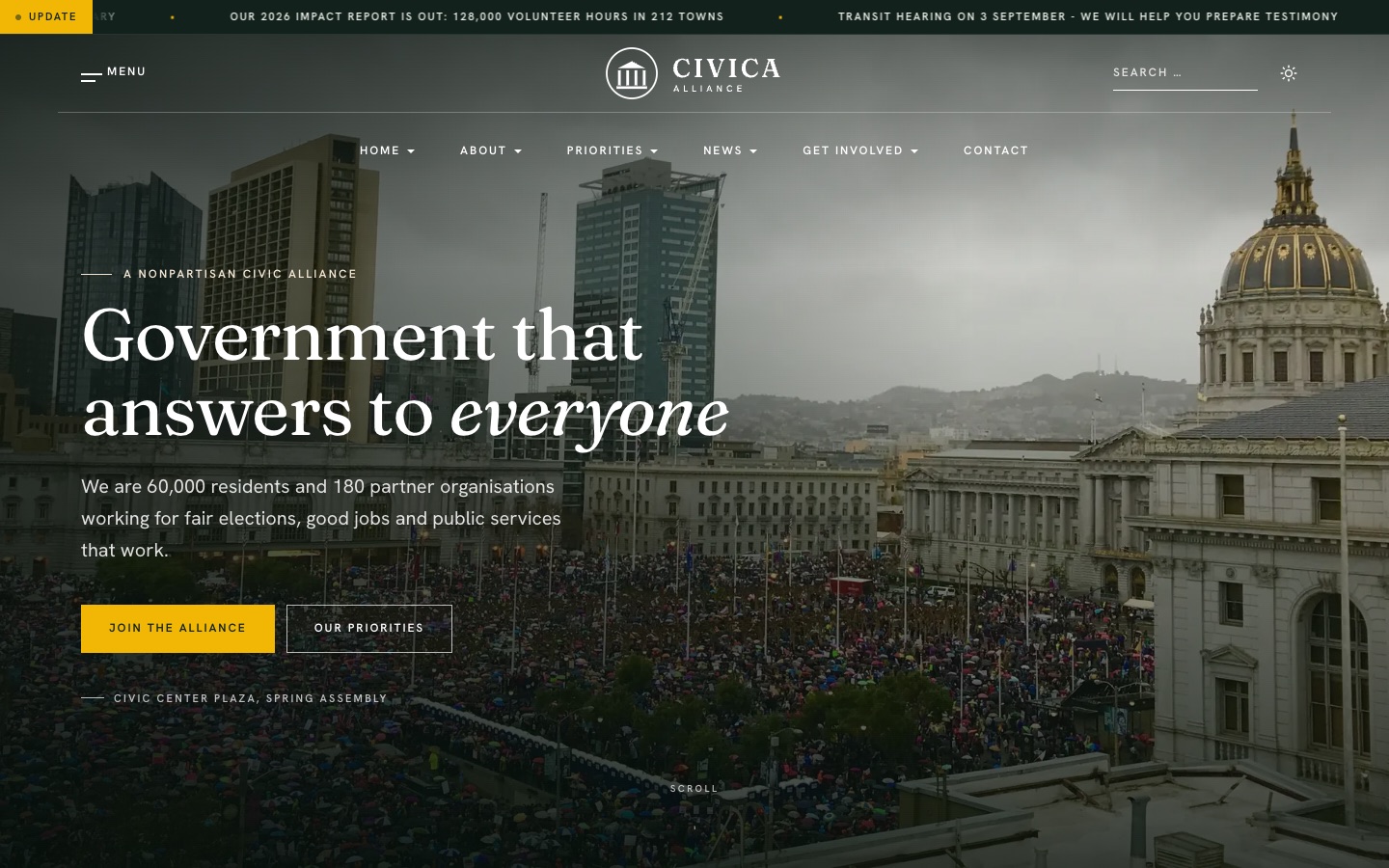
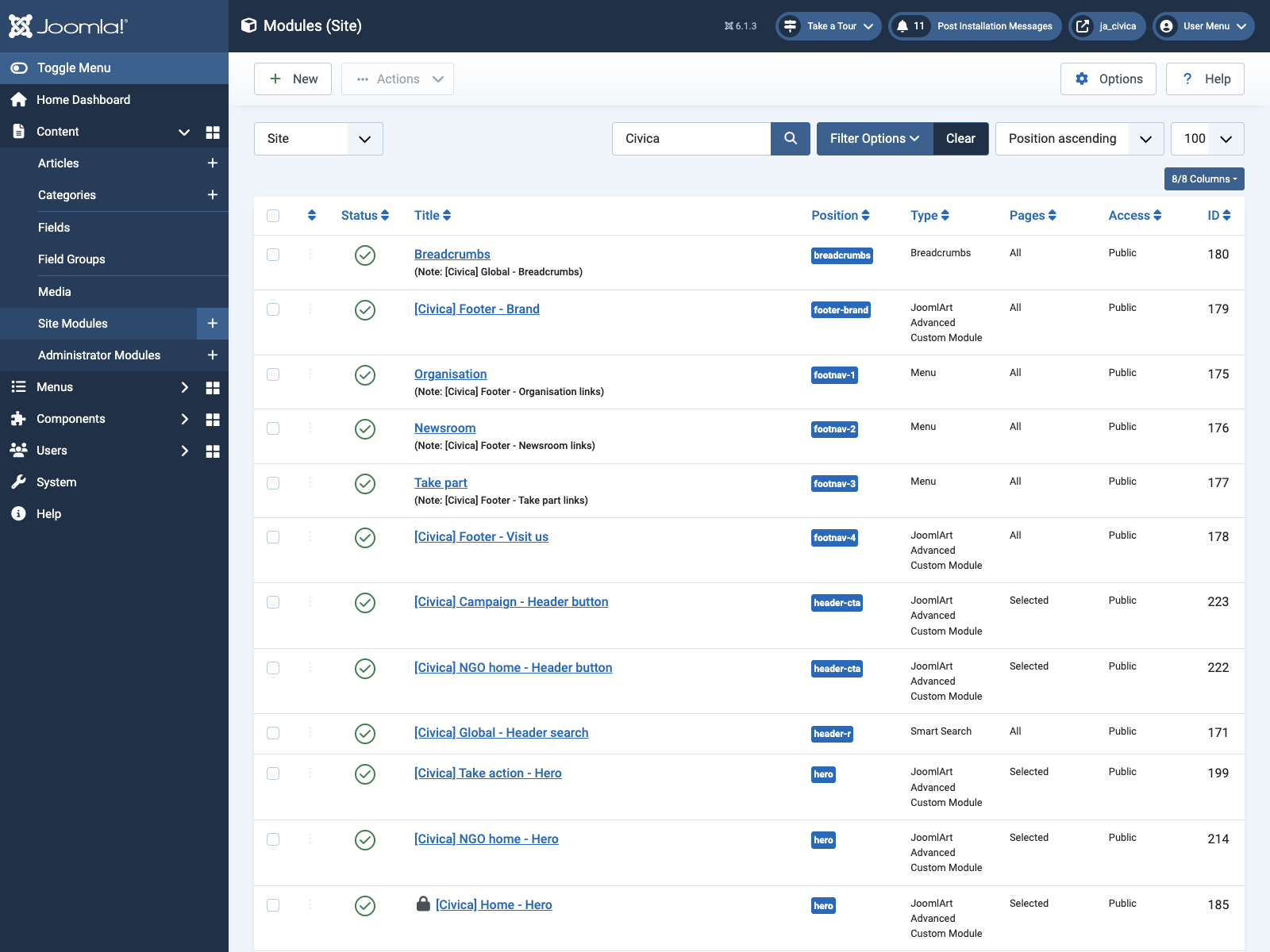
Demo pages are built from JA ACM modules in dedicated positions. Inner ACM pages use the style JA Civica - Full Width and an empty shell article (category Pages); their ACM modules sit in page-top. Demo module titles use a [Civica] prefix so they are easy to find under Content » Site Modules.
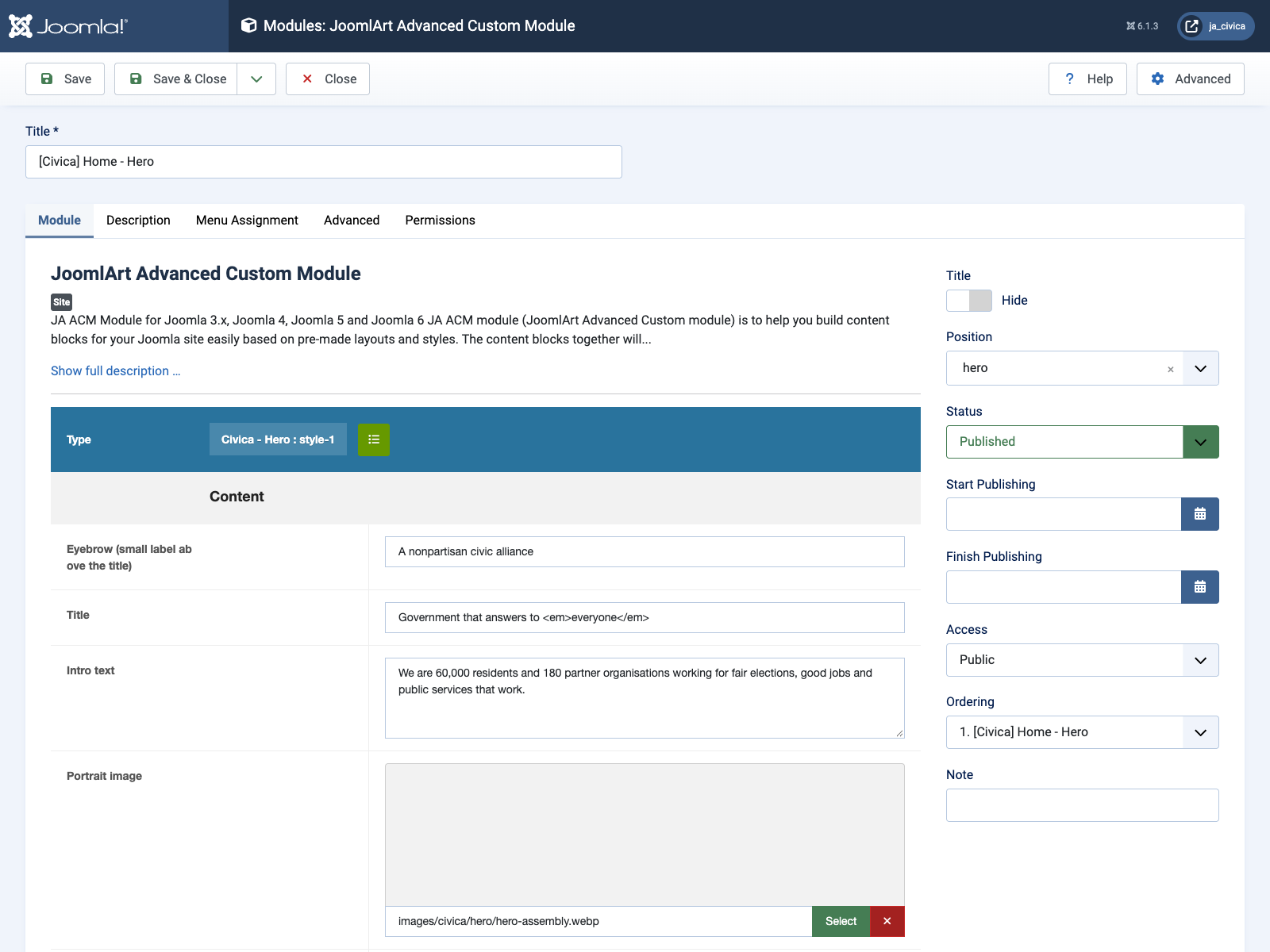
Each ACM module picks its block and style in the Type bar, then exposes the block’s fields (text, images, links, repeatable items):
Home page
Step 1 — Menu item
Menus » Main Menu → add Articles » Featured Articles, alias home, set as Default Page. Assign template style JA Civica - Home.
Step 2 — Module stack
Layout home positions: hero, section-1 … section-6. Assign each module to the Home menu item only.

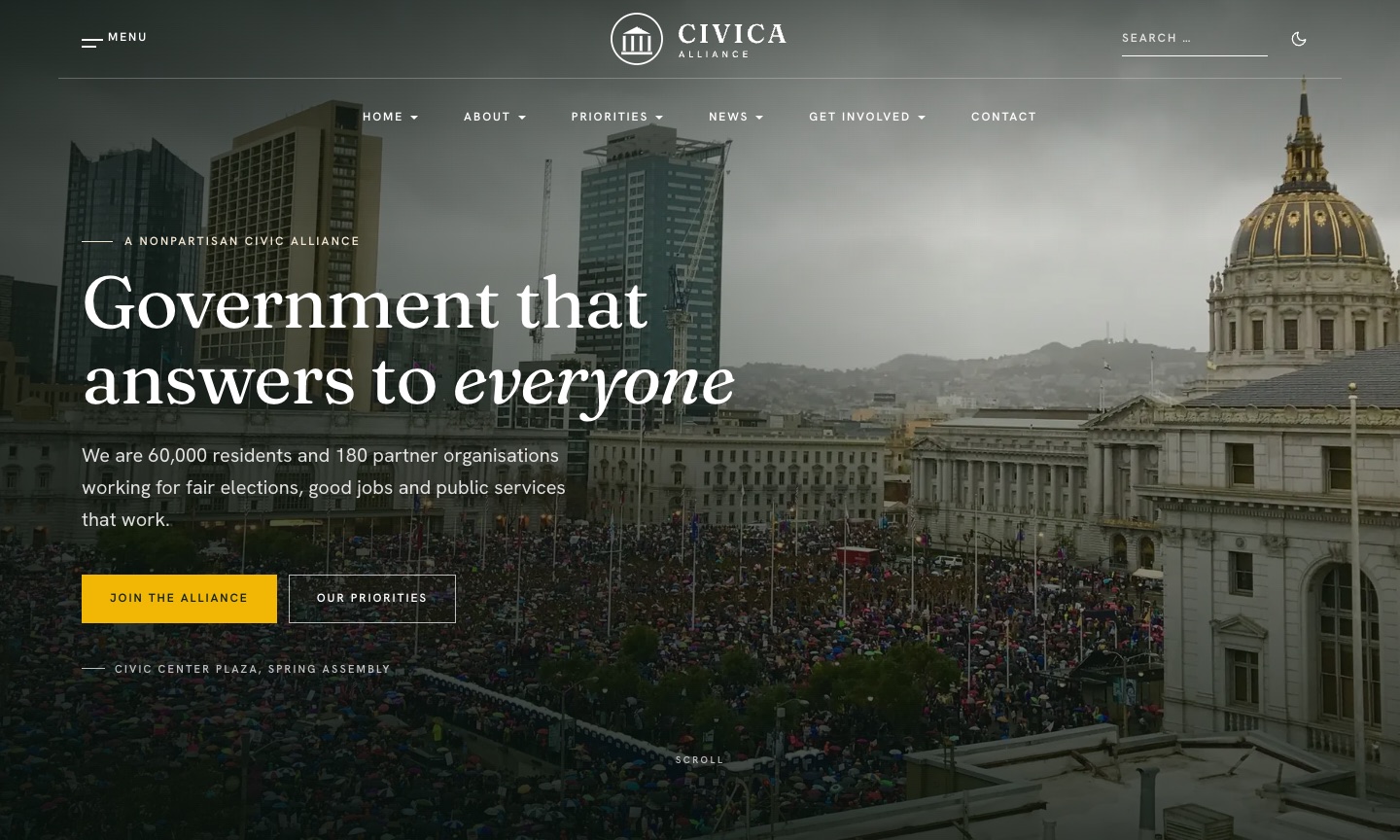
1. Home - Hero — JA ACM
Type: ja_civica:hero · style-1 · height full
Module position: hero
Module Suffix: NOT USED
Layout: Default
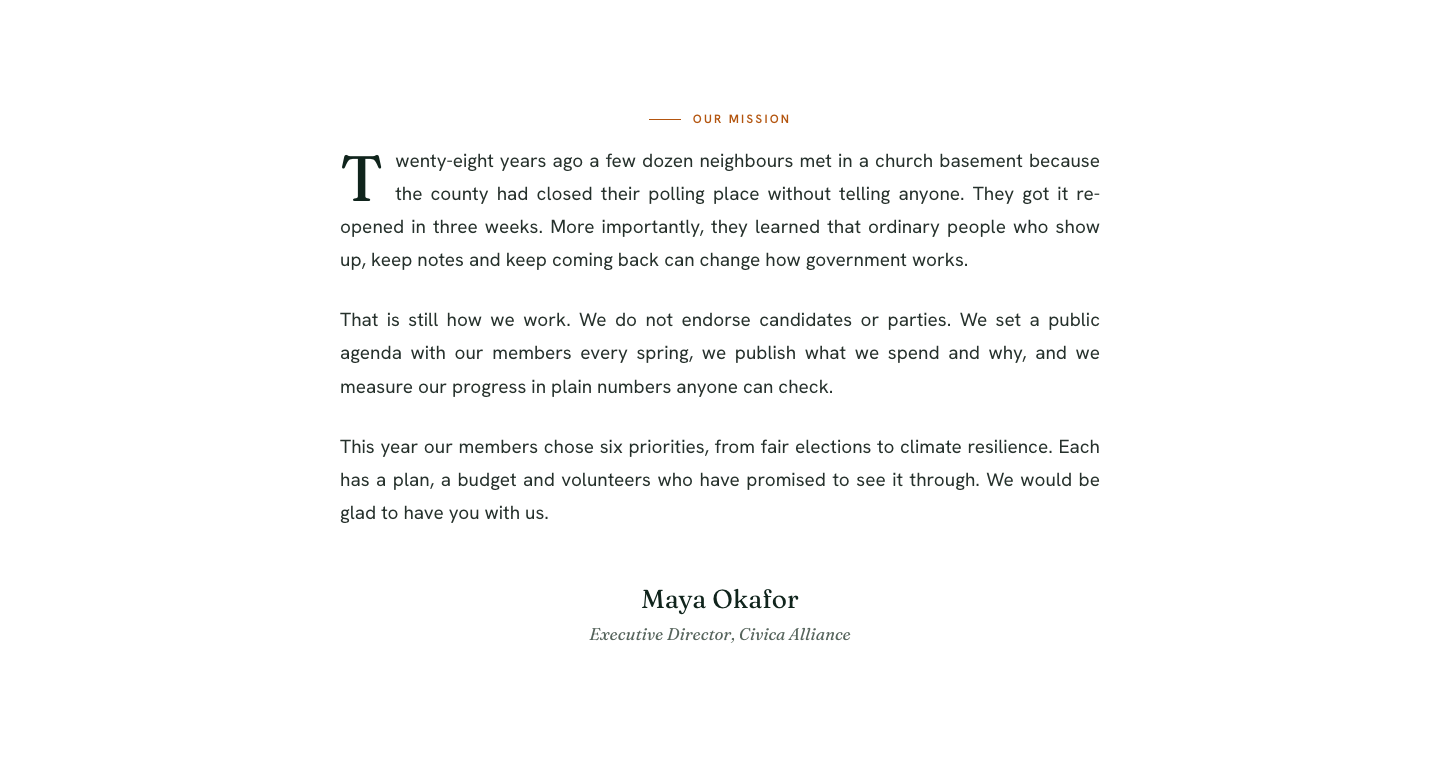
2. Home - Mission letter — JA ACM
Type: ja_civica:mission-letter · style-1
Module position: section-1
Module Suffix: NOT USED
Layout: Default
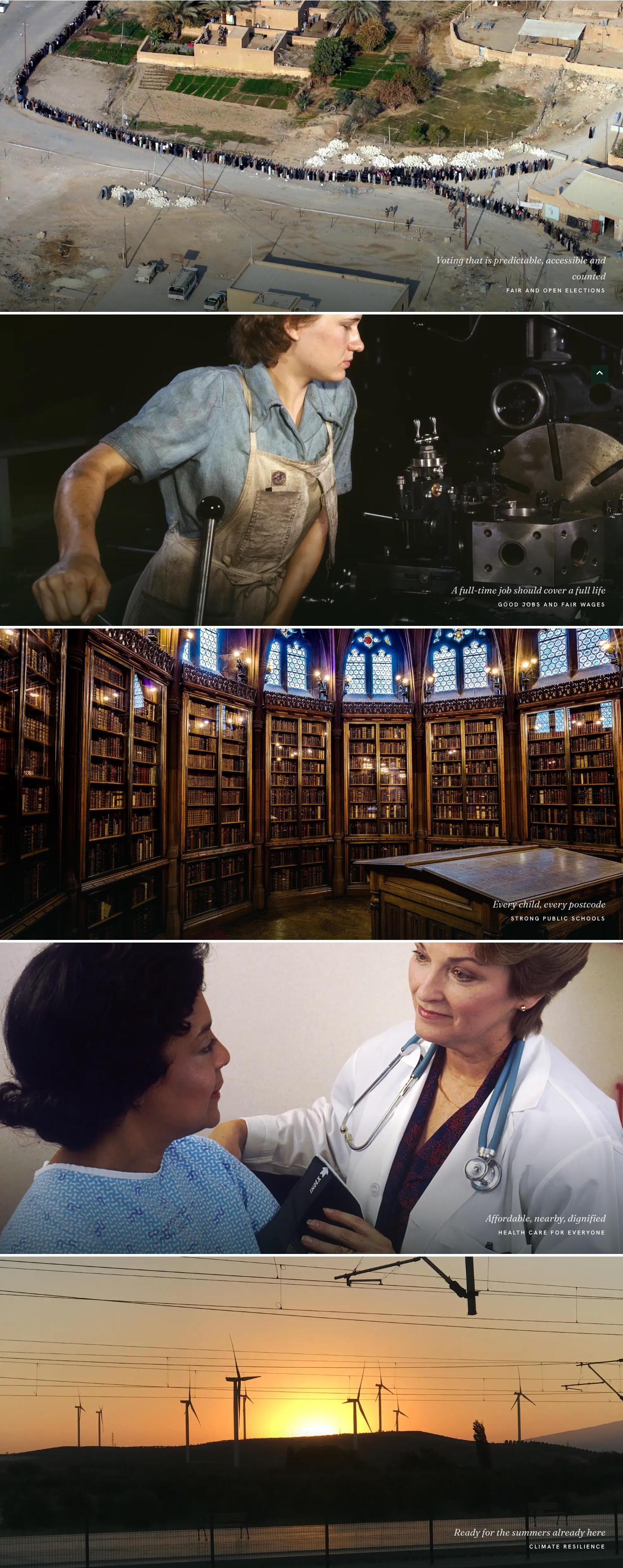
3. Home - Priority bands — JA ACM
Type: ja_civica:priority-bands · style-1 (full-bleed photo band per priority)
Module position: section-2
Module Suffix: NOT USED
Layout: Default
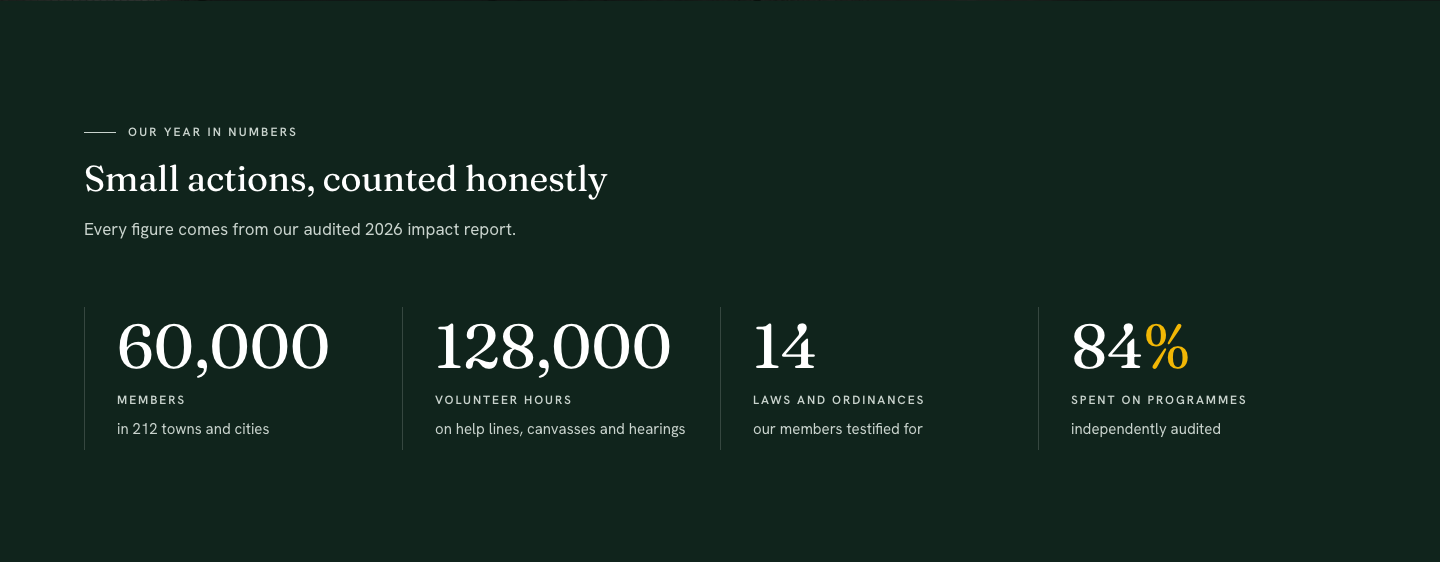
4. Home - Impact — JA ACM
Type: ja_civica:statistics · style-1
Module position: section-3
Module Suffix: NOT USED
Layout: Default
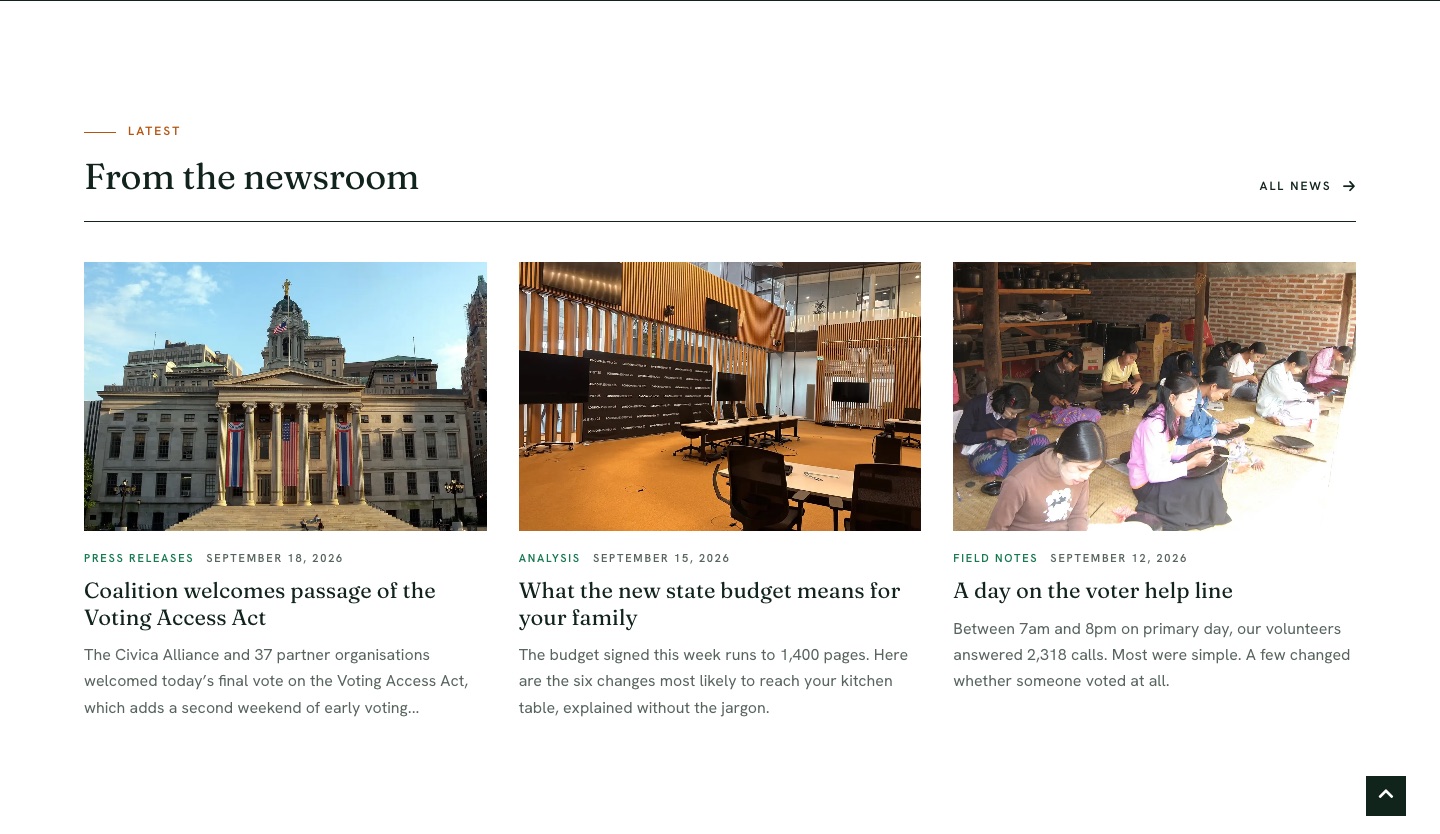
5. From the newsroom — Articles - Category
Type: mod_articles_category · 3 latest articles · title shown
Module position: section-4
Module Suffix: NOT USED
Layout: ja_civica:cards
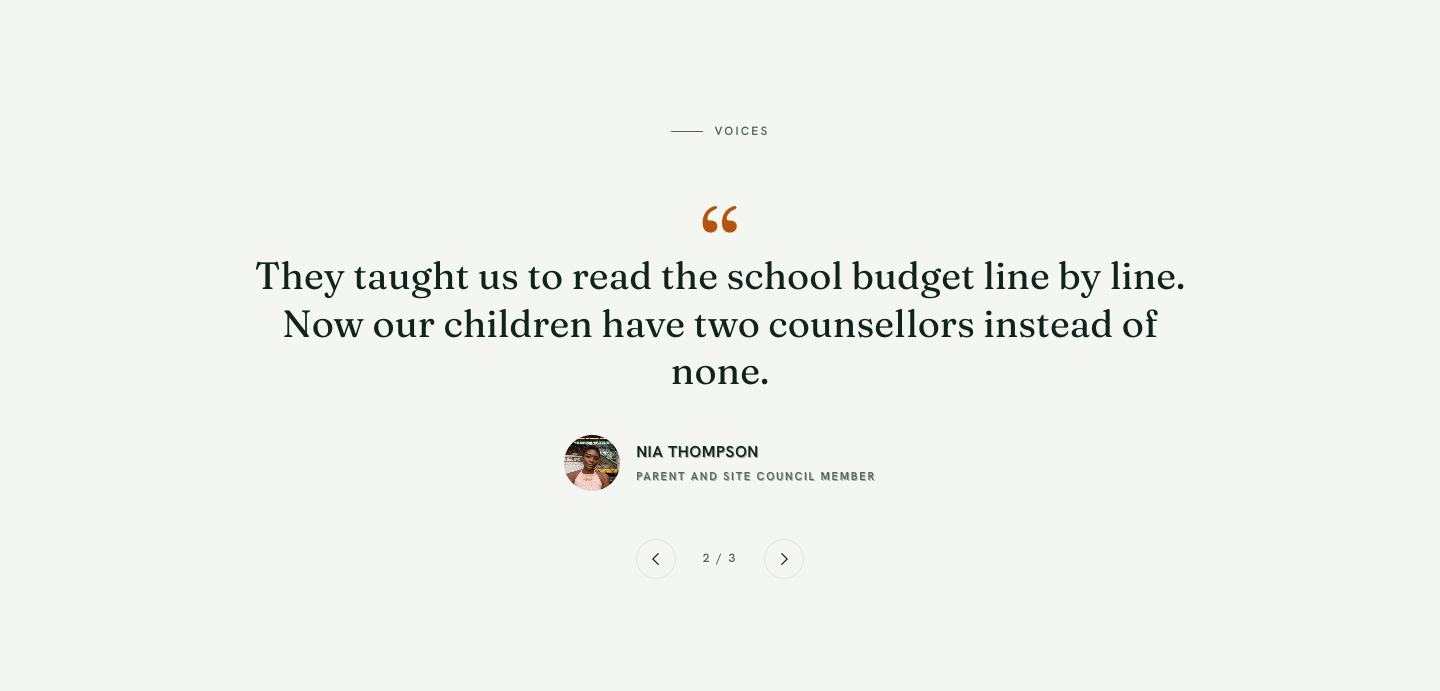
6. Home - Voices — JA ACM
Type: ja_civica:testimonials · style-1
Module position: section-5
Module Suffix: NOT USED
Layout: Default
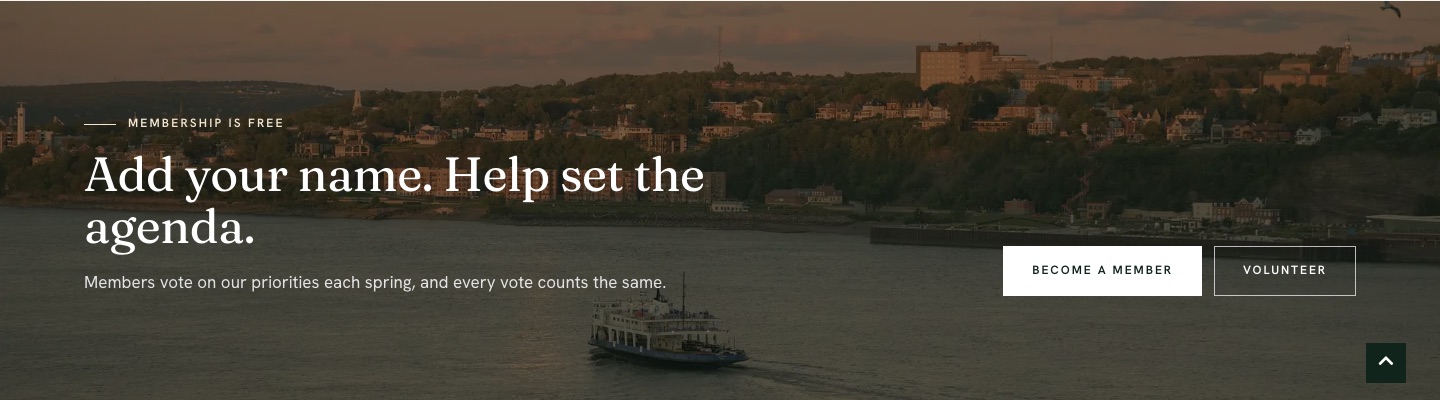
7. Home - Join — JA ACM
Type: ja_civica:cta · style-1
Module position: section-6
Module Suffix: NOT USED
Layout: Default
Home variants
Two alternate homes use the civica-header-bar header, their own site profile (name and logo) and their own module stack on the same hero / section-1…6 positions.
| Menu | Alias | Template style | Layout | Profile |
|---|---|---|---|---|
| Home | home |
JA Civica - Home | home |
default |
| Home » NGO home | ngo |
JA Civica - Home NGO | home-3 |
ngo |
| Get involved » Campaign 2026 | campaign-2026 |
JA Civica - Home Campaign | home-2 |
campaign |
The Home » Campaign home item is a menu alias pointing to Campaign 2026.
NGO home
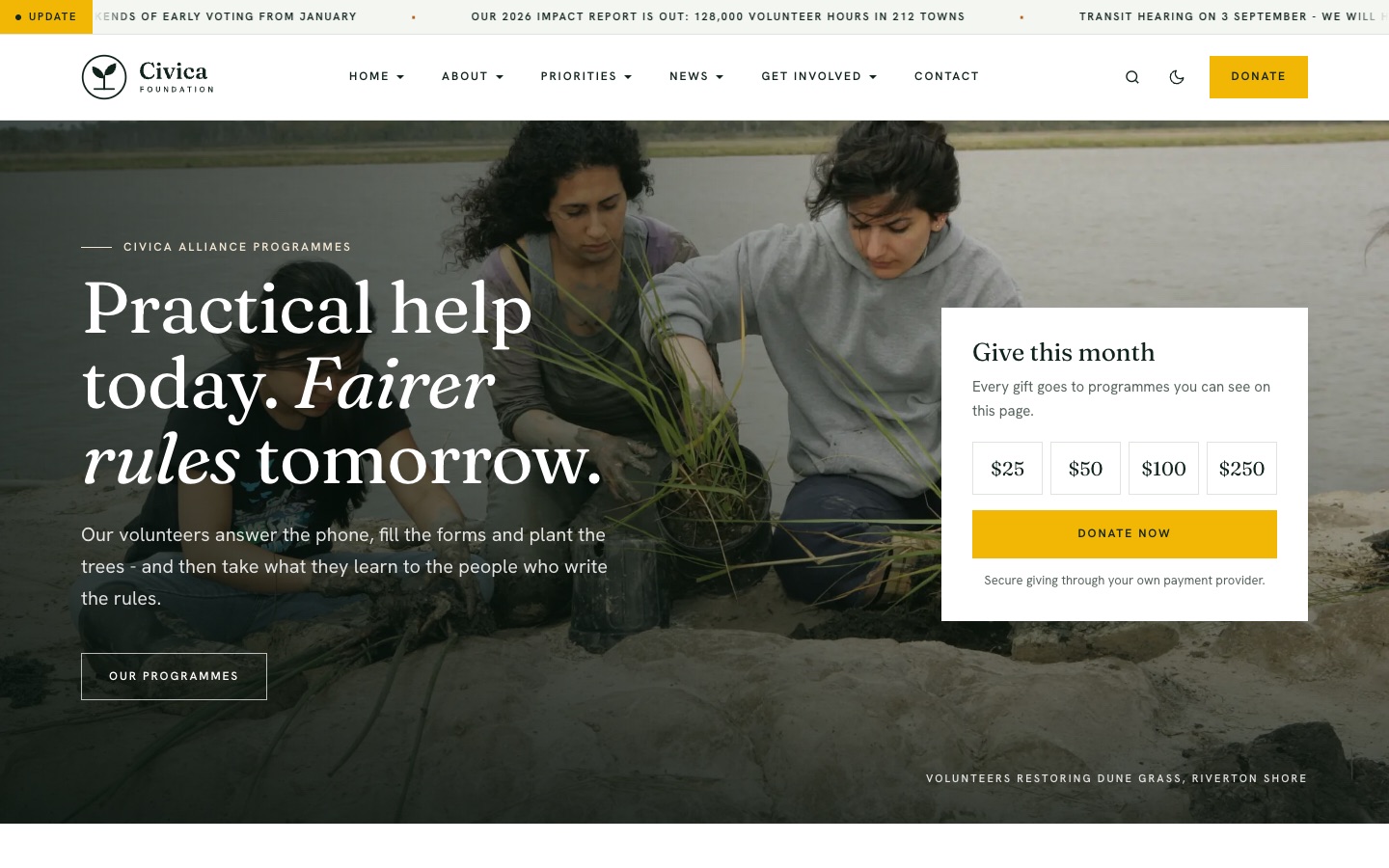
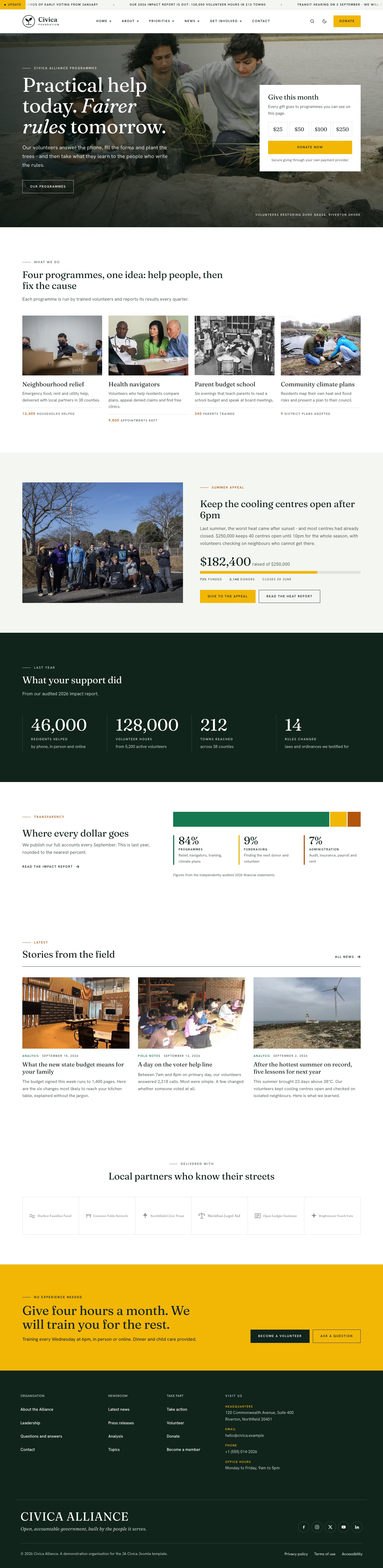
- NGO home - Header button → position
header-cta·header-ctastyle-1 · variantaction - NGO home - Hero →
hero· style-3 (photo with donation card) - NGO home - Programmes →
section-1·programmes - NGO home - Appeal →
section-2·appeal - NGO home - Impact →
section-3·statistics - NGO home - Where the money goes →
section-4·funds - Stories from the field →
section-5·mod_articles_category· layoutja_civica:cards - NGO home - Partners →
section-6·clients - NGO home - Volunteer →
section-6(ordering 2) ·cta
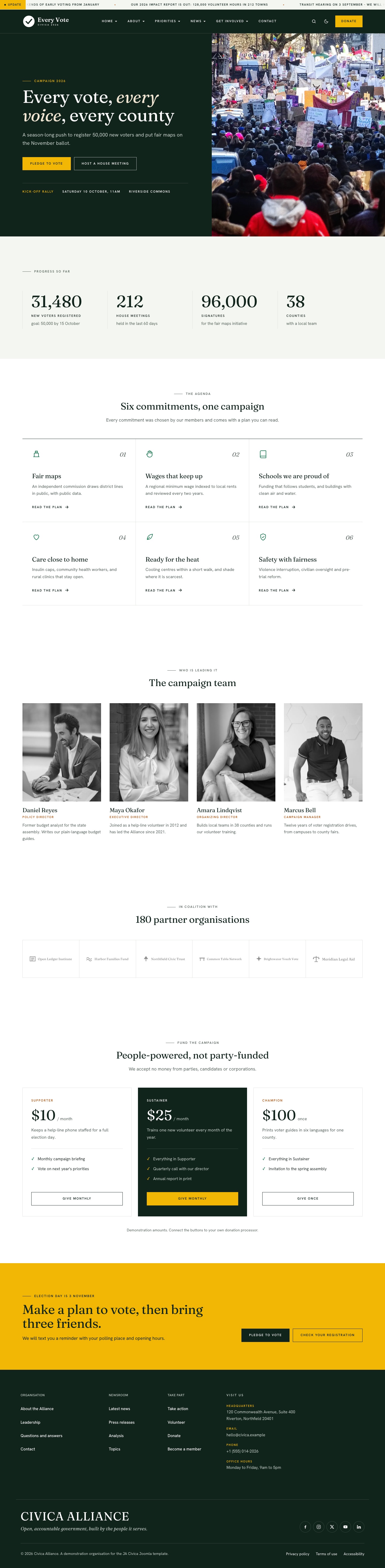
Campaign home
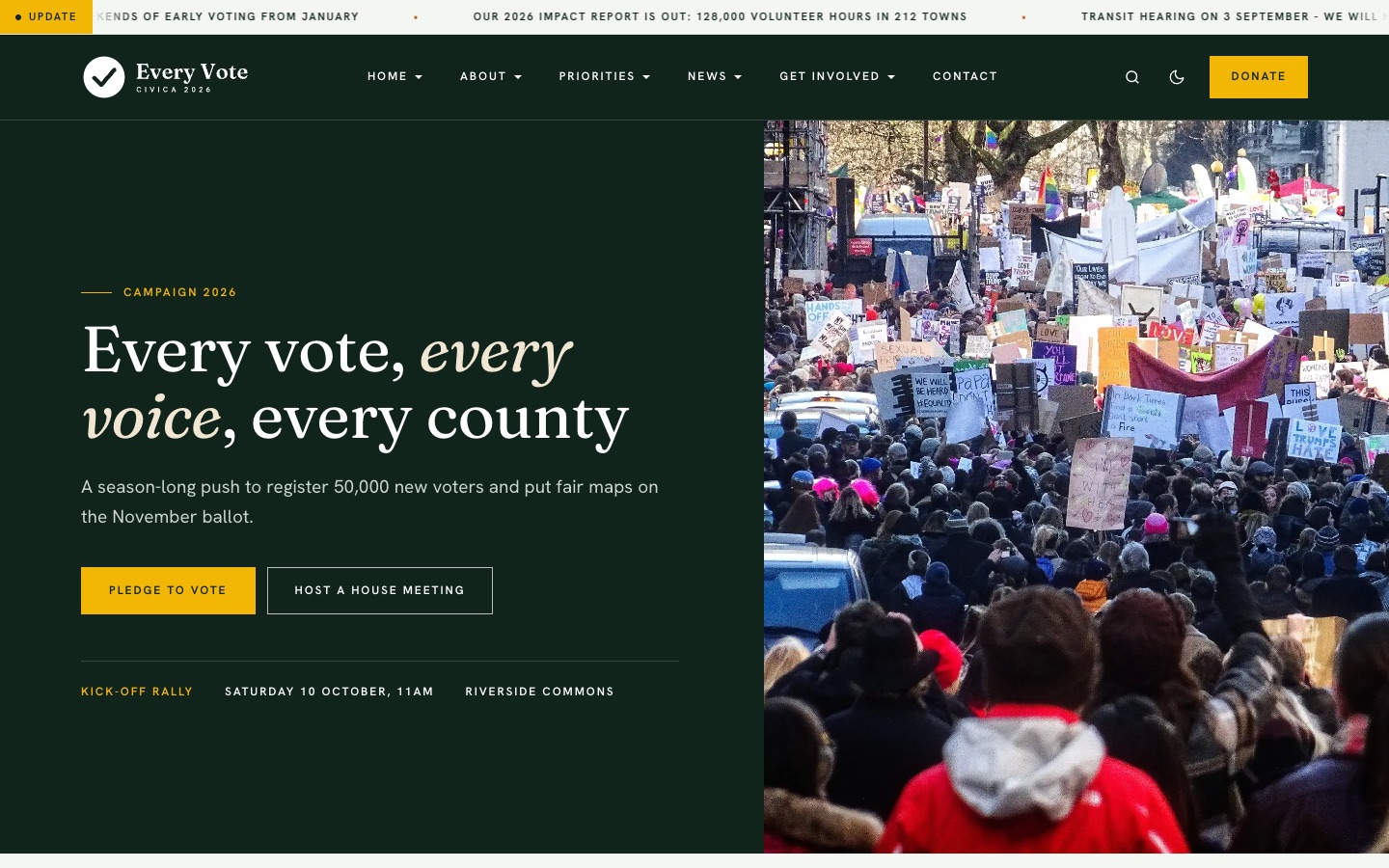
- Campaign - Header button → position
header-cta·header-ctastyle-1 · variantaction - Campaign - Hero →
hero· style-2 (split: text panel + photo) - Campaign - Progress →
section-1·statistics - Campaign - Agenda →
section-2·features-intro· columns=3 - Campaign - Team →
section-3·teams - Campaign - Coalition →
section-4·clients - Campaign - Donate →
section-5·donate-tiers - Campaign - Pledge →
section-6·cta
Global chrome

These modules are assigned to all pages (menuid = 0). The main navigation is rendered by the T4 megamenu inside the header block, not by a module.
| Position | Module | Type |
|---|---|---|
ticker |
[Civica] Global - Ticker | ja_civica:ticker style-1 |
header-r |
[Civica] Global - Header search | mod_finder |
off-canvas |
Main Menu / Members / Explore | mod_menu |
breadcrumbs |
Breadcrumbs | mod_breadcrumbs |
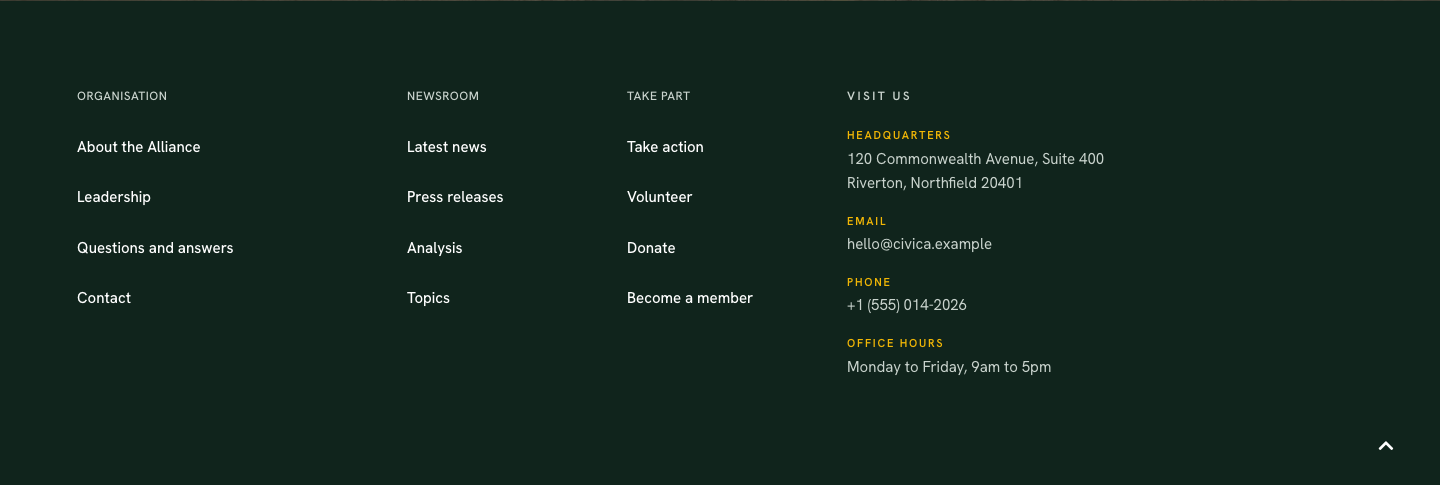
footnav-1/2/3 |
Organisation / Newsroom / Take part | mod_menu |
footnav-4 |
[Civica] Footer - Visit us | ja_civica:contact-info style-1 |
footer-brand |
[Civica] Footer - Brand | ja_civica:footer-brand style-1 |

Inner page header
Inner pages (layouts default and no-sidebar) show a green title band. Its title comes from the menu item’s Page Display » Page Heading and falls back to the menu item title, so every inner page gets a band without extra setup. In the same Page Display tab you can add a description, a background colour and a background image. Keep the component’s Show Page Heading off so the title is not printed twice.
About
Menu: About · alias about · single article “About the Alliance” · style JA Civica - Full Width · position page-top.
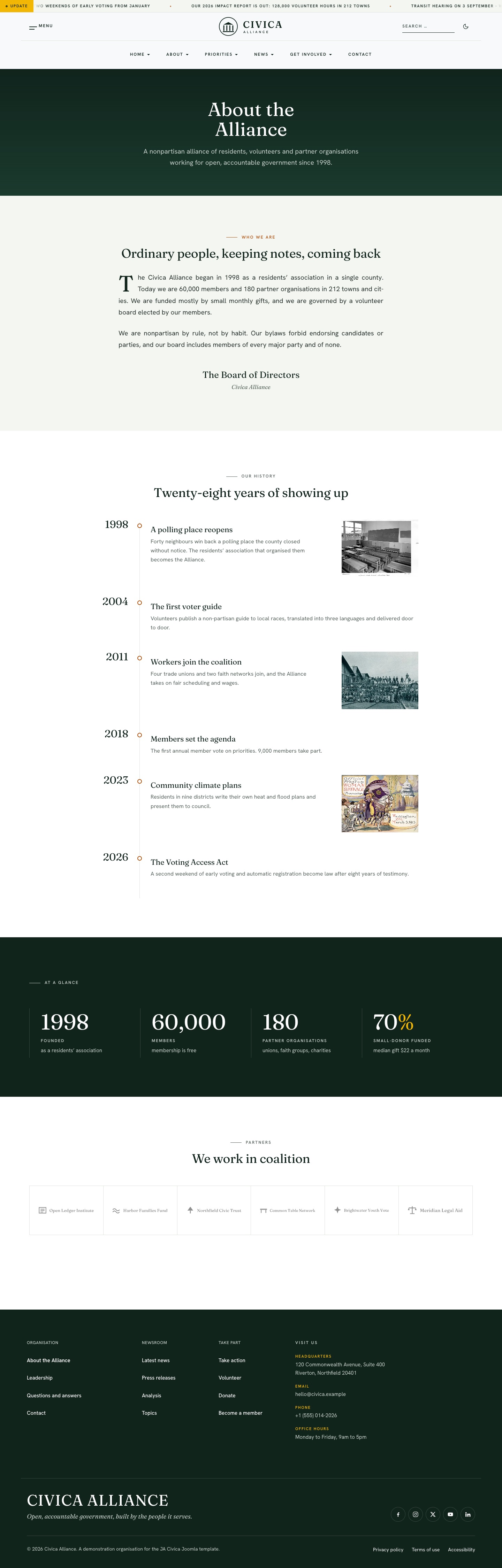
- About - Mission →
mission-letterstyle-1 - About - History →
timelinestyle-1 - About - Impact →
statisticsstyle-1 - About - Partners →
clientsstyle-1
Module position: page-top
Module Suffix: NOT USED
Layout: Default
Leadership
Menu: About » Leadership · alias leadership · style Full Width · position page-top.
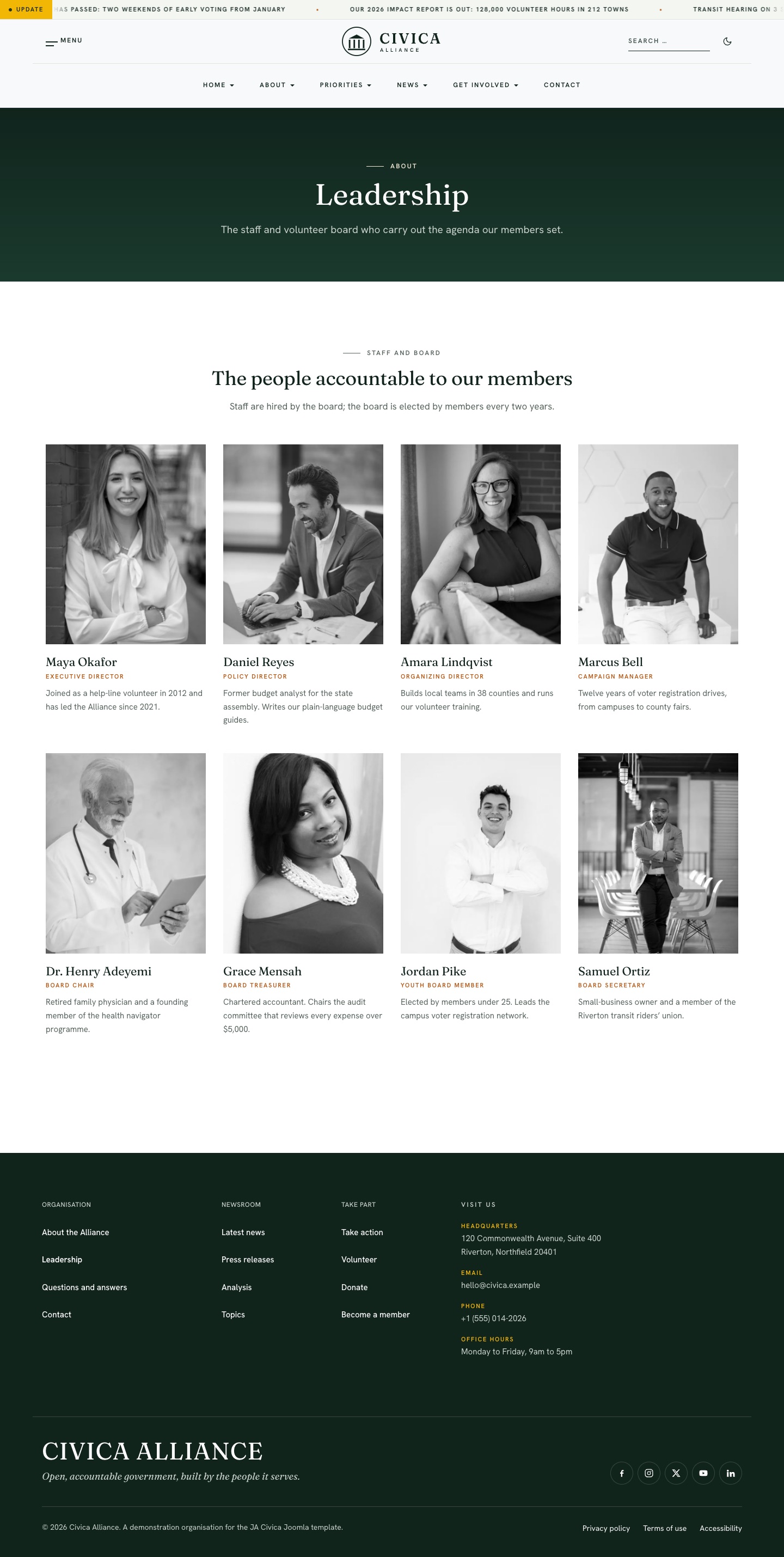
- Leadership - Team →
teamsstyle-1
Module position: page-top
Module Suffix: NOT USED
Layout: Default
Questions and answers
Menu: About » Questions and answers · alias faq · style Full Width · position page-top.
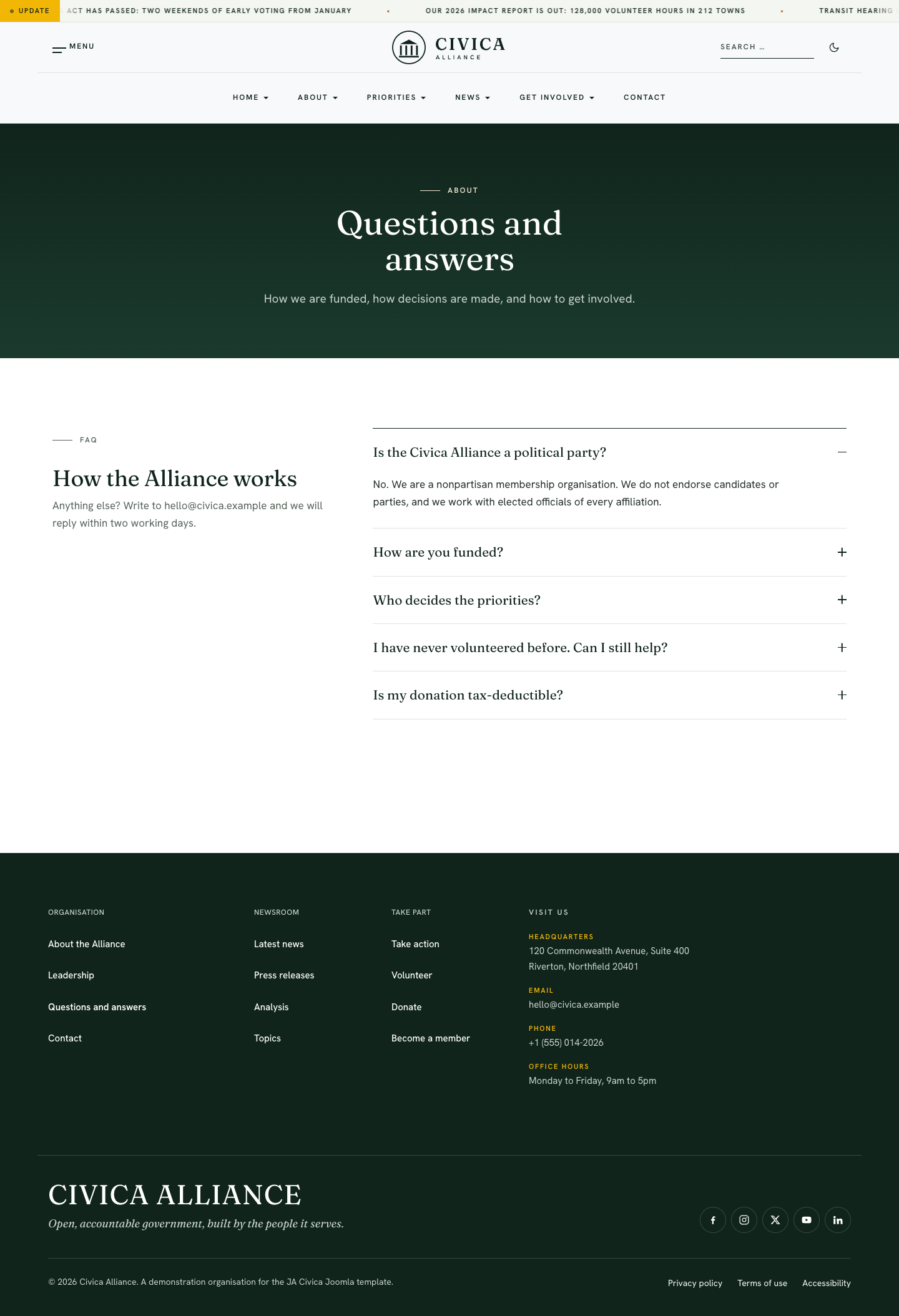
- FAQ - Questions →
accordionstyle-1
Module position: page-top
Module Suffix: NOT USED
Layout: Default
Priorities
Menu: Priorities · alias priorities · Category Blog of category “Priorities” · style Full Width.
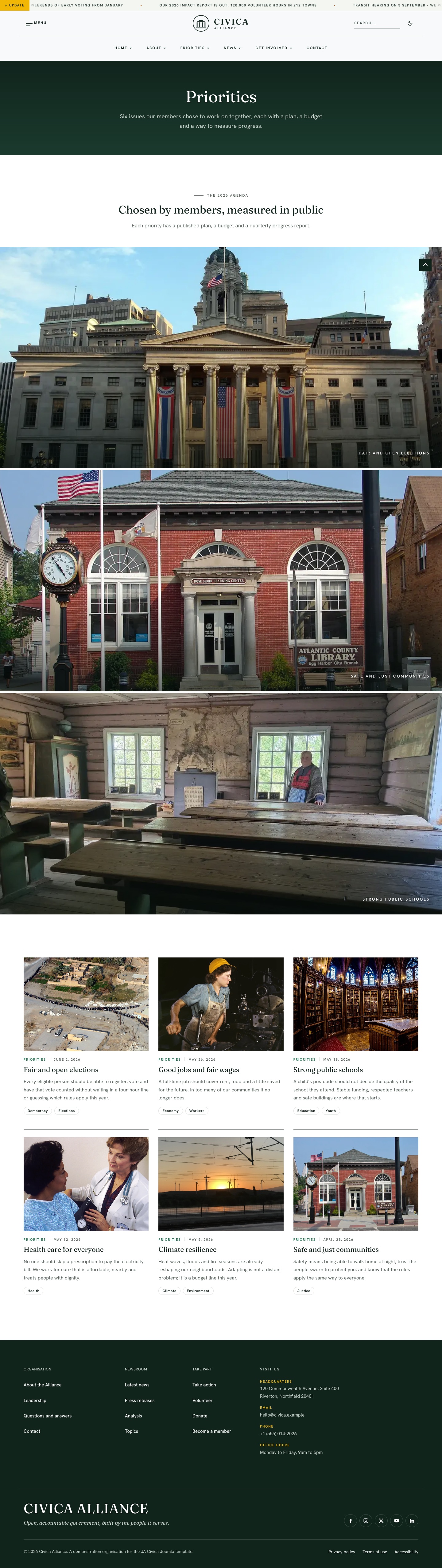
- Priorities - Bands → position
page-top·priority-bandsstyle-1 - Each priority (Fair elections, Safe communities, Good jobs, Health care, Public schools, Climate resilience) is an article with its own menu item under Priorities, shown with the Inner style and the right sidebar.
Get involved
Menu: Get involved · alias get-involved · style Full Width · position page-top.
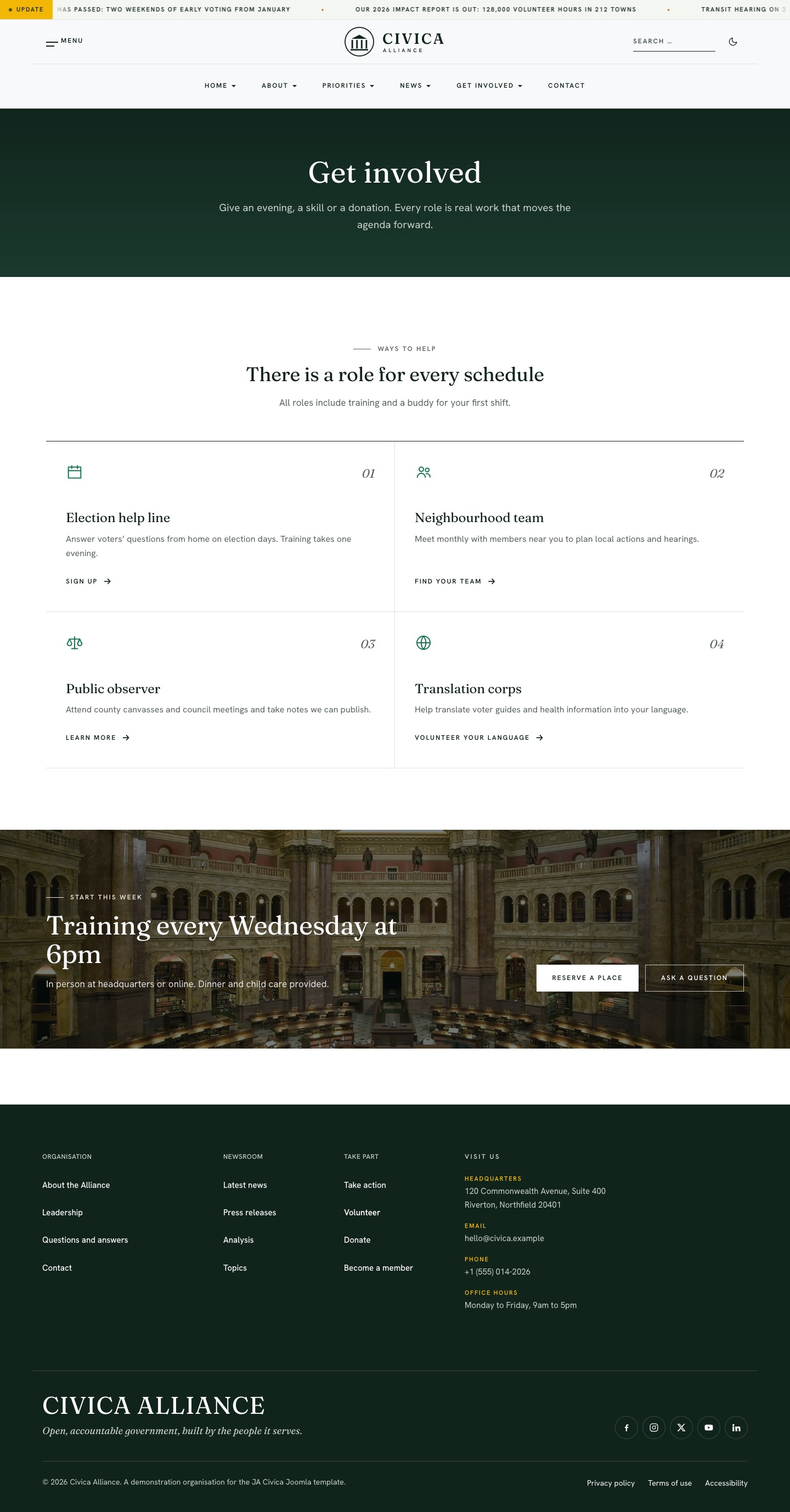
- Get involved - Ways →
features-introstyle-1 · columns=2 - Get involved - Join →
ctastyle-1
Module position: page-top
Module Suffix: NOT USED
Layout: Default
Take action
Menu: Get involved » Take action · alias take-action · style JA Civica - Landing (compact footer, no ticker).
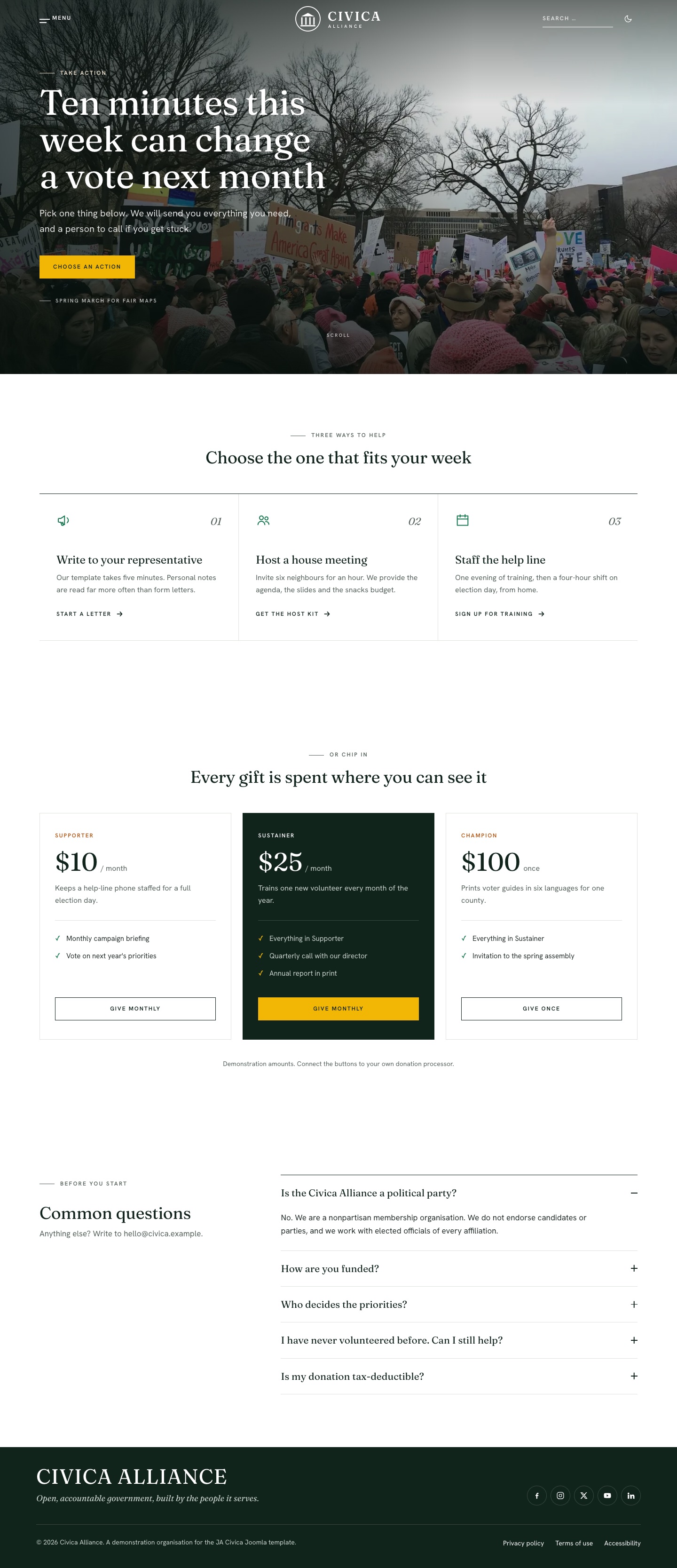
- Take action - Hero →
hero·herostyle-1 · heighttall - Take action - Ways →
section-1·features-intro· columns=3 - Take action - Donate →
section-2·donate-tiers - Take action - FAQ →
section-3·accordion
Donate
Menu: Get involved » Donate · alias donate · style Full Width · position page-top.
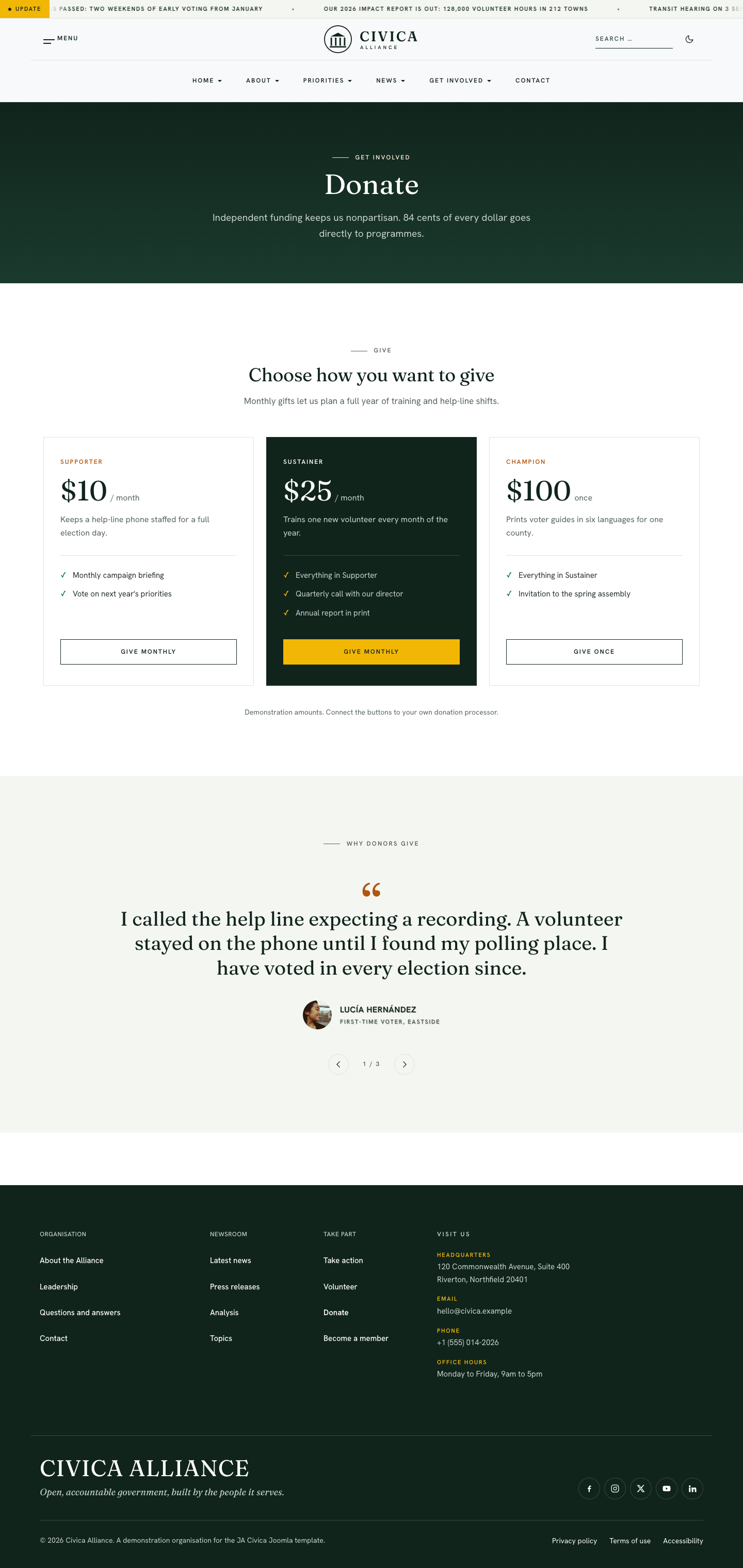
- Donate - Tiers →
donate-tiersstyle-1 - Donate - Voices →
testimonialsstyle-1
Module position: page-top
Module Suffix: NOT USED
Layout: Default
Note: Donation amounts and buttons are demonstration content. Link the buttons to your own payment provider.
Contact
Menu: Contact · alias contact · com_contact single contact view (Contact ID 2) · style Inner (default). Page heading: “Contact us”, with a description in Page Display.
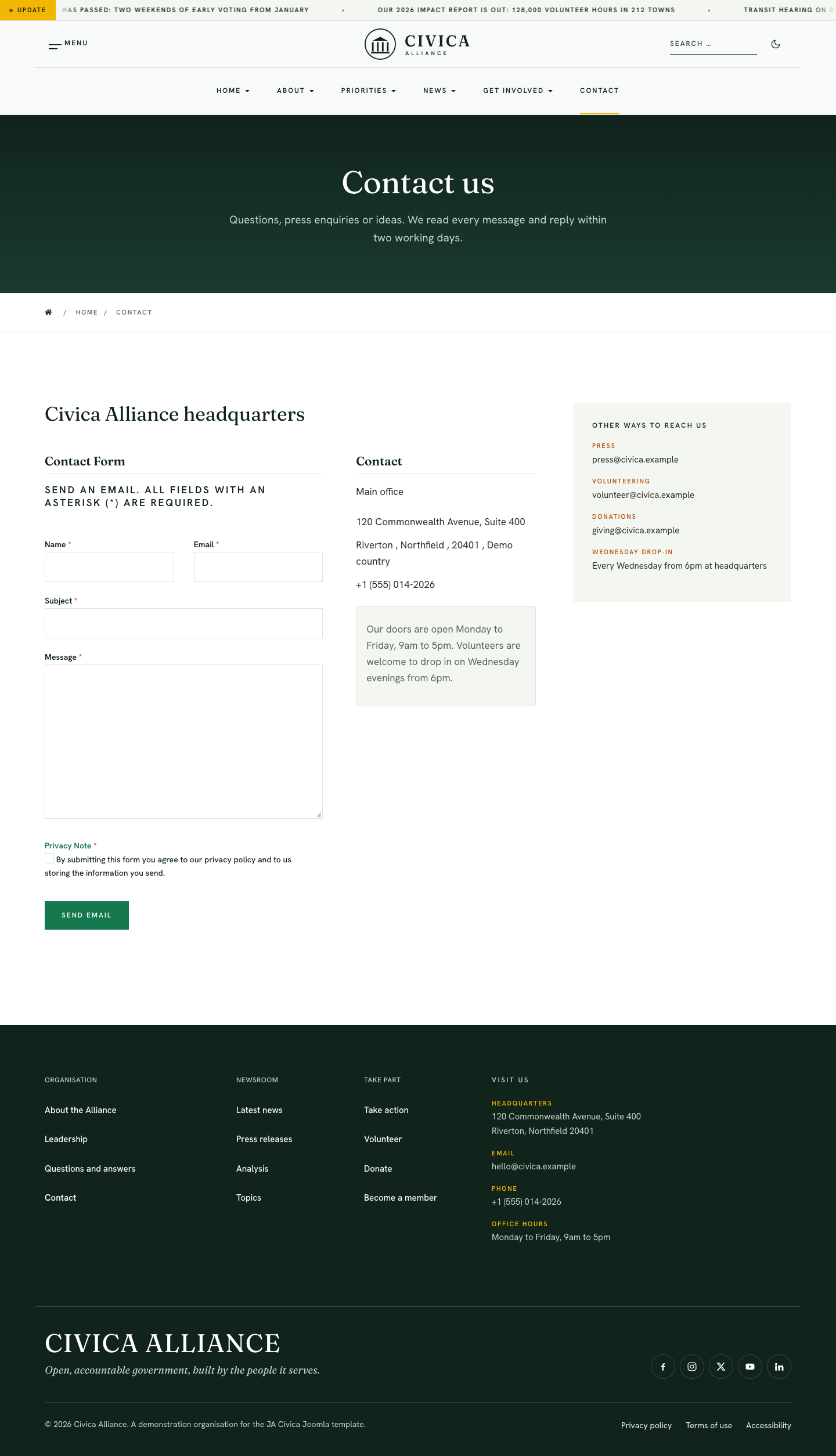
- Core contact form and contact details
- Contact - Details → position
sidebar-r·contact-infostyle-1 (press, volunteering, donations, drop-in hours)
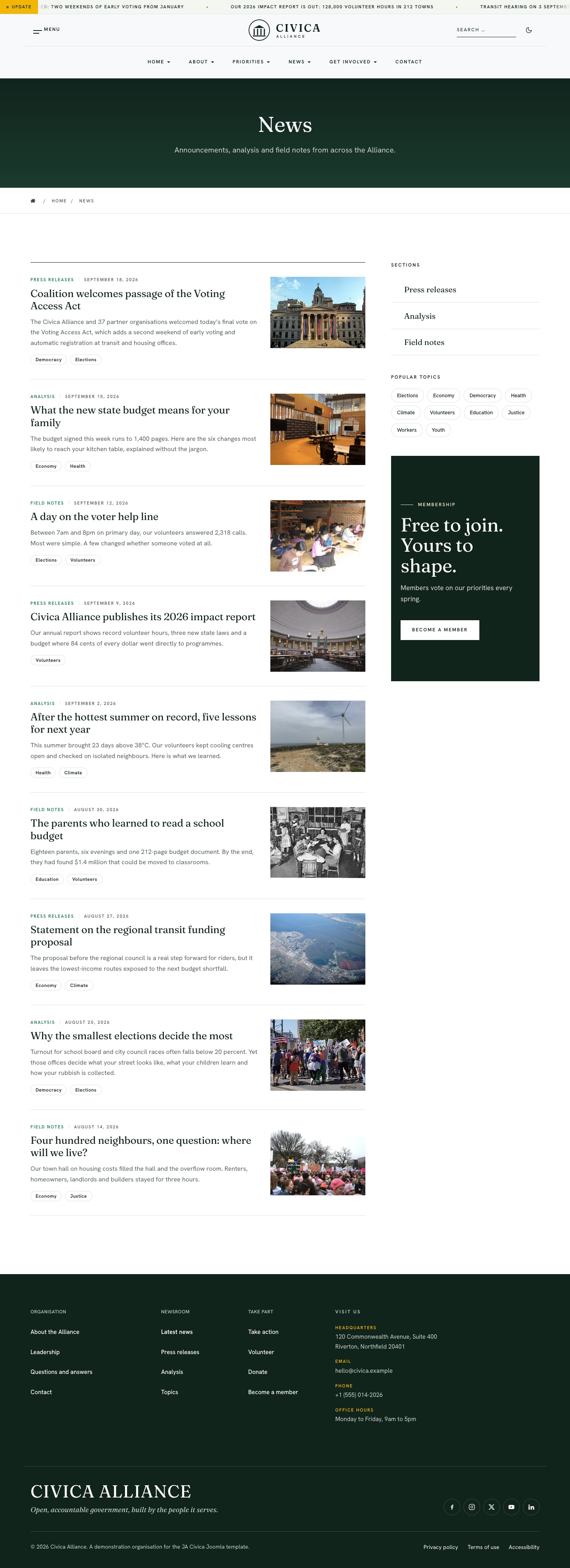
News & articles
Menu: News · alias news · Category Blog of category “News” · style Inner. Children: Press releases (category list), Analysis and Field notes (category blogs).
Single articles use the template’s com_content/article override:
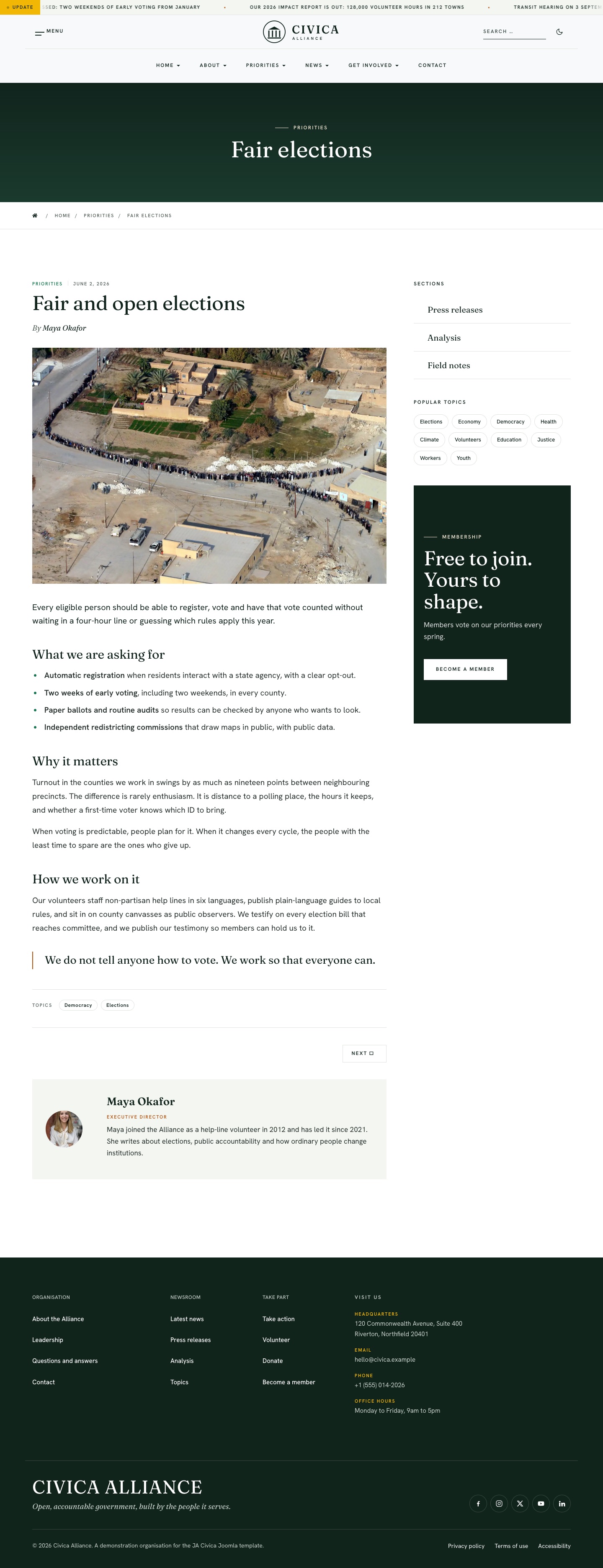
The right sidebar on news, priority, topic and section pages carries:
- Sections →
mod_articles_categories - Popular topics →
mod_tags_popular· layout cloud - [Civica] Sidebar - Join →
ctastyle-1
Module position: sidebar-r
Module Suffix: NOT USED
Layout: Default
Members & explore
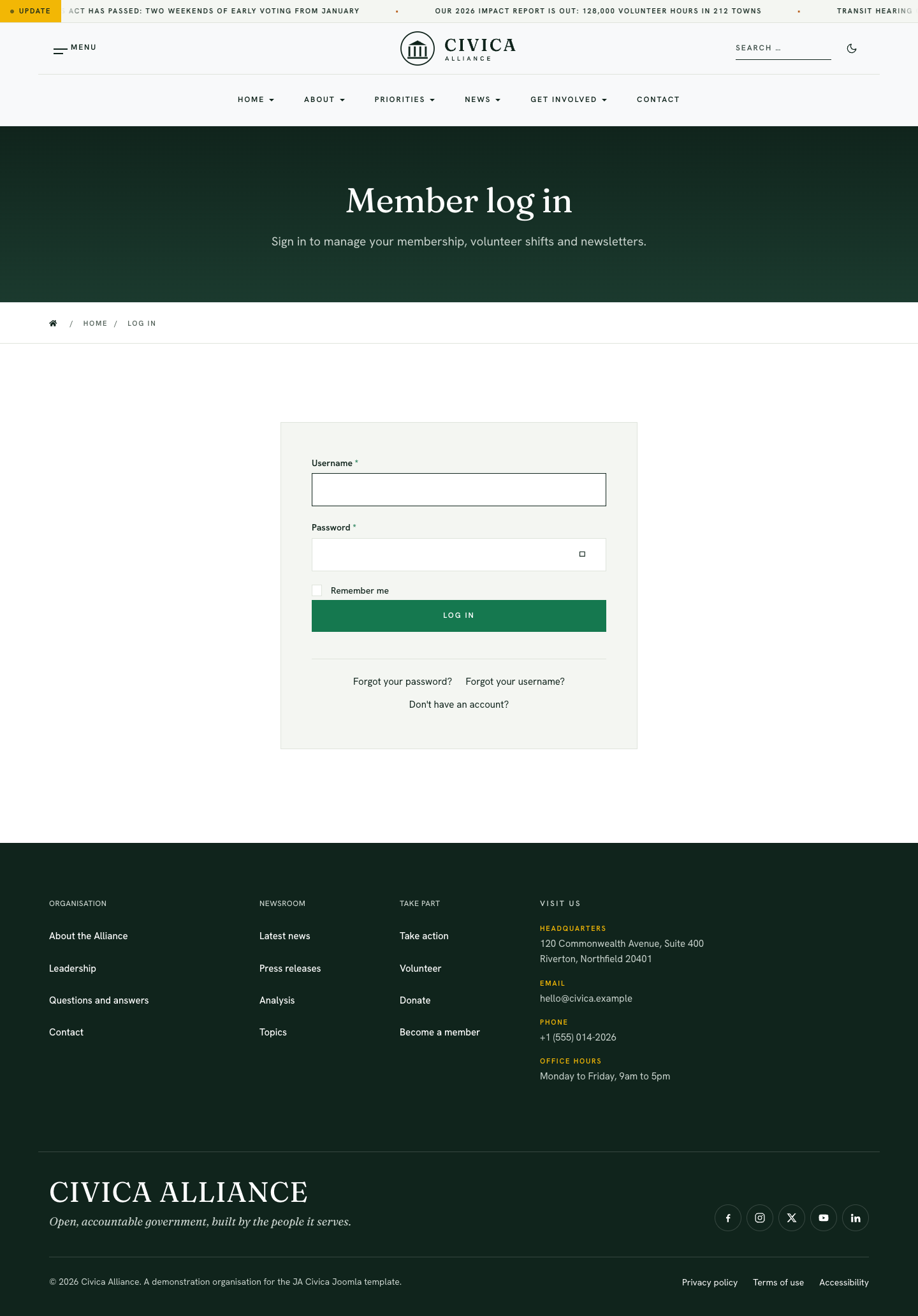
Two hidden menus (shown in the off-canvas panel) cover the standard Joomla views, all with the Inner style:
- Members — Log in (
login), Become a member (register), My profile, Edit profile, Forgot password, Forgot username - Explore — Search (
com_finder), Topics (com_tags), All sections (categories), Authors
ACM block catalog
All blocks live under /templates/ja_civica/acm/. ACM type prefix: ja_civica:<block>.
| Block | Styles | Used on demo |
|---|---|---|
| hero | style-1, style-2, style-3 | Home (1), Take action (1), Campaign (2), NGO (3) |
| mission-letter | style-1 | Home, About |
| priority-bands | style-1 | Home, Priorities |
| statistics | style-1 | Home, About, Campaign, NGO |
| testimonials | style-1 | Home, Donate |
| cta | style-1 | Home, Get involved, Campaign, NGO, sidebar |
| timeline | style-1 | About |
| clients | style-1 | About, Campaign, NGO |
| teams | style-1 | Leadership, Campaign |
| accordion | style-1 | Questions and answers, Take action |
| features-intro | style-1 | Get involved (columns=2), Take action, Campaign (columns=3) |
| donate-tiers | style-1 | Donate, Take action, Campaign |
| programmes | style-1 | NGO |
| appeal | style-1 | NGO |
| funds | style-1 | NGO |
| header-cta | style-1 | Campaign and NGO header button |
| ticker | style-1 | Global announcement ticker |
| contact-info | style-1 | Footer “Visit us”, Contact sidebar |
| footer-brand | style-1 | Footer brand, social links and legal links |
Upgrade Instruction
Take a full backup
Always back up files and database before upgrading so you can restore if needed.
Upgrade JoomlArt products with JA Extension Manager.
1. Set up JA Extension Manager
Download from this link, install, then open Components » JA Extension Manager » Service Manager. Set JoomlArt as default service and add your account.
2. Upgrade JA Civica
Filter for JA Civica → Check Update → upgrade when available.
3. Upgrade T4 and other JA extensions
Check/update T4 Framework, JA ACM, and related JA products the same way.
