

-
AuthorPosts
-
 Pankaj Sharma
Moderator
Pankaj Sharma
Moderator
Pankaj Sharma
- Join date:
- February 2015
- Posts:
- 24589
- Downloads:
- 144
- Uploads:
- 202
- Thanks:
- 127
- Thanked:
- 4196 times in 4019 posts
May 17, 2016 at 2:04 pm #931601We did as you recommended and it did not fix the issue with the images in the slide show. They are still not displaying as they did prior to the template update.
Pankaj Sharma
Moderator
Pankaj Sharma
- Join date:
- February 2015
- Posts:
- 24589
- Downloads:
- 144
- Uploads:
- 202
- Thanks:
- 127
- Thanked:
- 4196 times in 4019 posts
May 17, 2016 at 2:10 pm #931604This reply has been marked as private.May 18, 2016 at 12:47 pm #931996Hello, we deleted the folder as instructed and there is no difference, the images are still not the proper size in the slideshow.
This problem occurred immediately after the template update was performed, I’m sure it has something to do with the update. Is there someone there that can look into this for us?
Pankaj Sharma
Moderator
Pankaj Sharma
- Join date:
- February 2015
- Posts:
- 24589
- Downloads:
- 144
- Uploads:
- 202
- Thanks:
- 127
- Thanked:
- 4196 times in 4019 posts
May 18, 2016 at 2:33 pm #932019Hi
Did u get my last reply ?
Hi
Kindly end me your site FTP details i will check the cause . If original image size is small then they looks smalls .
Let me send details via Private reply , i will try to fix it right now .May 18, 2016 at 3:01 pm #932023This reply has been marked as private.Pankaj Sharma
Moderator
Pankaj Sharma
- Join date:
- February 2015
- Posts:
- 24589
- Downloads:
- 144
- Uploads:
- 202
- Thanks:
- 127
- Thanked:
- 4196 times in 4019 posts
May 18, 2016 at 3:57 pm #932031Hi
I am not sure its because of update or the settings are changed by you , because i performed the update on localhost and its does not effect slideshow settings .
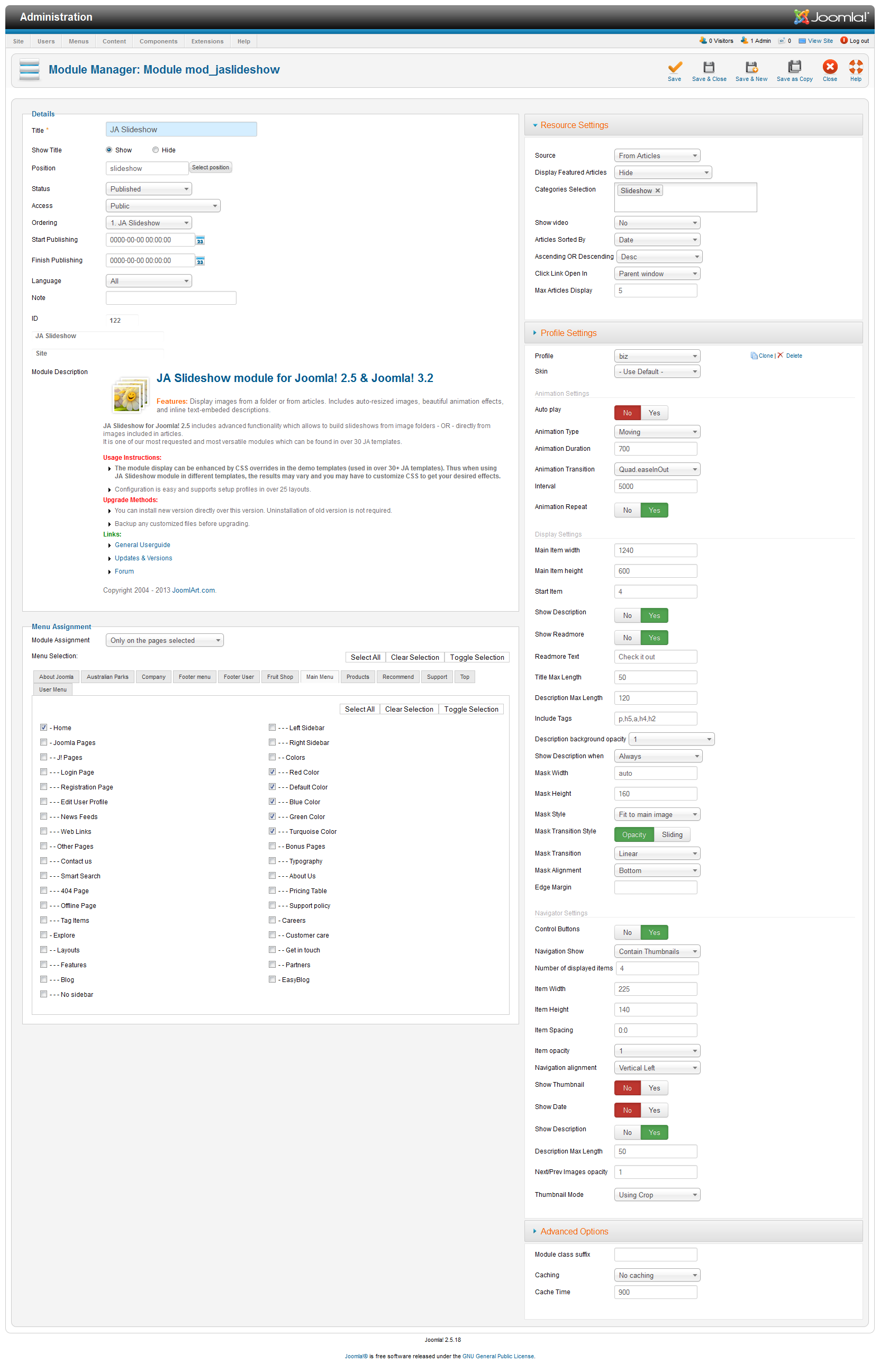
The images are not resized with full dimension because in slideshow module options the width and height of item is changed and this is dimension that showing on site I set the correct value for it now u can see issue is solved on site .
Actually without FTP i am not able to delete the resize folder , now i deleted image one by one that take bit time but issue solved 🙂May 18, 2016 at 3:59 pm #932034This reply has been marked as private.May 18, 2016 at 4:00 pm #932035This reply has been marked as private.Pankaj Sharma
Moderator
Pankaj Sharma
- Join date:
- February 2015
- Posts:
- 24589
- Downloads:
- 144
- Uploads:
- 202
- Thanks:
- 127
- Thanked:
- 4196 times in 4019 posts
May 18, 2016 at 4:08 pm #932039Hi
issue solved please check my post . There is no need of FTP.
Problem due to wrong configuration in Module settings .May 18, 2016 at 7:39 pm #932078This reply has been marked as private.Pankaj Sharma
Moderator
Pankaj Sharma
- Join date:
- February 2015
- Posts:
- 24589
- Downloads:
- 144
- Uploads:
- 202
- Thanks:
- 127
- Thanked:
- 4196 times in 4019 posts
-
AuthorPosts

This topic contains 28 replies, has 2 voices, and was last updated by 
The topic ‘Image size problems after updates were performed’ is closed to new replies.