-
AuthorPosts
-
May 9, 2016 at 1:09 pm #928438
Additionally, the images in the homepage slider are now not sized properly as well.
May 9, 2016 at 1:54 pm #928464This is happening to every image that is set as the "Full article image" . All of these images were fine before the Ja Biz template update.
 Pankaj Sharma
Moderator
Pankaj Sharma
Moderator
Pankaj Sharma
- Join date:
- February 2015
- Posts:
- 24589
- Downloads:
- 144
- Uploads:
- 202
- Thanks:
- 127
- Thanked:
- 4196 times in 4019 posts
May 10, 2016 at 2:40 am #928734Hi
Add below code in custom.css file.item-page .article-image img { max-width: 100%; }Path : /css/custom.css in template folder . If there is no custom.css file then create it . this will solve the problem .
May 10, 2016 at 12:32 pm #928935Will we have to do this every time we perform an update?
Pankaj Sharma
Moderator
Pankaj Sharma
- Join date:
- February 2015
- Posts:
- 24589
- Downloads:
- 144
- Uploads:
- 202
- Thanks:
- 127
- Thanked:
- 4196 times in 4019 posts
May 10, 2016 at 4:12 pm #928996Hi
Add the code in custom.css file , this file will not be affected in updates .May 11, 2016 at 2:03 pm #929425I added the code and waited a day for the changes to take effect and there has been no change. The images are still not sizing properly. Can you take a look to see if I added the code in the proper place
templates/ja_biz/css/custom.cssThis is very frustrating because this problem affects nearly every image on the site. I’m not sure what changed when we updated the ja_biz template but we need to get to the bottom of this.
Any help is appreciated.
Pankaj Sharma
Moderator
Pankaj Sharma
- Join date:
- February 2015
- Posts:
- 24589
- Downloads:
- 144
- Uploads:
- 202
- Thanks:
- 127
- Thanked:
- 4196 times in 4019 posts
May 11, 2016 at 5:25 pm #929495Hi
You have override of custom.css file in /local/css/custom.css file .
Kindly add the code in it .
Currently there is no code : http://prntscr.com/b2usjy
It should workMay 11, 2016 at 6:11 pm #929500Will this be something that we have to do every time we perform an update to the template?
May 11, 2016 at 6:15 pm #929504ok, you didn’t indicate previously that it was the custom.css file in the local folder. I placed it there and it fixed the "full article images" but did not have any effect on the homepage slider images.
Pankaj Sharma
Moderator
Pankaj Sharma
- Join date:
- February 2015
- Posts:
- 24589
- Downloads:
- 144
- Uploads:
- 202
- Thanks:
- 127
- Thanked:
- 4196 times in 4019 posts
May 12, 2016 at 12:35 am #929667Hi
I am not aware before that you have custom.css file in two places .
The slideshow image seems using max size of the image . Kindly try this method :
take full backup of site and then delete the re-size folder in /images folder .
/images/resized/Hope it helps .
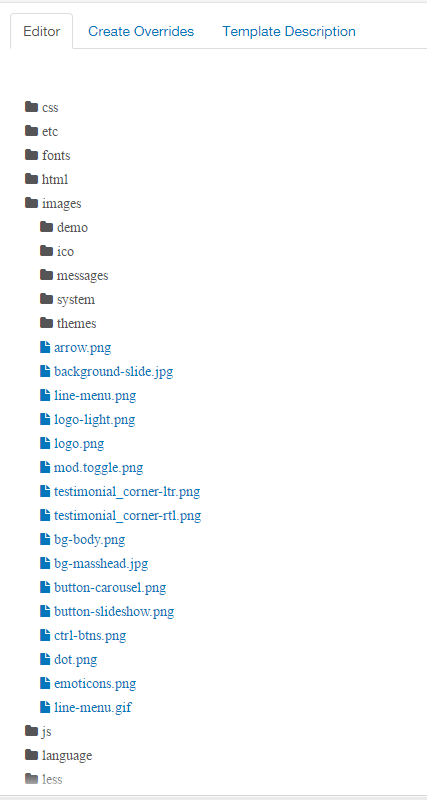
May 12, 2016 at 12:44 pm #929928Hello, there is no "resized" folder in the location you are specifying (see screenshot).
I don’t know whether you took a look at the slider but the problem is that the images are too short where as before the images resized to fit the full width of the slider. The opposite of problem that we were having with the "full article" images.
Can you please explain to me what happened during the update to the newest Ja Biz template that caused all these problems? I have asked twice already whether this will happen every time we update the template and still have not gotten an answer. Is there someone there that can answer this for me?
Thank you.
Pankaj Sharma
Moderator
Pankaj Sharma
- Join date:
- February 2015
- Posts:
- 24589
- Downloads:
- 144
- Uploads:
- 202
- Thanks:
- 127
- Thanked:
- 4196 times in 4019 posts
May 13, 2016 at 12:32 am #930129Hi
yes i checked the site and after that i suggested to delete the resize folder images . You need to check the /images folder in the site root not in template folder . And you can see the resize folder .
Here u can see images loading from it : http://prntscr.com/b3e7bl
The images are loaded from this folder . After deleting this images are refreshed and it loads fresh images again .May 13, 2016 at 12:29 pm #930364CAN YOU PLEASE TELL ME IF THIS IS SOMETHING THAT WE WILL HAVE TO DO EVERY TIME WE UPDATE THE JA BIZ TEMPLATE?
Pankaj Sharma
Moderator
Pankaj Sharma
- Join date:
- February 2015
- Posts:
- 24589
- Downloads:
- 144
- Uploads:
- 202
- Thanks:
- 127
- Thanked:
- 4196 times in 4019 posts
May 14, 2016 at 1:25 am #930502Hi
No, its not issue of the template update . It happen when u using the images and they resized the running on site . If images source file is changed it still use the same image then need to clean resize folder . So it pick the fresh images again .
Resize folder used to load images in less size and more fast .May 16, 2016 at 12:54 pm #931121Thank you. All the current images in the homepage slideshow were perfectly fine before we did the update. Immediately after the update the existing images that were in the slideshow suddenly did not size properly as you can see now. So what you are telling me is that something with the "resize" folder spontaneously happened and now we have to delete the folder? Is this something that will regularly happen? We’ve been working on this site for nearly a year and this has never happened, only when we performed the update did it occur. Please explain.
Thank you.
AuthorPostsThis topic contains 28 replies, has 2 voices, and was last updated by
nysfda 8 years, 8 months ago.
The topic ‘Image size problems after updates were performed’ is closed to new replies.
melih