-
AuthorPosts
-
babyzsmile Friend
babyzsmile
- Join date:
- October 2006
- Posts:
- 84
- Downloads:
- 0
- Uploads:
- 9
- Thanks:
- 12
- Thanked:
- 1 times in 1 posts
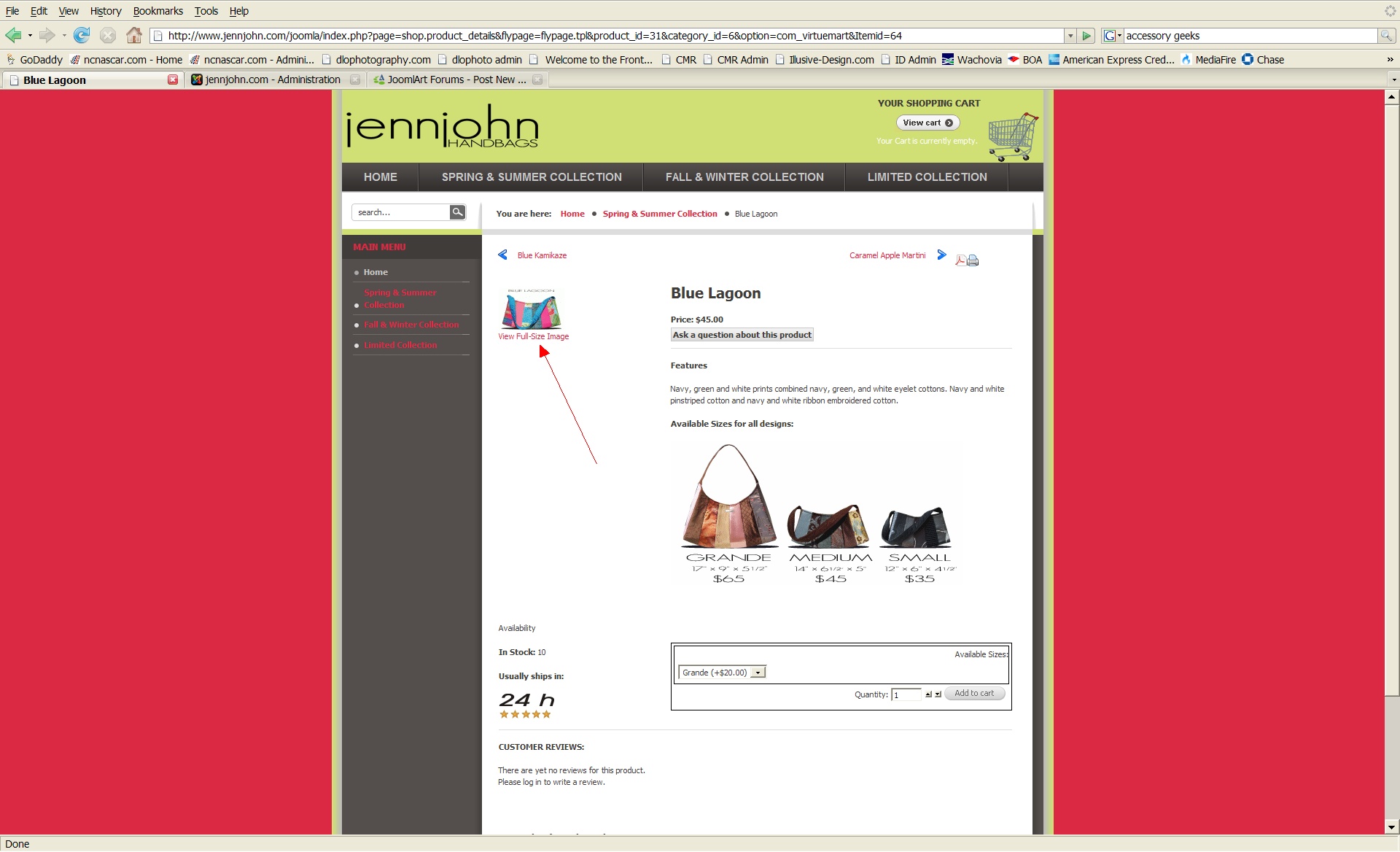
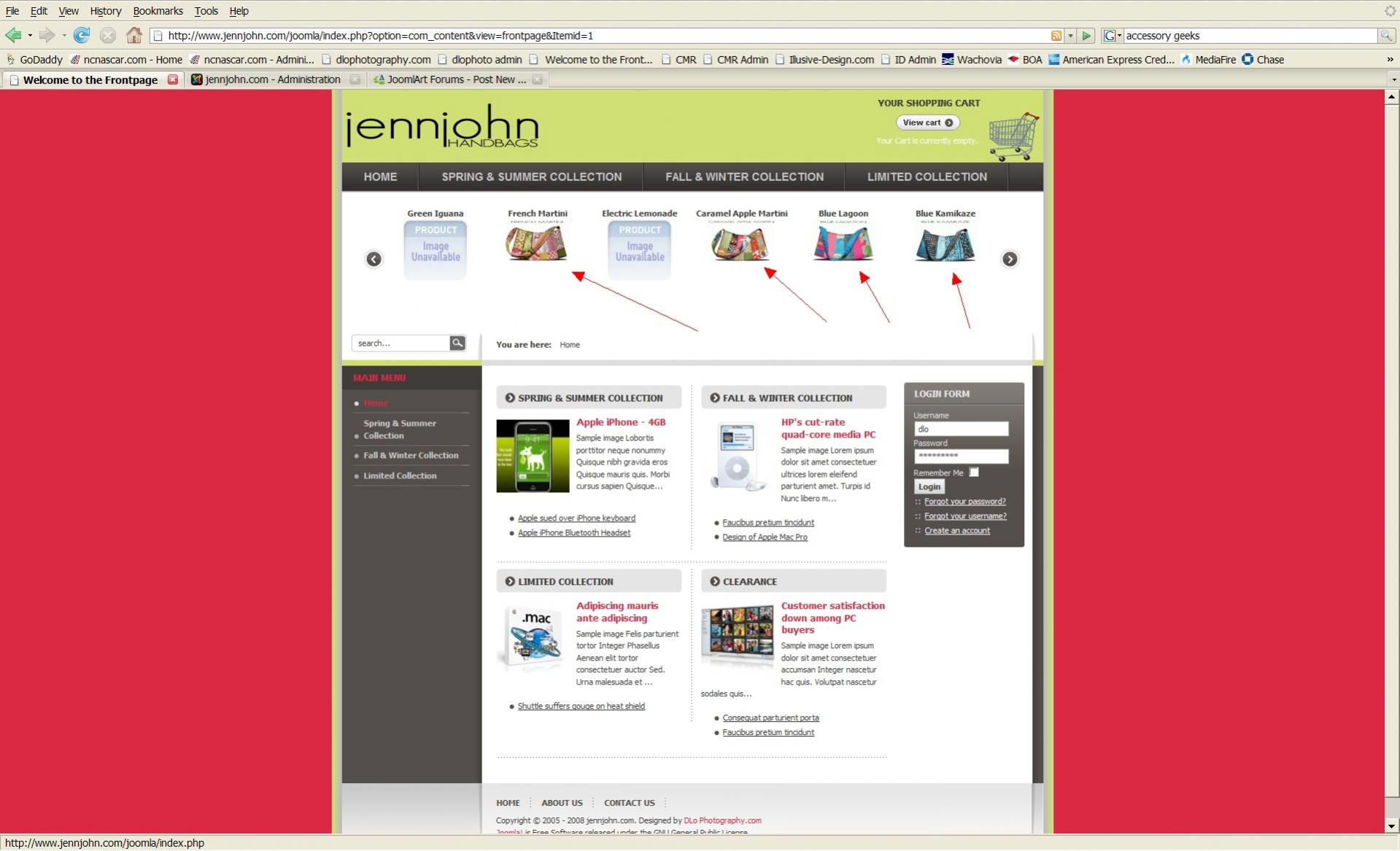
August 3, 2008 at 12:12 am #131702Is it possible to make these images display larger both in the VirtueMart and JA Slider? See attachment. Please help.
babyzsmile
- Join date:
- October 2006
- Posts:
- 84
- Downloads:
- 0
- Uploads:
- 9
- Thanks:
- 12
- Thanked:
- 1 times in 1 posts
August 3, 2008 at 5:25 pm #263627Can someone please help? This is do or die for this client.
Menalto Friend
Menalto
- Join date:
- May 2007
- Posts:
- 4736
- Downloads:
- 0
- Uploads:
- 43
- Thanks:
- 2
- Thanked:
- 531 times in 361 posts
August 3, 2008 at 5:47 pm #263628Joomla version? Virtuemart version?
babyzsmile
- Join date:
- October 2006
- Posts:
- 84
- Downloads:
- 0
- Uploads:
- 9
- Thanks:
- 12
- Thanked:
- 1 times in 1 posts
August 4, 2008 at 2:10 pm #263758Joomla 1.5 with Virtuemart 1.1. I tried in changing the size within the VirtueMart products page and no luck. Also tried changing the size defined for the JA SLIDER but no luck. Both these values are hard coded somewhere. I really need to make the images at least 20-50% larger for this client. Thanks for your attention.
wogand Friend
wogand
- Join date:
- May 2008
- Posts:
- 112
- Downloads:
- 0
- Uploads:
- 1
- Thanks:
- 21
- Thanked:
- 3 times in 1 posts
August 5, 2008 at 7:20 pm #263942virtuemart backend, configuration, site, layout, adjust thumbnails size there.
good luckbabyzsmile
- Join date:
- October 2006
- Posts:
- 84
- Downloads:
- 0
- Uploads:
- 9
- Thanks:
- 12
- Thanked:
- 1 times in 1 posts
August 6, 2008 at 6:03 pm #264151I need specifics of what file and locations of those files. Including the lines. Thanks if you can help.
wogand
- Join date:
- May 2008
- Posts:
- 112
- Downloads:
- 0
- Uploads:
- 1
- Thanks:
- 21
- Thanked:
- 3 times in 1 posts
August 6, 2008 at 7:52 pm #264170please login the backend of your site and go to the component virtuemart. Then go to configuration and click the above.
babyzsmile
- Join date:
- October 2006
- Posts:
- 84
- Downloads:
- 0
- Uploads:
- 9
- Thanks:
- 12
- Thanked:
- 1 times in 1 posts
August 7, 2008 at 1:04 am #264217<em>@wogand 72007 wrote:</em><blockquote>please login the backend of your site and go to the component virtuemart. Then go to configuration and click the above.</blockquote>
Already done this.
wogand
- Join date:
- May 2008
- Posts:
- 112
- Downloads:
- 0
- Uploads:
- 1
- Thanks:
- 21
- Thanked:
- 3 times in 1 posts
August 7, 2008 at 12:25 pm #264310so you adjusted the standard 90×90 thumbnail size? Did you delete the images and uploaded them again?
1 user says Thank You to wogand for this useful post
babyzsmile
- Join date:
- October 2006
- Posts:
- 84
- Downloads:
- 0
- Uploads:
- 9
- Thanks:
- 12
- Thanked:
- 1 times in 1 posts
August 8, 2008 at 3:12 am #264422<em>@wogand 72179 wrote:</em><blockquote>so you adjusted the standard 90×90 thumbnail size? Did you delete the images and uploaded them again?</blockquote>
Deleting and reloading helped THANK YOU!:D
-
AuthorPosts
Viewing 10 posts - 1 through 10 (of 10 total)This topic contains 10 replies, has 3 voices, and was last updated by
babyzsmile 16 years, 6 months ago.
We moved to new unified forum. Please post all new support queries in our New Forum
Jump to forum
melih

