-
AuthorPosts
-
edd Friend
edd
- Join date:
- May 2006
- Posts:
- 350
- Downloads:
- 11
- Uploads:
- 73
- Thanks:
- 76
- Thanked:
- 8 times in 2 posts
January 22, 2013 at 12:56 pm #184265Hi there I was trying to get this in the modules users 1 2 3 and 4
but I can’t figure out… I tryied in the modules section and nothing…
Some one has any idea where can I do that?
Thanks a lot for possible help 🙂
ED
 Ninja Lead
Moderator
Ninja Lead
Moderator
Ninja Lead
- Join date:
- November 2014
- Posts:
- 16064
- Downloads:
- 310
- Uploads:
- 2864
- Thanks:
- 341
- Thanked:
- 3854 times in 3563 posts
January 23, 2013 at 7:58 am #480869Hi Eduardo,
You can achieve this by following our user guide at http://www.joomlart.com/forums/topic/joomla-2-5-userguide-ja-mendozite/
Regards
edd
- Join date:
- May 2006
- Posts:
- 350
- Downloads:
- 11
- Uploads:
- 73
- Thanks:
- 76
- Thanked:
- 8 times in 2 posts
January 23, 2013 at 1:33 pm #480921Hi Ninja Lead,
I was using the guide you said and I didnt get the result I was expecting.
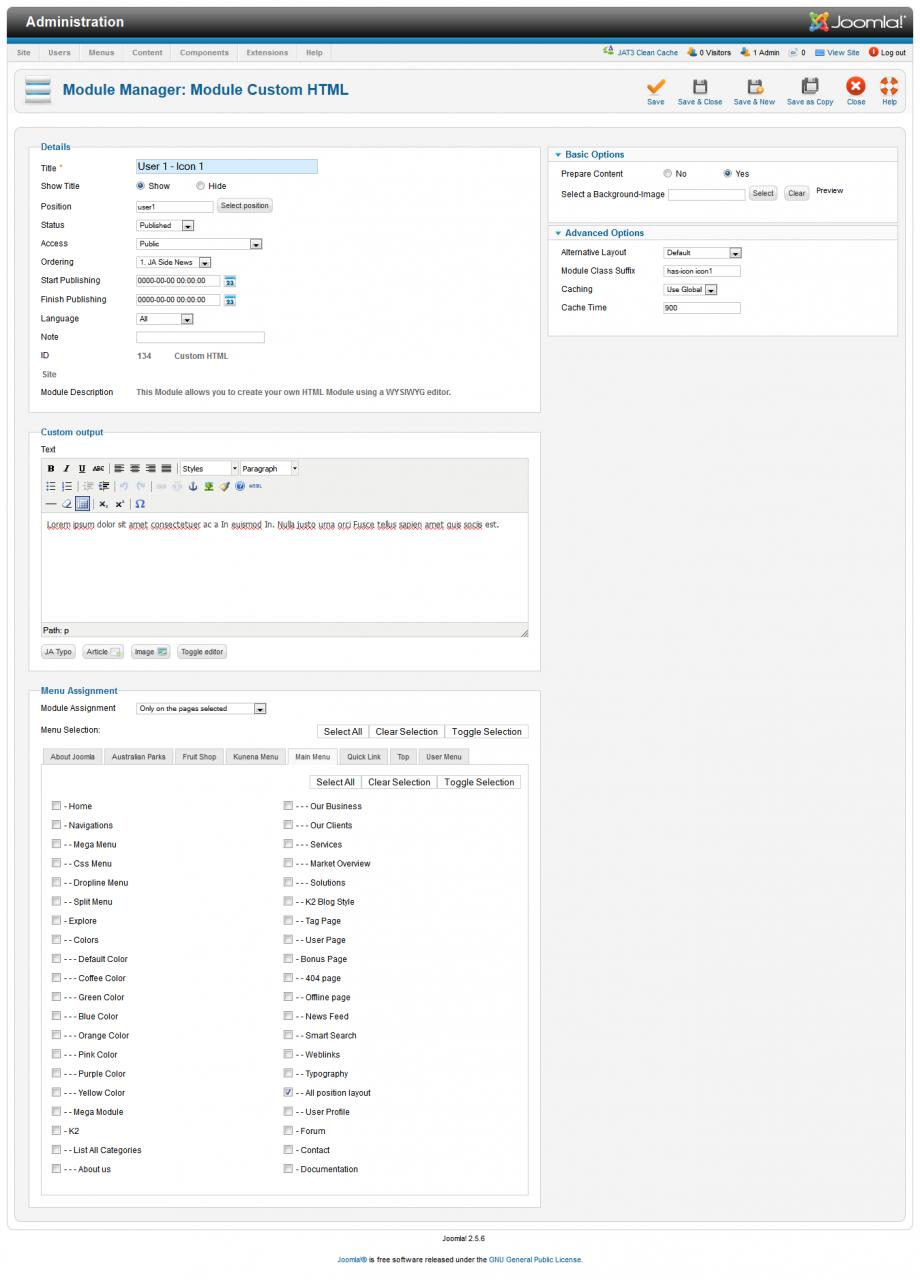
If you look, on the guide you have this backend example:This is to get the module like I need, the “prepare content” is not enable, and I did that, and doesnt work.
For the white one (the one I dont want to use) for the backend you have this:
And if you see, “prepared content” is enabled.
So If I enable or disable “prepared content” the result is the same: I get the white module, I mean the one I DONT need.
Please if somebody knows or have a right information in how to get this:
on users 1, 2, 3 and 4 I will be very thank you.
Thanks
ED

 Ninja Lead
Moderator
Ninja Lead
Moderator
Ninja Lead
- Join date:
- November 2014
- Posts:
- 16064
- Downloads:
- 310
- Uploads:
- 2864
- Thanks:
- 341
- Thanked:
- 3854 times in 3563 posts
January 25, 2013 at 4:46 am #481093Pls do as follows again:
<blockquote>Open templates/ja_mendozite/css/template.css file</blockquote>
Add new script
div.ja-moduletable.has-icon:hover {

background-color: #d05338

color: #fff

}
div.ja-moduletable.has-icon:hover h3 {
color: #fff
}div.ja-moduletable.has-icon.icon1:hover {
background-image: url(../images/icons/icon-module1-hover.png);
}div.ja-moduletable.has-icon.icon2:hover {
background-image: url(../images/icons/icon-module2-hover.png);
}div.ja-moduletable.has-icon.icon3:hover {
background-image: url(../images/icons/icon-module3-hover.png);
}div.ja-moduletable.has-icon.icon4:hover {
background-image: url(../images/icons/icon-module4-hover.png);
}Let me know if it helps
AuthorPostsViewing 4 posts - 1 through 4 (of 4 total)This topic contains 4 replies, has 2 voices, and was last updated by
Ninja Lead 12 years ago.We moved to new unified forum. Please post all new support queries in our New Forum
Jump to forum
melih