-
AuthorPosts
-
February 17, 2016 at 1:10 pm #885314
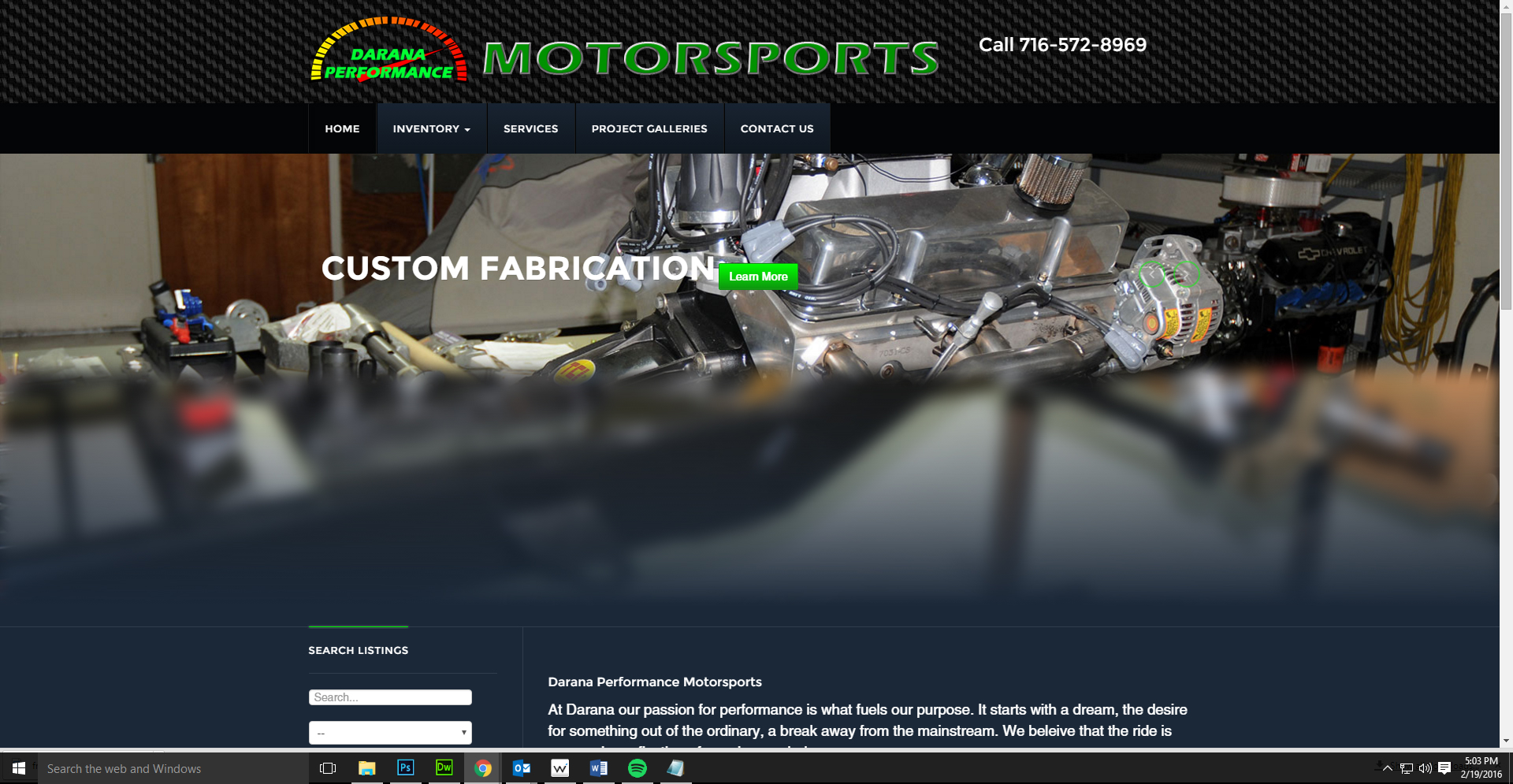
How can I change the slideshow height? I’d like to reduce it to about 60% of its current height so that the page content is displayed higher on the page.
 Pankaj Sharma
Moderator
Pankaj Sharma
Moderator
Pankaj Sharma
- Join date:
- February 2015
- Posts:
- 24589
- Downloads:
- 144
- Uploads:
- 202
- Thanks:
- 127
- Thanked:
- 4196 times in 4019 posts
February 18, 2016 at 2:32 am #885930Hi Add below code in custom.css file and change the min-height of image as per you needs .
Path : /templates/YOUR JA TEMPLATE/css/custom.css create it if files is not there ..acm-slideshow .owl-carousel .item .img-header { min-height: 770px!important; }Default value was 1070px . Hope it helps .
February 19, 2016 at 10:23 pm #887138That change reduced the height of the slideshow but the rest of the content remained low on the page. Is it possible to bring the homepage component and sidebar up higher too?
Pankaj Sharma
Moderator
Pankaj Sharma
- Join date:
- February 2015
- Posts:
- 24589
- Downloads:
- 144
- Uploads:
- 202
- Thanks:
- 127
- Thanked:
- 4196 times in 4019 posts
February 20, 2016 at 3:17 am #887201Hi
I checked your site and the content is already seems up on site Here > http://prntscr.com/a5khjr
There is Margin-top value to given gap between slideshow and content
You can change it with adding below code in custom.css . Current value of margin-top is 600px Here : http://prntscr.com/a5khv3.t3-slideshow + .t3-mainbody { margin-top: 600px; }Hope it helps .
February 20, 2016 at 1:19 pm #887374Perfect. Thanks!
AuthorPostsViewing 5 posts - 1 through 5 (of 5 total)This topic contains 5 replies, has 3 voices, and was last updated by
gbanig 8 years, 11 months ago.
We moved to new unified forum. Please post all new support queries in our New Forum
Slideshow Height
Viewing 5 posts - 1 through 5 (of 5 total)