-
AuthorPosts
-
Ch1vpH Friend
Ch1vpH
- Join date:
- February 2016
- Posts:
- 299
- Downloads:
- 21
- Uploads:
- 128
- Thanks:
- 29
- Thanked:
- 1 times in 1 posts
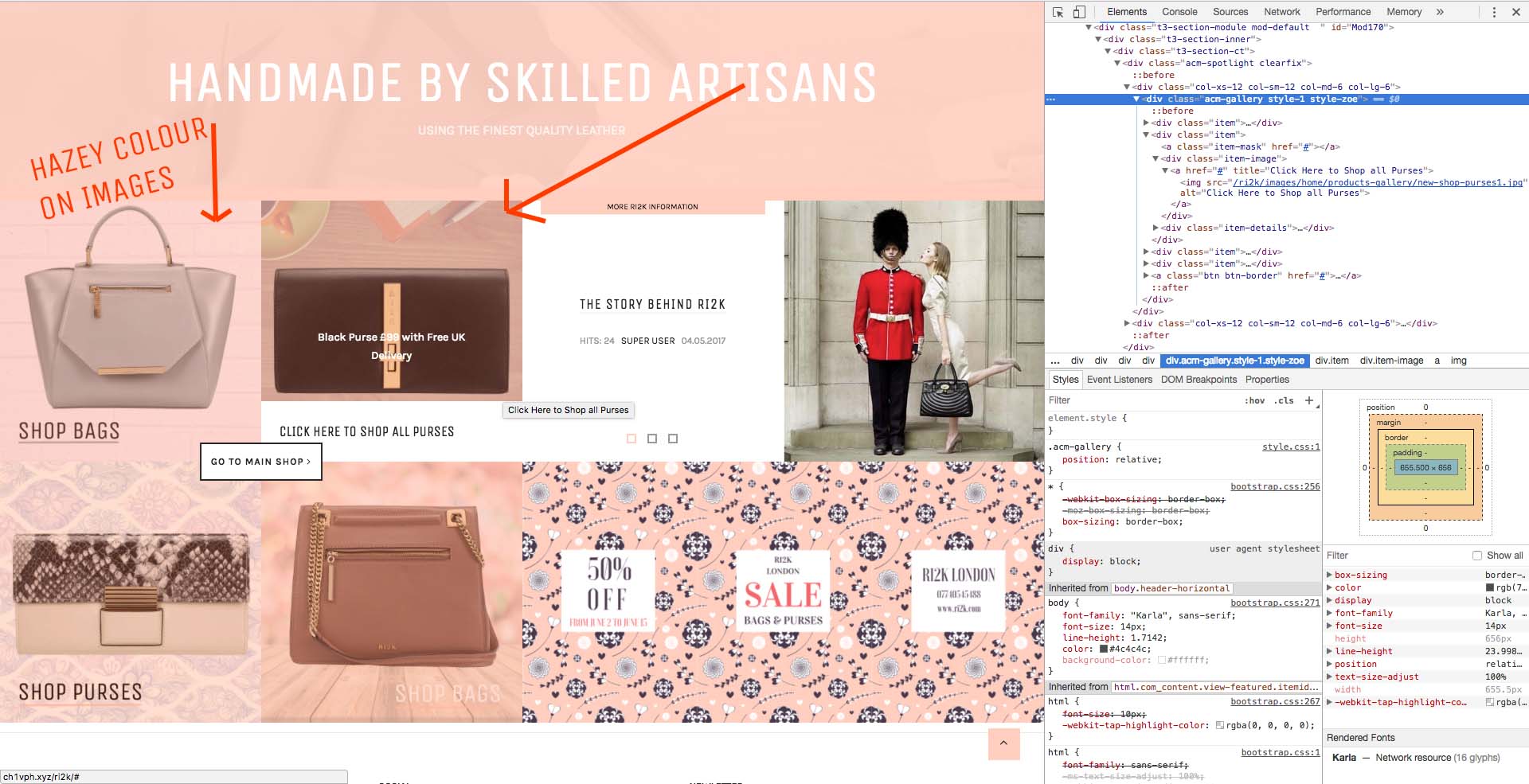
May 20, 2017 at 1:26 pm #1035611Hi there – Is it possible to remove the ‘hazey‘ primary colour off my acm gallery style-1 called ‘Zoe’ as I need my images to be clear without the colour overlay, but keep the white text block that pops up on hover over?
I have checked in the…templates/ja_brickstore/acm/gallery/tmpl/style-1.php and xml but could not see if this was possible or not, I really hope it is as this is exactly what my client wanted with the text at the bottom of image…
Let me know please,
Many Thanks!!
 Pankaj Sharma
Moderator
Pankaj Sharma
Moderator
Pankaj Sharma
- Join date:
- February 2015
- Posts:
- 24589
- Downloads:
- 144
- Uploads:
- 202
- Thanks:
- 127
- Thanked:
- 4196 times in 4019 posts
May 20, 2017 at 1:56 pm #1035618Hi
Can u share the site URL of gallery page here?Ch1vpH
- Join date:
- February 2016
- Posts:
- 299
- Downloads:
- 21
- Uploads:
- 128
- Thanks:
- 29
- Thanked:
- 1 times in 1 posts
May 20, 2017 at 2:17 pm #1035621Sorry its the http://ch1vph.xyz/ri2k/ one!
Pankaj Sharma
Moderator
Pankaj Sharma
- Join date:
- February 2015
- Posts:
- 24589
- Downloads:
- 144
- Uploads:
- 202
- Thanks:
- 127
- Thanked:
- 4196 times in 4019 posts
May 22, 2017 at 12:48 am #1035786Hi
Open /templates/ja_brickstore/local/acm/gallery/css/themes/dark-peach/style.cssFind
.acm-gallery.style-zoe .item img {
    opacity: 0.8;
    filter: alpha(opacity=80);
}
Replace it with
.acm-gallery.style-zoe .item img {
    opacity: 1;
    filter: alpha(opacity=100);
}
Regards
1 user says Thank You to Pankaj Sharma for this useful post
Ch1vpH
- Join date:
- February 2016
- Posts:
- 299
- Downloads:
- 21
- Uploads:
- 128
- Thanks:
- 29
- Thanked:
- 1 times in 1 posts
May 31, 2017 at 7:33 pm #1038566Hi there,
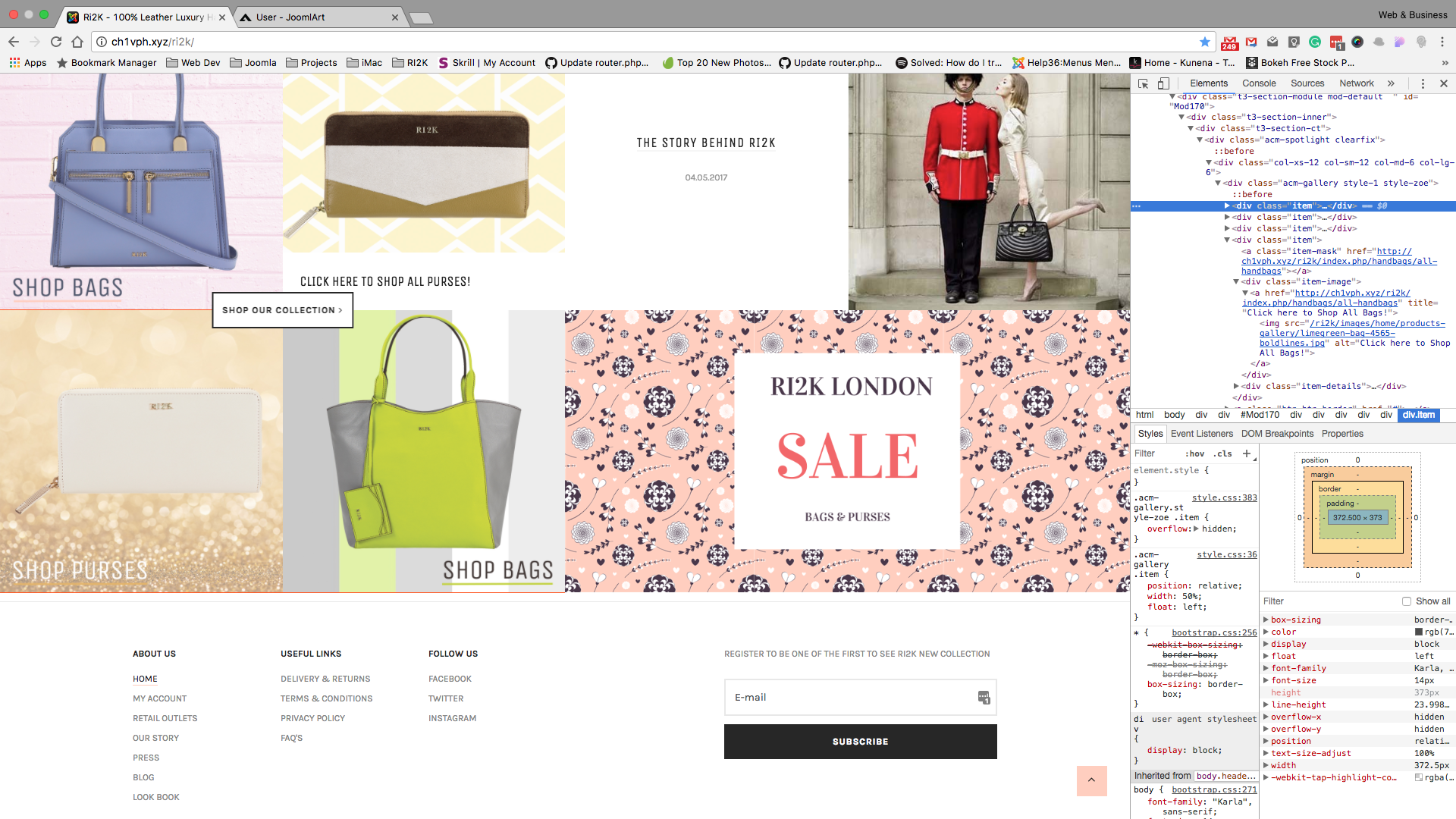
In regard to this module and style ‘zoe’ I’ve noticed a thin ‘Red’ line that appears under each image in the module?
It seems to be a function with the hover over as you can see in the picture it is not visible when you hover over an image….
*Is there any way to take this off red line off or change the colour possibly?
Thanks.
Pankaj Sharma
Moderator
Pankaj Sharma
- Join date:
- February 2015
- Posts:
- 24589
- Downloads:
- 144
- Uploads:
- 202
- Thanks:
- 127
- Thanked:
- 4196 times in 4019 posts
June 1, 2017 at 1:13 am #1038622Hi
Can u share the screenshot which line you want to hide?
I will check it.Ch1vpH
- Join date:
- February 2016
- Posts:
- 299
- Downloads:
- 21
- Uploads:
- 128
- Thanks:
- 29
- Thanked:
- 1 times in 1 posts
June 1, 2017 at 9:15 am #1038745Hi there, I’ve added that image (i forgot to add) in the above post with the inspect, and also zoomed in version below…..
Pankaj Sharma
Moderator
Pankaj Sharma
- Join date:
- February 2015
- Posts:
- 24589
- Downloads:
- 144
- Uploads:
- 202
- Thanks:
- 127
- Thanked:
- 4196 times in 4019 posts
June 1, 2017 at 9:31 am #1038751Hi
it’s the Red background colour behind the items http://prntscr.com/fel2ff
from file http://ch1vph.xyz/ri2k/templates/ja_brickstore/local/acm/gallery/css/themes/dark-peach/style.css
If you want to change or remove it you can remove the code as showing a screenshot.Regards
1 user says Thank You to Pankaj Sharma for this useful post
AuthorPostsViewing 8 posts - 1 through 8 (of 8 total)This topic contains 7 replies, has 2 voices, and was last updated by
Pankaj Sharma 7 years, 8 months ago.We moved to new unified forum. Please post all new support queries in our New Forum
Jump to forum
melih