-
AuthorPosts
-
April 22, 2016 at 12:03 pm #921532
Any suggestions? https://www.google.com/recaptcha
The plugin I have switched correctly.
pavit Moderator
pavit
- Join date:
- September 2007
- Posts:
- 15749
- Downloads:
- 199
- Uploads:
- 2274
- Thanks:
- 417
- Thanked:
- 4028 times in 3778 posts
April 22, 2016 at 3:20 pm #921587Hi there
Could you edit your post and add a temp super user account to it ?
so we can test your re-captcha plugin
April 23, 2016 at 1:04 pm #921845done
pavit
- Join date:
- September 2007
- Posts:
- 15749
- Downloads:
- 199
- Uploads:
- 2274
- Thanks:
- 417
- Thanked:
- 4028 times in 3778 posts
April 23, 2016 at 2:17 pm #921849wspolne
Your plugin is disabled and missing of the re-captcha code – get a recaptcha key first and then enable it The one you are using now is not the Joomla re-captcha plugin
April 23, 2016 at 8:43 pm #922020Everything is done but still does not work.
pavit
- Join date:
- September 2007
- Posts:
- 15749
- Downloads:
- 199
- Uploads:
- 2274
- Thanks:
- 417
- Thanked:
- 4028 times in 3778 posts
April 23, 2016 at 8:48 pm #922022Everything is done but still does not work.
You disabled backend access , i cannot login anymore to verify it , please restore super user account and i will test it
April 24, 2016 at 1:44 pm #922165Access is enabled all the time. Username and password everywhere the same.
pavit
- Join date:
- September 2007
- Posts:
- 15749
- Downloads:
- 199
- Uploads:
- 2274
- Thanks:
- 417
- Thanked:
- 4028 times in 3778 posts
April 24, 2016 at 4:08 pm #922193Access is enabled all the time. Username and password everywhere the same.
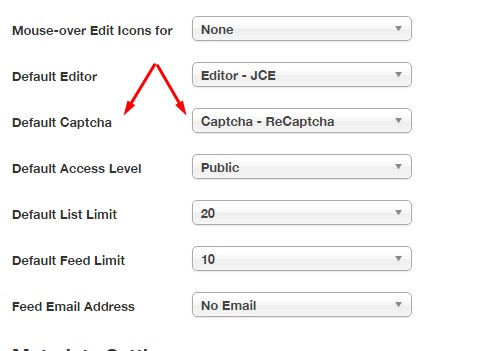
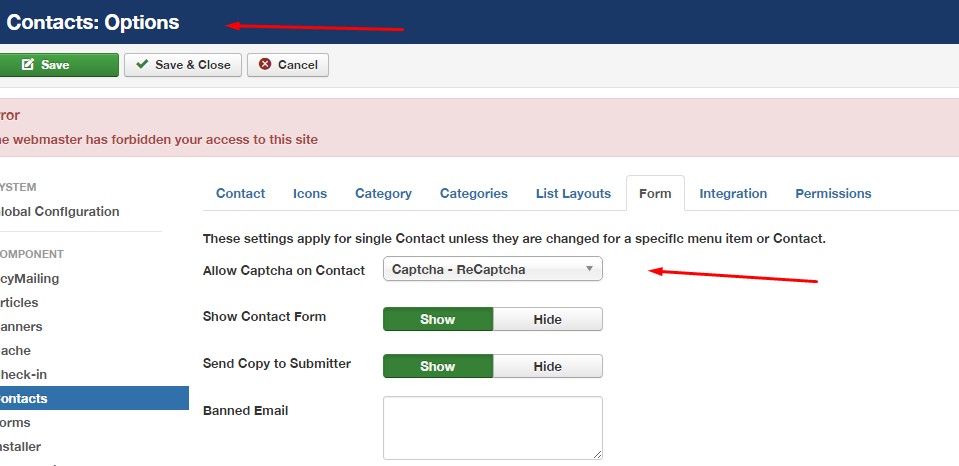
You need to select the default captcha from global configuration and assign the captcha to the contact form from general options.
I made changes for you.
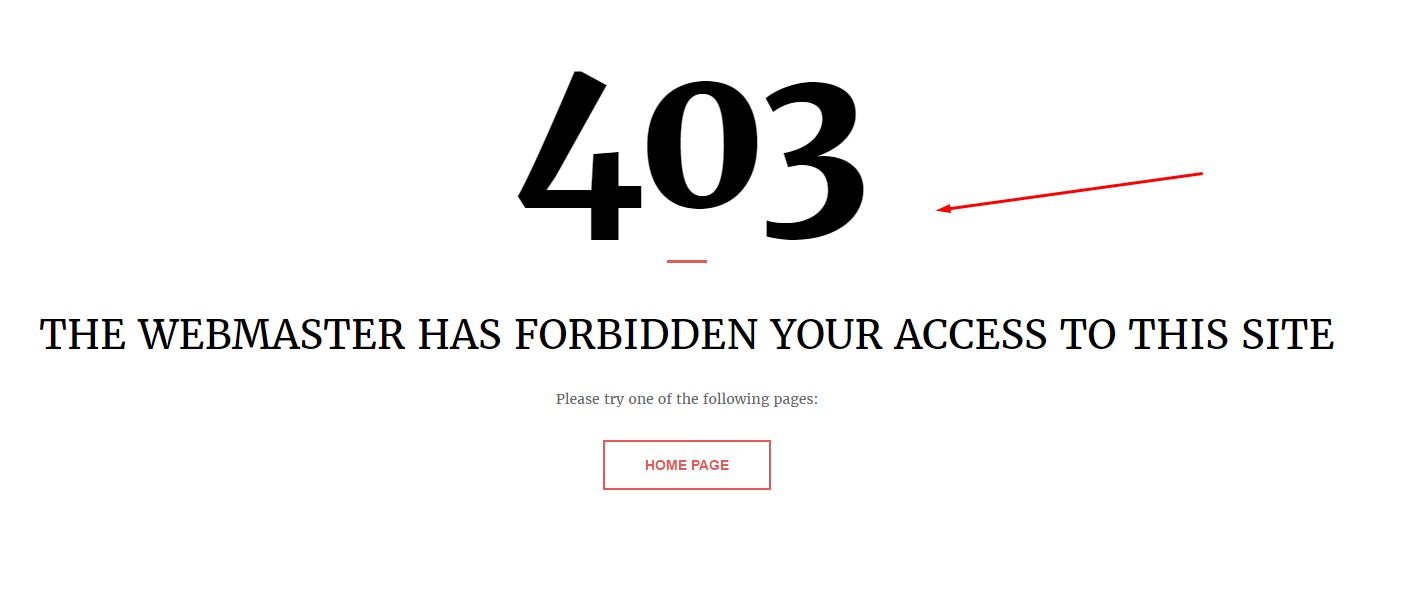
I still cannot access your main page
 AuthorPostsViewing 9 posts - 1 through 9 (of 9 total)
This topic contains 8 replies, has 2 voices, and was last updated by
rywin 8 years, 9 months ago.
We moved to new unified forum. Please post all new support queries in our New Forum
Jump to forum
melih



