Tagged: content plugin
-
AuthorPosts
-
December 16, 2015 at 11:33 am #816667
Hi, I have some problems with content plugin. Could you please check this for me.
I tried to install dropfiles component (https://www.joomunited.com/products/dropfiles) and it did not work. I have asked component provider support and I have information: Hi, thanks for your info. I checked your site and see that your template don’t support any content plugin (Dropfiles, Droppics, UniForm, Ignite Gallery,.. ). Could you ask the template provider check this problem? Regards. Tech Support for Dropfiles
 Pankaj Sharma
Moderator
Pankaj Sharma
Moderator
Pankaj Sharma
- Join date:
- February 2015
- Posts:
- 24589
- Downloads:
- 144
- Uploads:
- 202
- Thanks:
- 127
- Thanked:
- 4196 times in 4019 posts
December 17, 2015 at 4:52 am #818091Hi
I never used the extension u using on site . Could u provide the step details ,how i will replicate the problem on your site .
Currently i checked one the article > INFORMACJA – 24 GRUDNIA URZĄD NIECZYNNY
that has attached pdf file in and its working fine for me .
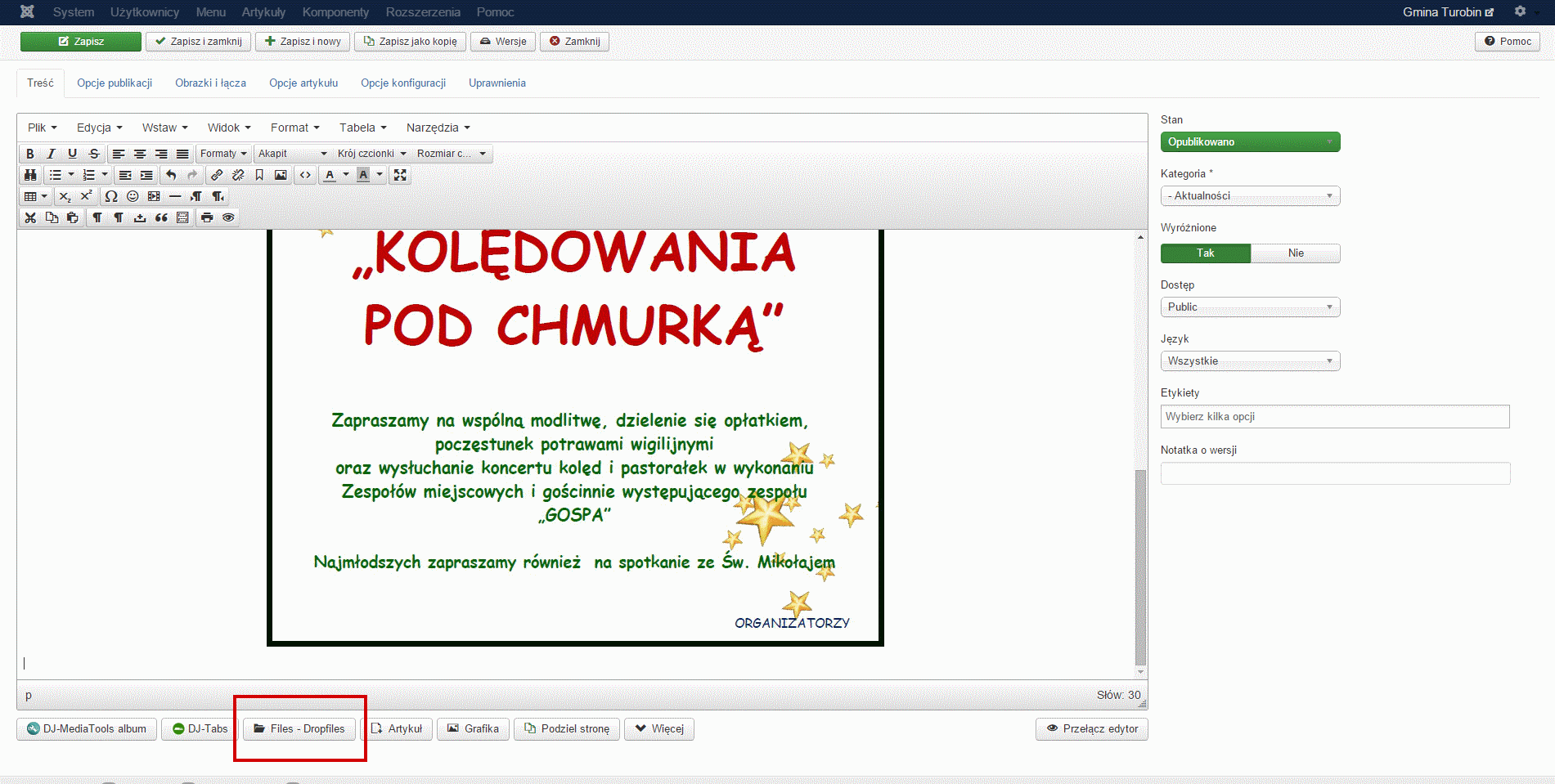
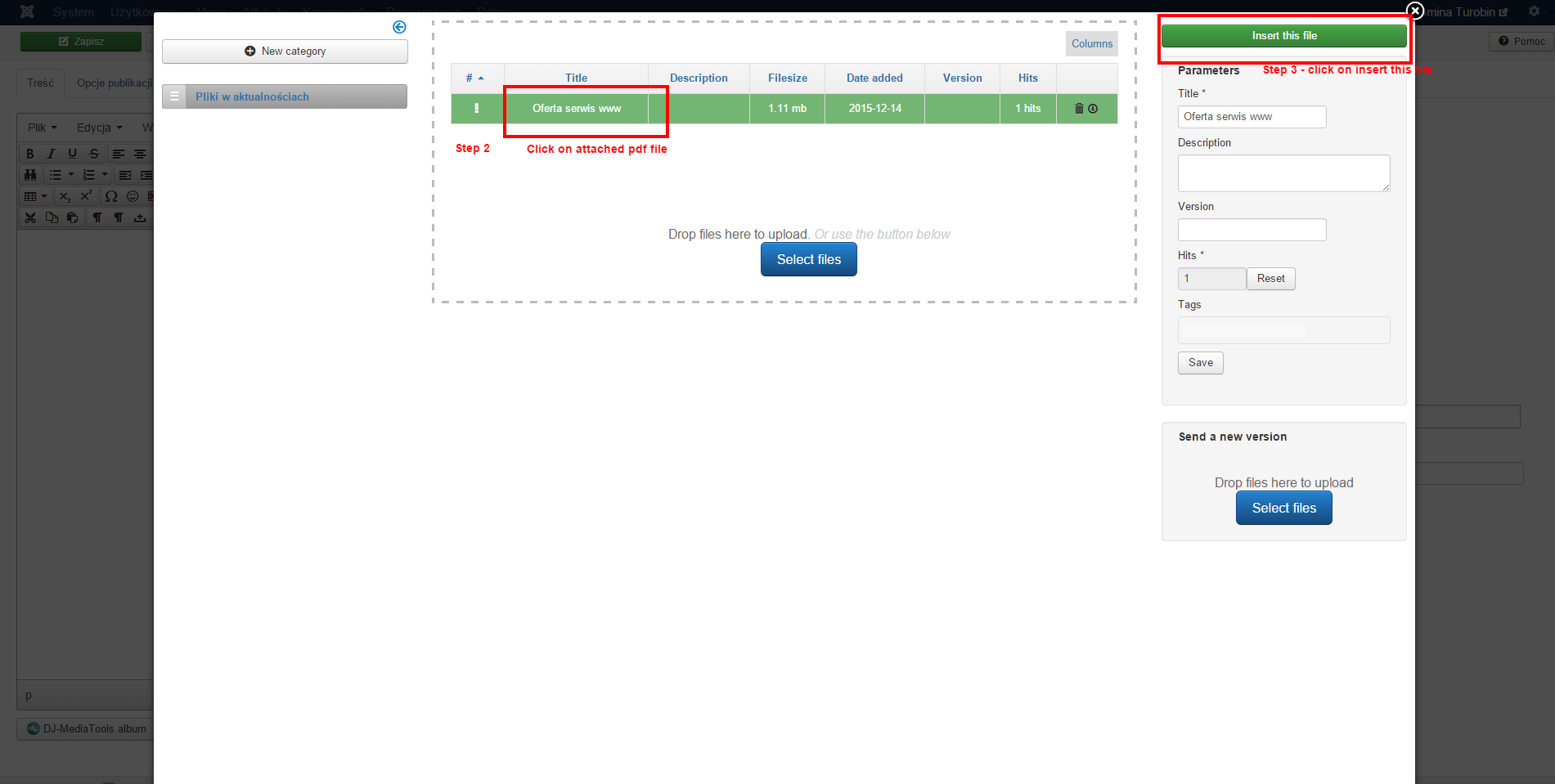
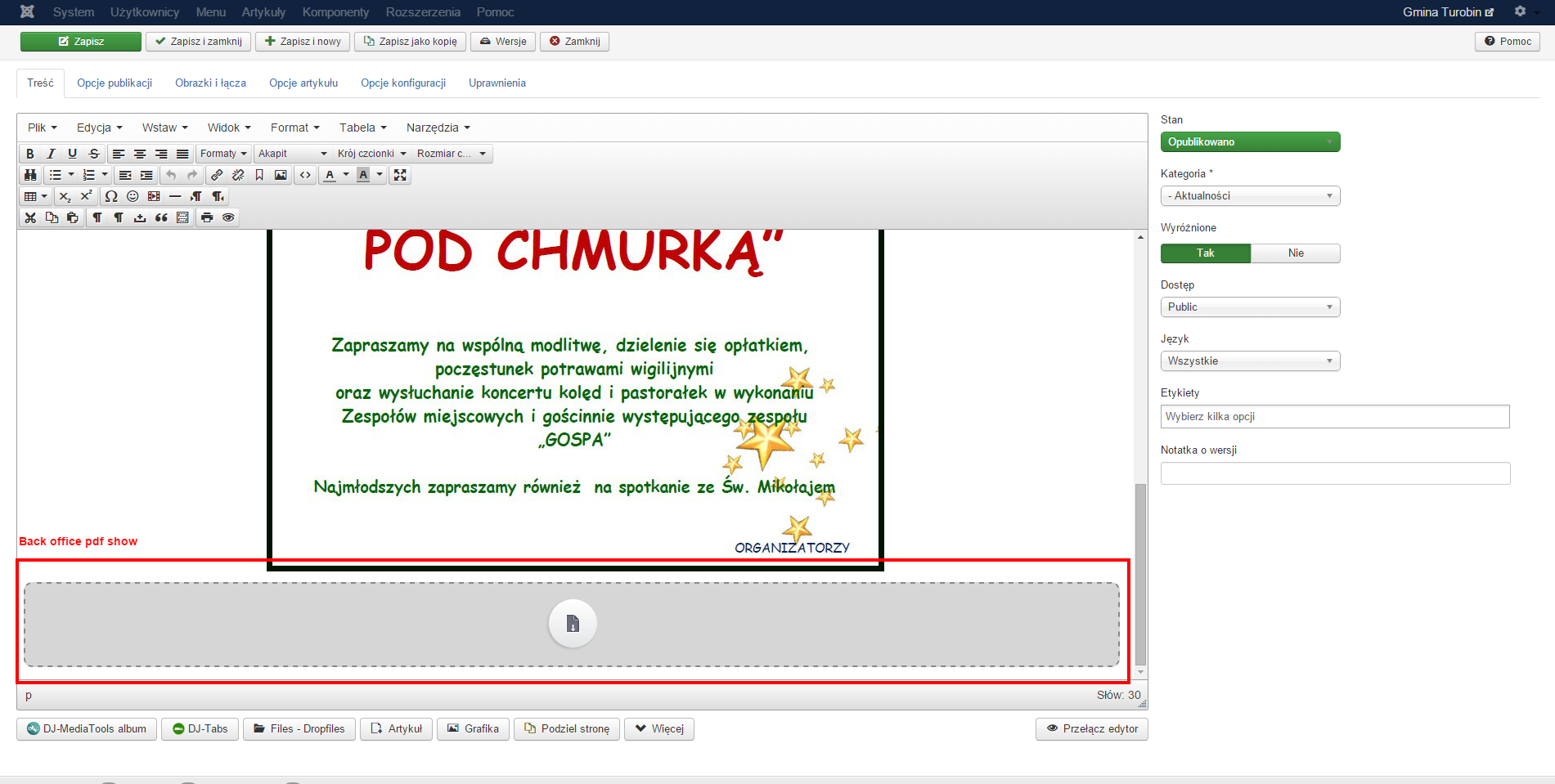
Have you try this extension with standard template of Joomla? It will help us to sort out where the error come from.December 17, 2015 at 11:50 am #818394Component instrucrion on the other page (correct work): images step 1 to step 5
code:

- Go to Article ID:1192 : http://modliborzyce.pl/wiadomosci/aktualnosci/1192-j-fijalkowska-w-finale.html in the back office
- Do the same steps: click on button "Files Dropfiles" and insert any pdf to article.
- Then go to this article on the website and check. The pdf files not working.
- I have chcecked on 3 other joomla websites and works fine
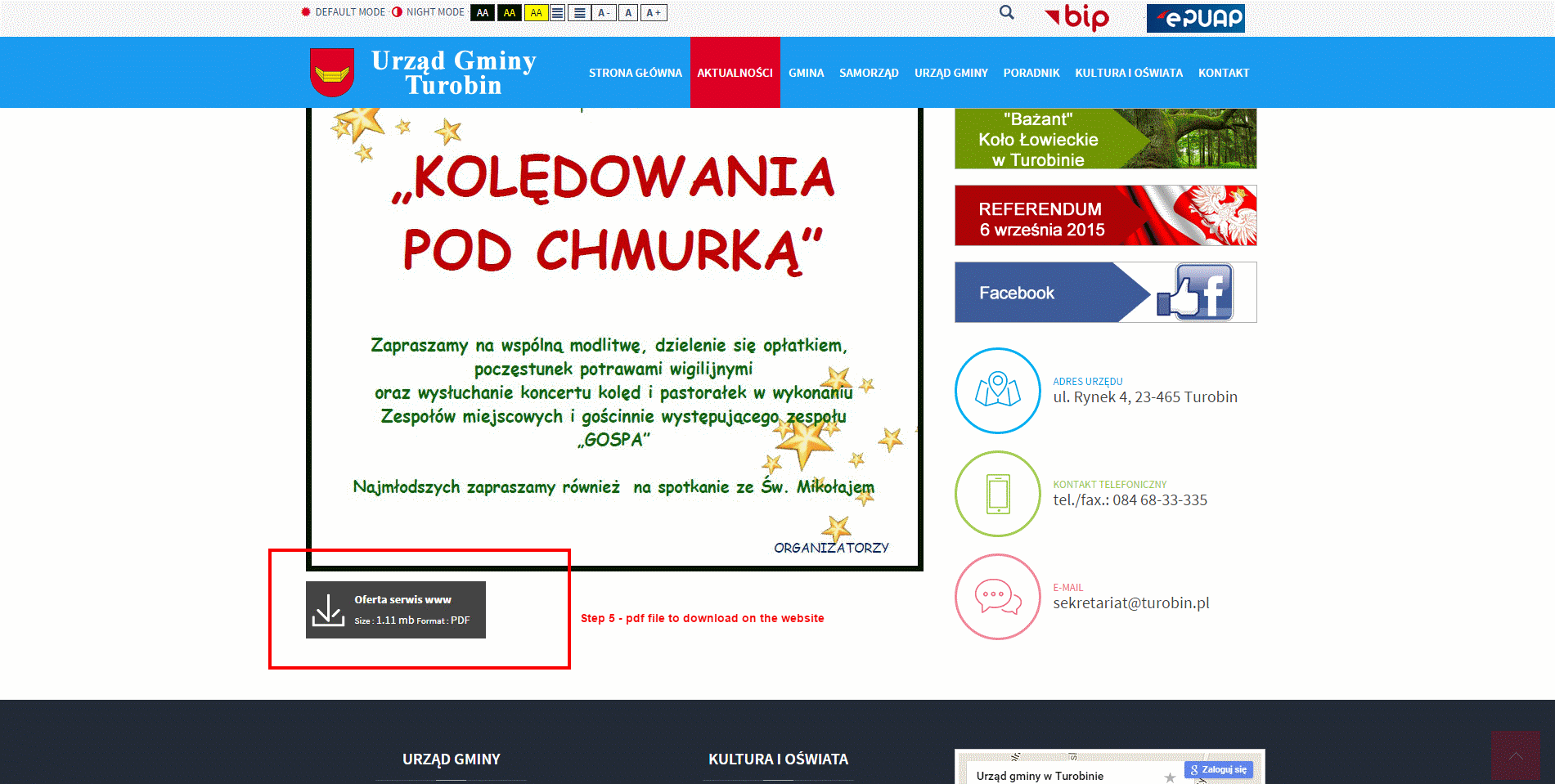 December 17, 2015 at 12:16 pm #818411
html code looks the same so the problem may be in content plugin
Pankaj Sharma
Moderator
Pankaj Sharma
- Join date:
- February 2015
- Posts:
- 24589
- Downloads:
- 144
- Uploads:
- 202
- Thanks:
- 127
- Thanked:
- 4196 times in 4019 posts
December 22, 2015 at 2:26 am #828129Hi
Sorry for the late reply .
Please try this solution
Go to open file root_folder/templates/ja_teline_v/html/layouts/joomla/content/item/default.php
and look for this line :<?php echo $item->fulltext; ?>then replace with :
<?php echo str_replace($item->introtext, '', $item->text); ?>Save and check , it should solve the pdf issue .
Let me know if it helps
December 23, 2015 at 1:14 pm #829866Works fine now, thanks for help.
Could you help with another changes:
-
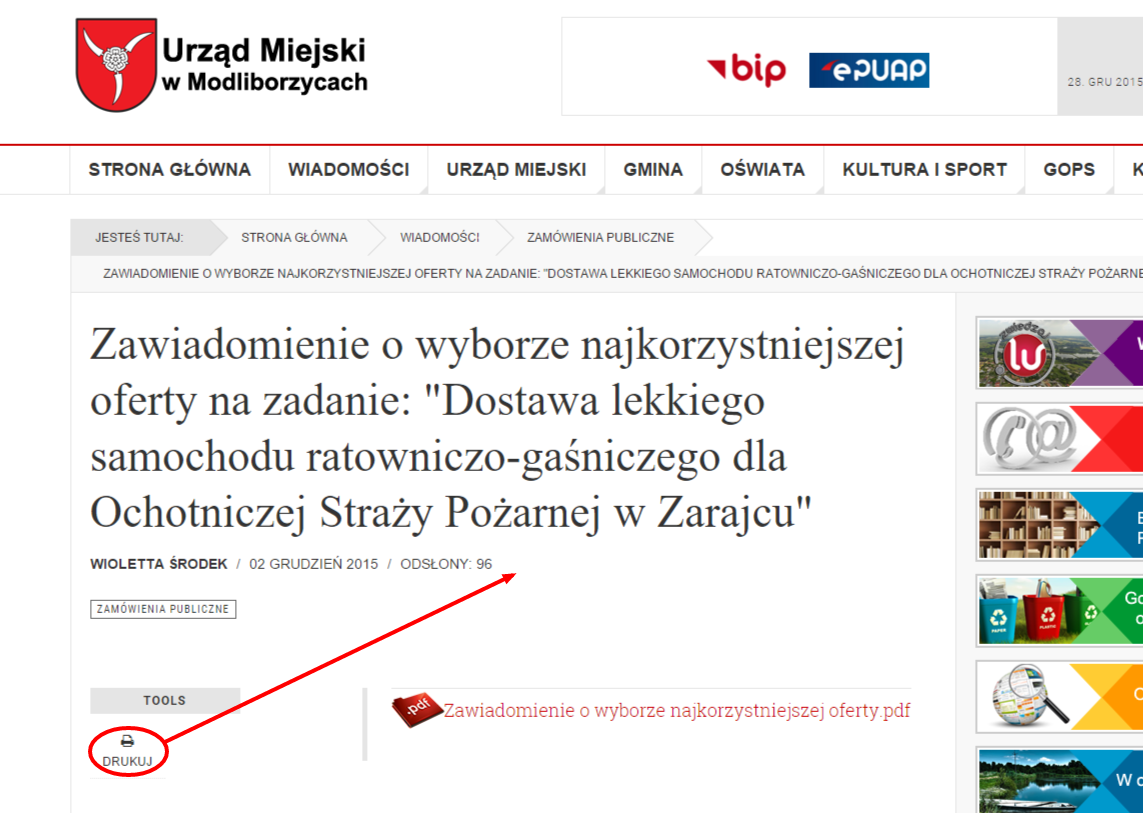
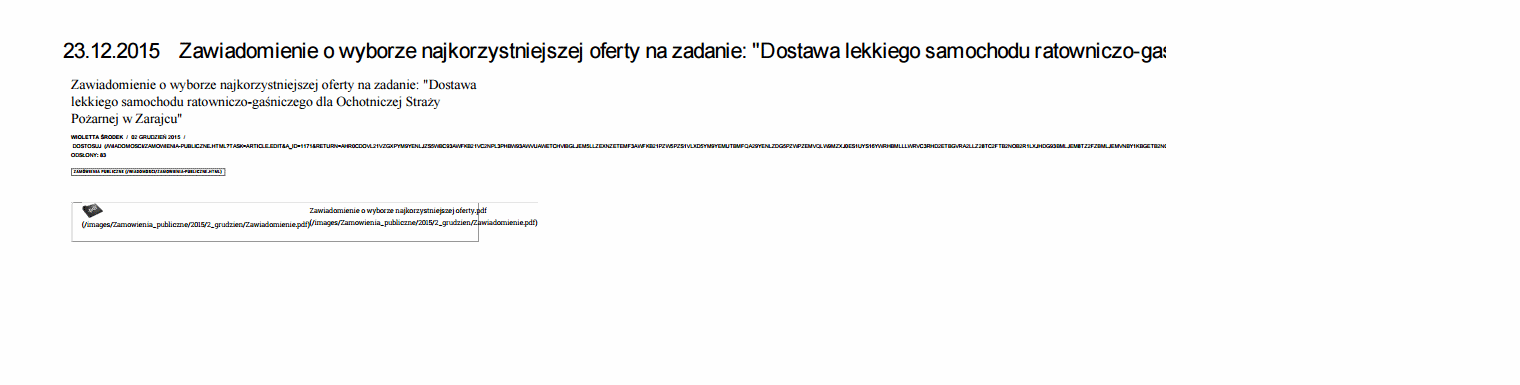
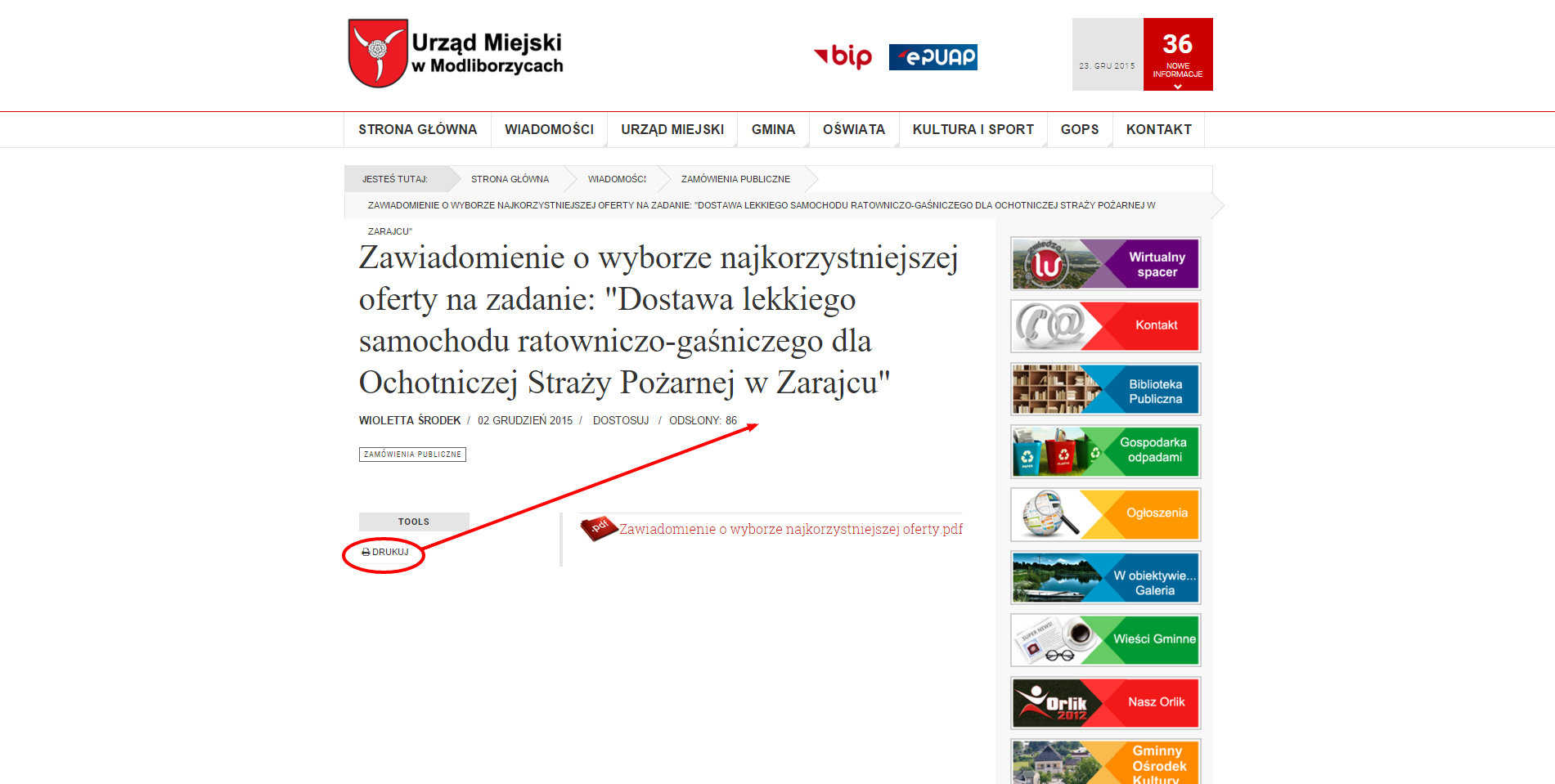
Print option is not working: http://modliborzyce.pl/wiadomosci/zamowienia-publiczne/1171-zawiadomienie-o-wyborze-najkorzystniejszej-oferty-na-zadanie-dostawa-lekkiego-samochodu-ratowniczo-gasniczego-dla-ochotniczej-strazy-pozarnej-w-zarajcu.html
- click on print
- then it looks like this: printing preview added
- i would like to relocate print icon (shown on the picture)
- any chance to add to print date , hours, minutes for example: 2015-12-23 06:43:42
- As you can see there are many articles with the same title because this is government office website, for example: http://modliborzyce.pl/wiadomosci/obwieszczenia-burmistrza.html.
We would like to add on the end of every url adress, article ctreated date,
for example http://www.mywebsite.com/article-23-12-2015.html
How can I do this?
 Pankaj Sharma
Moderator
Pankaj Sharma
Moderator
Pankaj Sharma
- Join date:
- February 2015
- Posts:
- 24589
- Downloads:
- 144
- Uploads:
- 202
- Thanks:
- 127
- Thanked:
- 4196 times in 4019 posts
December 23, 2015 at 2:30 pm #829916Hi
1 . The Print function is default Joomla function and does not modify by the template .
Please check this doc for customize print pop- For 2 do u want to disable the print icon from tools ? In the template there is special design of using tools in this area , You can customize the files from ja_teline_vhtmllayoutsjoomlacontent / typotools.php
December 28, 2015 at 10:46 am #833027We would like to add on the end of every url adress, article ctreated date,
for example http://www.mywebsite.com/article-23-12-2015.html
How can I do this?Pankaj Sharma
Moderator
Pankaj Sharma
- Join date:
- February 2015
- Posts:
- 24589
- Downloads:
- 144
- Uploads:
- 202
- Thanks:
- 127
- Thanked:
- 4196 times in 4019 posts
December 28, 2015 at 11:00 am #833050Hi
This is something beyond the support scope , may needed core hacks in Joomla , You can post query on Joomla Forum , or hire a developer for such customization .December 28, 2015 at 11:13 am #833073Hi, Ok. Thanks.
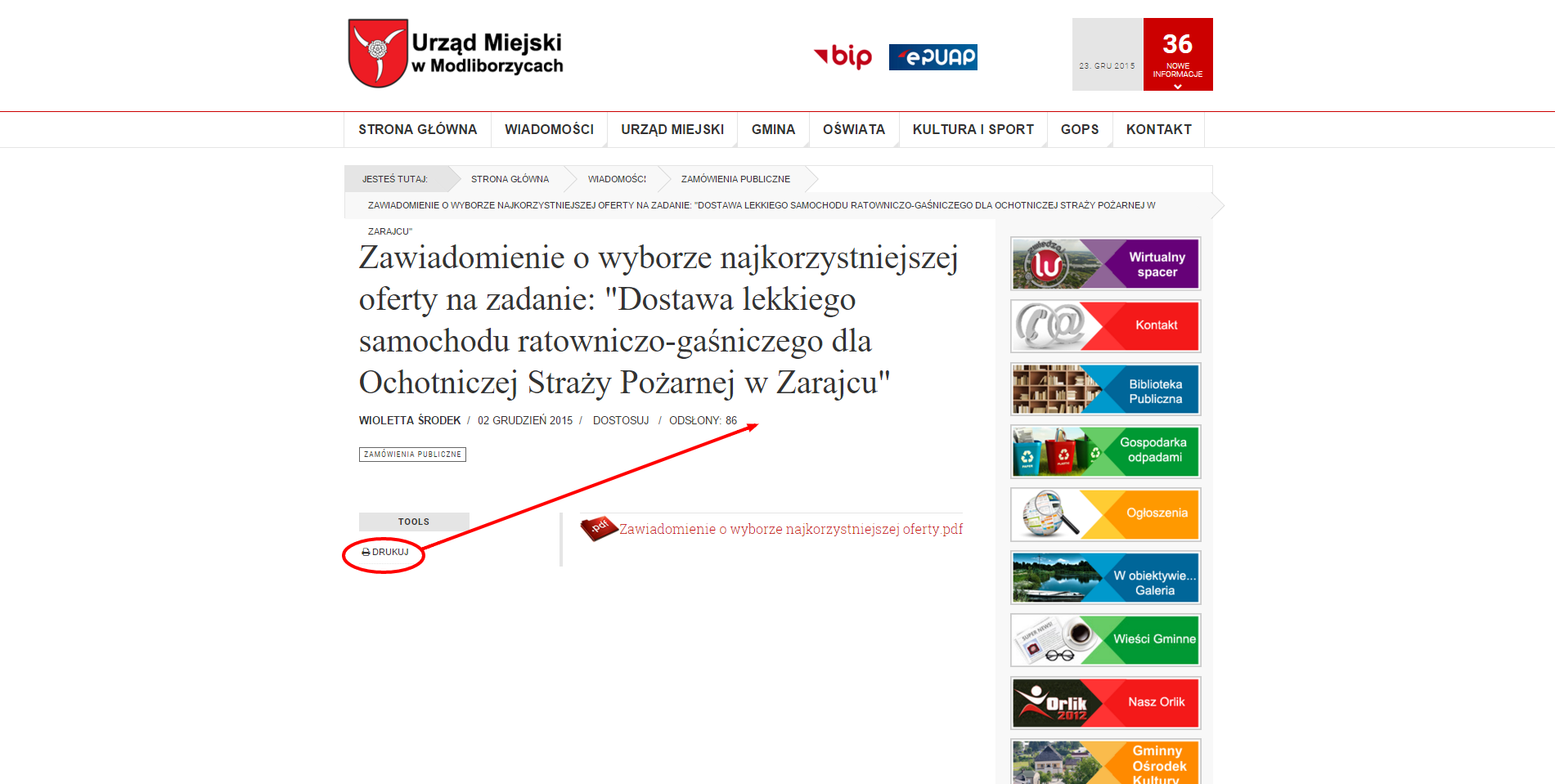
One more question. Can you hepl me to move "Print" option to be next to "hits" and "article created date"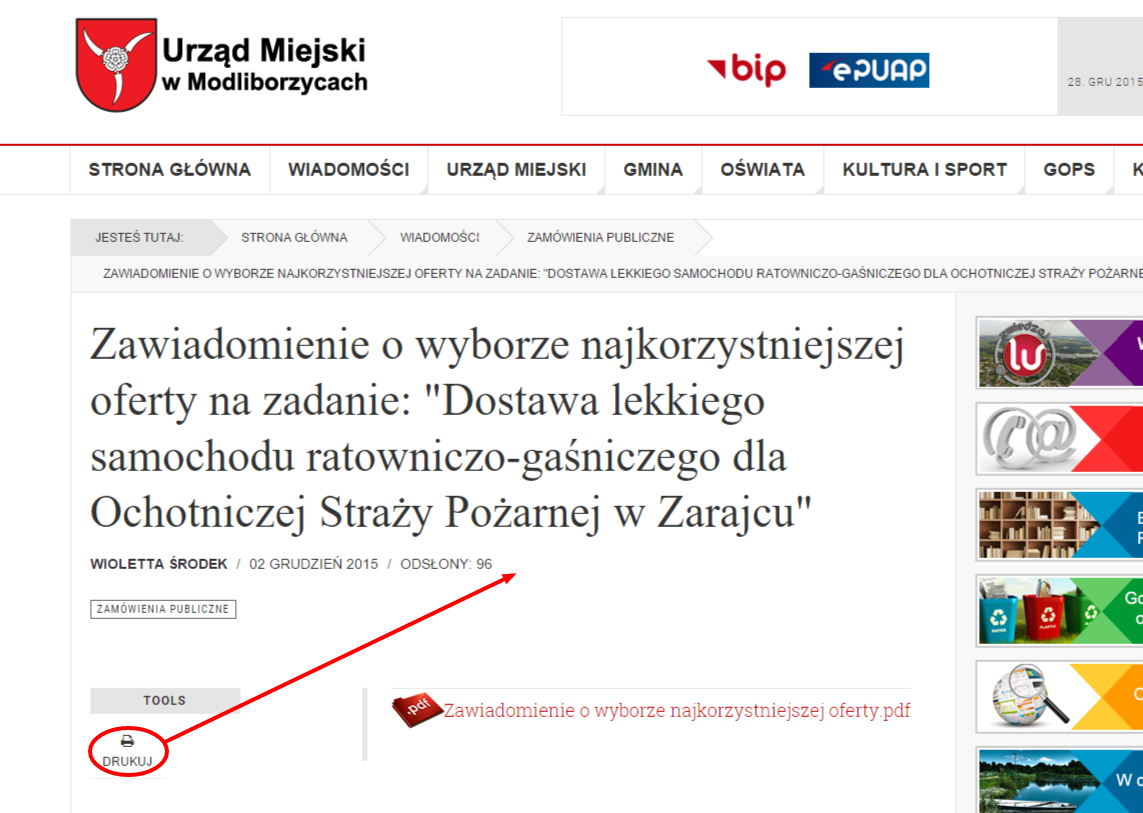
 December 28, 2015 at 11:14 am #833076
Hi, Ok. Thanks.
One more question. Can you help me to move "Print" option to be next to "hits" and "article created date"Pankaj Sharma
Moderator
Pankaj Sharma
- Join date:
- February 2015
- Posts:
- 24589
- Downloads:
- 144
- Uploads:
- 202
- Thanks:
- 127
- Thanked:
- 4196 times in 4019 posts
December 29, 2015 at 2:10 am #833697Hi
Go to File "/html/layouts/joomla/content/item_aside.php" in template "ja_teline_v".
add this code after line 50<?php if ($params->get('show_print_icon')) : ?> <li class="print-icon"> <?php echo JHtml::_('icon.print_popup', $item, $params); ?> </li> <?php endif; ?>Clean cache save and check. + Show print icon from menu options .
December 29, 2015 at 9:47 am #833885Hi, I have inserted code into this file item_aside.php and icon is shown in menu options (menu id 227) but it does not work .
Chech article: http://modliborzyce.pl/wiadomosci/zamowienia-publiczne/1171-zawiadomienie-o-wyborze-najkorzystniejszej-oferty-na-zadanie-dostawa-lekkiego-samochodu-ratowniczo-gasniczego-dla-ochotniczej-strazy-pozarnej-w-zarajcu.htmlPankaj Sharma
Moderator
Pankaj Sharma
- Join date:
- February 2015
- Posts:
- 24589
- Downloads:
- 144
- Uploads:
- 202
- Thanks:
- 127
- Thanked:
- 4196 times in 4019 posts
December 30, 2015 at 1:48 am #834451Hi
try this go to ja_teline_v/html/layouts/joomla/conten/item/default.php
and add the same code before around line 50 . it will add Print options . It may have some style issue , as the pre design of print is based in the tools options .December 30, 2015 at 9:07 am #834706Print icon is OK now.
How can i disable tools option now? If I go to main menu option, and change to "hide print option" it hides two icons. I just want to hide tools.AuthorPostsThis topic contains 17 replies, has 2 voices, and was last updated by
Pankaj Sharma 9 years, 1 month ago.We moved to new unified forum. Please post all new support queries in our New Forum
Jump to forum