-
AuthorPosts
-
 Pankaj Sharma
Moderator
Pankaj Sharma
Moderator
Pankaj Sharma
- Join date:
- February 2015
- Posts:
- 24589
- Downloads:
- 144
- Uploads:
- 202
- Thanks:
- 127
- Thanked:
- 4196 times in 4019 posts
April 25, 2017 at 1:35 am #1028568Hi
It seems you are talking about the browser page title.
Open menu > Main menu > Home > Page display > Browser page title,
and
Now Open menu > Main menu > Home > Meta data > change it and check.Regards
April 25, 2017 at 5:12 am #1028624Hello
Thanks for your answer.
I try your advice it did not work, but was not so clear too, don’t understand the effect of meta data for my purpose. Maybe new explications will help 😉
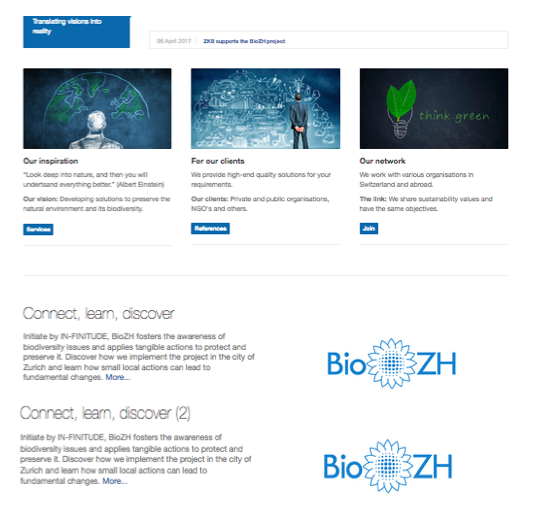
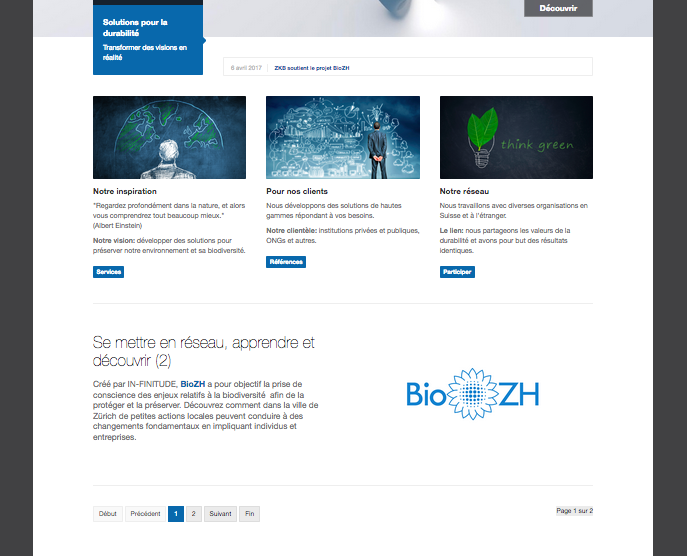
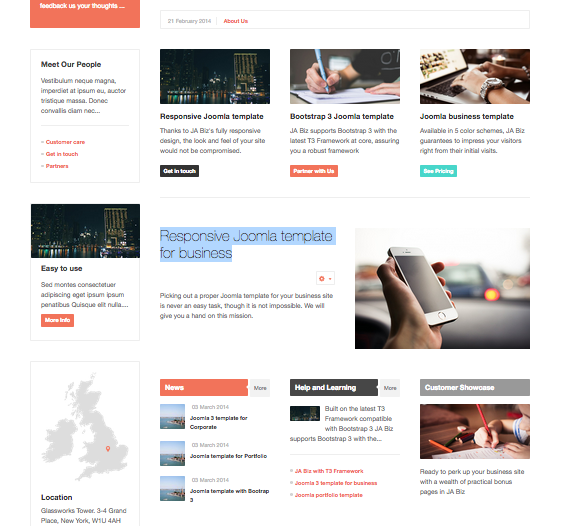
On the main page of the Ja Biz demo template, you have the beginning of the article related to "Responsive Joomla template for business", in my case it is our project BioZH. Under this one you have 3 boxes (news, etc.) -> see Ja Biz.png
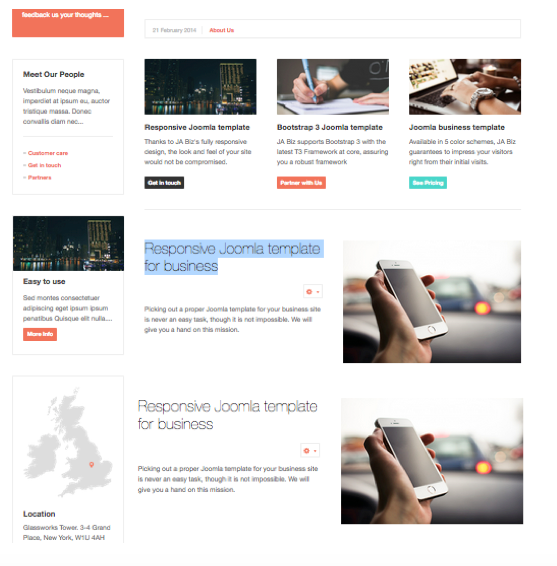
What I want is to duplicate the article "Responsive Joomla template for business" for an other project and have its introduction replacing the three boxes (news, help and learning, customer showcase). -> see solution.png
Have a lovely day
 Pankaj Sharma
Moderator
Pankaj Sharma
Moderator
Pankaj Sharma
- Join date:
- February 2015
- Posts:
- 24589
- Downloads:
- 144
- Uploads:
- 202
- Thanks:
- 127
- Thanked:
- 4196 times in 4019 posts
April 25, 2017 at 6:51 am #1028637Hi
Have you checked
you can change that from your main menu -> home item -> Link Type Options ?
Its only from the menu options.
If still having issues, share site admin details in private reply
RegardsApril 25, 2017 at 7:04 am #1028641This reply has been marked as private.April 25, 2017 at 7:12 am #1028643This reply has been marked as private.Pankaj Sharma
Moderator
Pankaj Sharma
- Join date:
- February 2015
- Posts:
- 24589
- Downloads:
- 144
- Uploads:
- 202
- Thanks:
- 127
- Thanked:
- 4196 times in 4019 posts
April 25, 2017 at 7:42 am #1028653Great! you found it and fixed its the article title. Also, change the Metadata and browser page title if you still using the default template options.
Regards
April 25, 2017 at 8:57 am #1028671This reply has been marked as private.Pankaj Sharma
Moderator
Pankaj Sharma
- Join date:
- February 2015
- Posts:
- 24589
- Downloads:
- 144
- Uploads:
- 202
- Thanks:
- 127
- Thanked:
- 4196 times in 4019 posts
April 25, 2017 at 9:16 am #1028682Hi
I am not getting what do u mean by the duplicate article.
If you duplicate the article it will use same content and image the only title slightly change with 2 as in your screenshot.April 25, 2017 at 11:05 am #1028714Hi,
ok I see.
On my main page, I want to be able to see those both article in the same time. Is it possible? If yes how can I do? ThanksCheers
Pankaj Sharma
Moderator
Pankaj Sharma
- Join date:
- February 2015
- Posts:
- 24589
- Downloads:
- 144
- Uploads:
- 202
- Thanks:
- 127
- Thanked:
- 4196 times in 4019 posts
April 26, 2017 at 2:14 am #1028870Hi
open Main Menu > Home > Layout settings > Intro article > 2.
Here http://prntscr.com/f0vmp4Regards
April 26, 2017 at 4:24 am #1028908Hello,
Thanks for your reply. I did it, but I still have the problem. You see an other possibility?
Cheers
Pankaj Sharma
Moderator
Pankaj Sharma
- Join date:
- February 2015
- Posts:
- 24589
- Downloads:
- 144
- Uploads:
- 202
- Thanks:
- 127
- Thanked:
- 4196 times in 4019 posts
April 26, 2017 at 5:08 am #1028918Hi
You have to add the article for same language.
I added an article in EN language http://prntscr.com/f0wq0e
You can see both are showing http://prntscr.com/f0wq4xApril 26, 2017 at 5:25 am #1028919Hello,
Cool, you did it, but when I do it with the other language I still have the problem, so funny. I have made a batch of the articles, so accually it should work. I don’t understand. Do I have to create a new article?
Cheers
April 26, 2017 at 5:38 am #1028924Hello again,
Now I got it 😉 I just had to change this in the main menu, so easy and I’m so stupid 😉
Thanks for your help.
Have a nice day
CheersAuthorPostsViewing 14 posts - 1 through 14 (of 14 total)This topic contains 14 replies, has 2 voices, and was last updated by
djembefola 7 years, 9 months ago.
The topic ‘Main page: Duplicate \\\"Responsive Joomla template for business’ is closed to new replies.
Jump to forum
melih