-
AuthorPosts
-
February 19, 2016 at 5:08 pm #886913
Hello,
Main menu has not content after installing all *zip, except easyblog_theme_biz.v1.0.1.zip ja_biz_source.zip.v1.0.0.zip
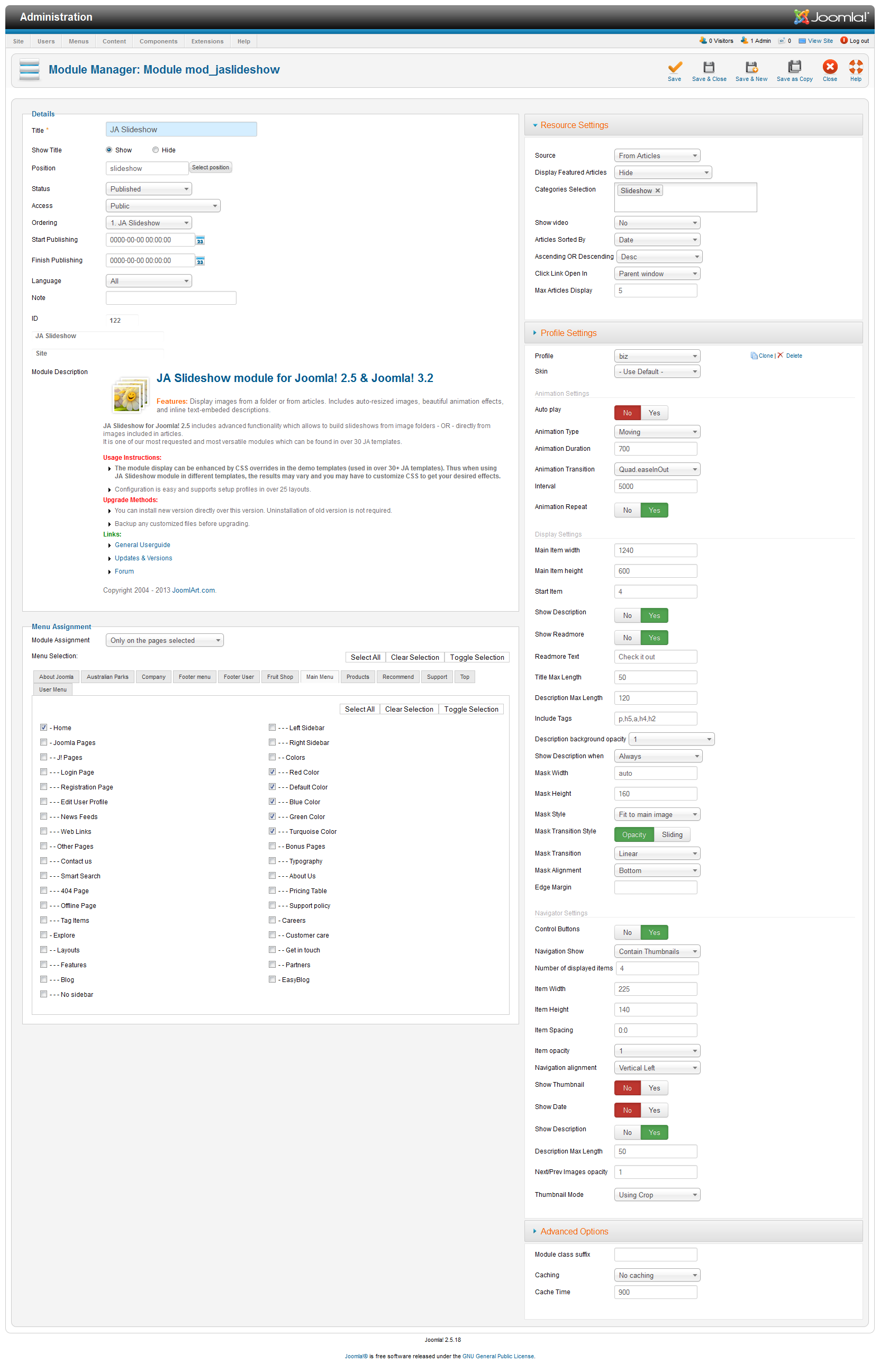
Wenn I want to start with the installation of JA Biz template demo. With the part slideshow I already have a problem. I have followed the instruction but my site looks like this -> see attachement.
I have followed this guideline: https://static.joomlart.com/images/userguide/ja_templates/ja-biz/extensions/slideshow-backend.png
Thanks


pavit Moderator
pavit
- Join date:
- September 2007
- Posts:
- 15749
- Downloads:
- 199
- Uploads:
- 2274
- Thanks:
- 417
- Thanked:
- 4028 times in 3778 posts
February 19, 2016 at 8:28 pm #887067Hi
Sorry, I aready see this and my installation is correct. I did exactely what you told me to do and the last *zip that I couldn’t install were this two:
asyblog_theme_biz.v1.0.1.zip
ja_biz_source.zip.v1.0.0.zip
From this source: https://www.joomlart.com/downloads/joomla-templates/ja-biz/Now I want to understand why there is no menu and no content in the template that I bought. If the answer doesn’t fit, I want a refund.
pavit
- Join date:
- September 2007
- Posts:
- 15749
- Downloads:
- 199
- Uploads:
- 2274
- Thanks:
- 417
- Thanked:
- 4028 times in 3778 posts
February 19, 2016 at 8:42 pm #887069Hi there
Now I want to understand why there is no menu and no content in the template that I bought.
If you followed exactly the quickstart installation steps described into documentation HERE then your website will show correctly menu items and contents
the last *zip that I couldn’t install were this two:
1) JA Biz Theme for EasyBlog
This is a theme for easyblog component here below instructionsto install it ( from documentation )Quick Guide:
Step 1: Install Easyblog component
Step 2: Download JA Biz theme for Easyblog ( if you have installed the Quickstart package, you should move on to Step 4).
Step 3: Extract zip file and upload to your your_site_folder. You should see folder ja_biz in /components/com_easyblog/themes.
Step 4: Go to back-end panel >> Components >> Easyblog >> Themes >> select ja_biz.2) ja_biz_source.zip.v1.0.0.zip
This zip file contain images sources if you want to edit colors – text – dimensions for website customization and it shouldn’t be installed on the website .
Best regards
1 user says Thank You to pavit for this useful post
AuthorPostsViewing 4 posts - 1 through 4 (of 4 total)This topic contains 3 replies, has 2 voices, and was last updated by
pavit 8 years, 11 months ago.
We moved to new unified forum. Please post all new support queries in our New Forum
Jump to forum
melih