Viewing 2 posts - 1 through 2 (of 2 total)
-
AuthorPosts
-
December 27, 2016 at 8:10 pm #997687
I have populated the System JA Google Map and generated my code.
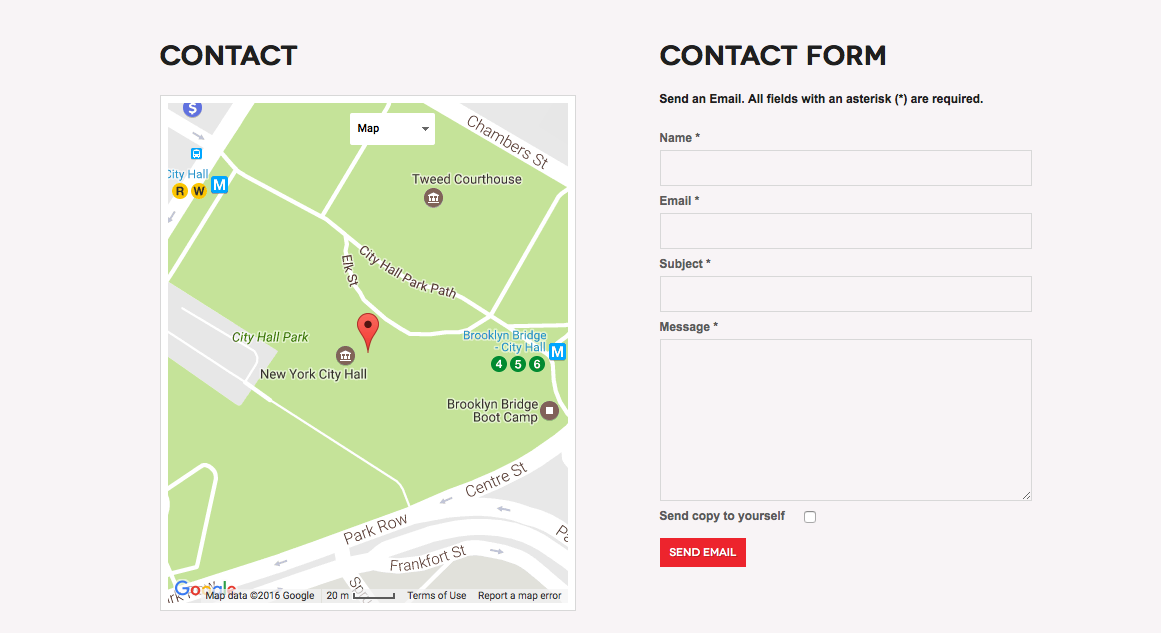
I have updated the component/contact form. However I can’t see where the existing file is to add in the map code, as it is still showing the New York Map (as per image)
My site is still in development
thanks
 Pankaj Sharma
Moderator
Pankaj Sharma
Moderator
Pankaj Sharma
- Join date:
- February 2015
- Posts:
- 24589
- Downloads:
- 144
- Uploads:
- 202
- Thanks:
- 127
- Thanked:
- 4196 times in 4019 posts
December 28, 2016 at 2:20 am #997738Hi
Open the plugin manager > plugin System – JA Google Map
Add your Google map API key then select the location copy the map code > save it .
Now
Admin->Component->Contacts->Contacts->Contact Name Here and add the Google map code .Hope it helps.
AuthorPostsViewing 2 posts - 1 through 2 (of 2 total)This topic contains 1 reply, has 2 voices, and was last updated by
Pankaj Sharma 8 years, 1 month ago.We moved to new unified forum. Please post all new support queries in our New Forum