Viewing 5 posts - 1 through 5 (of 5 total)
-
AuthorPosts
-
April 15, 2016 at 10:28 am #918268
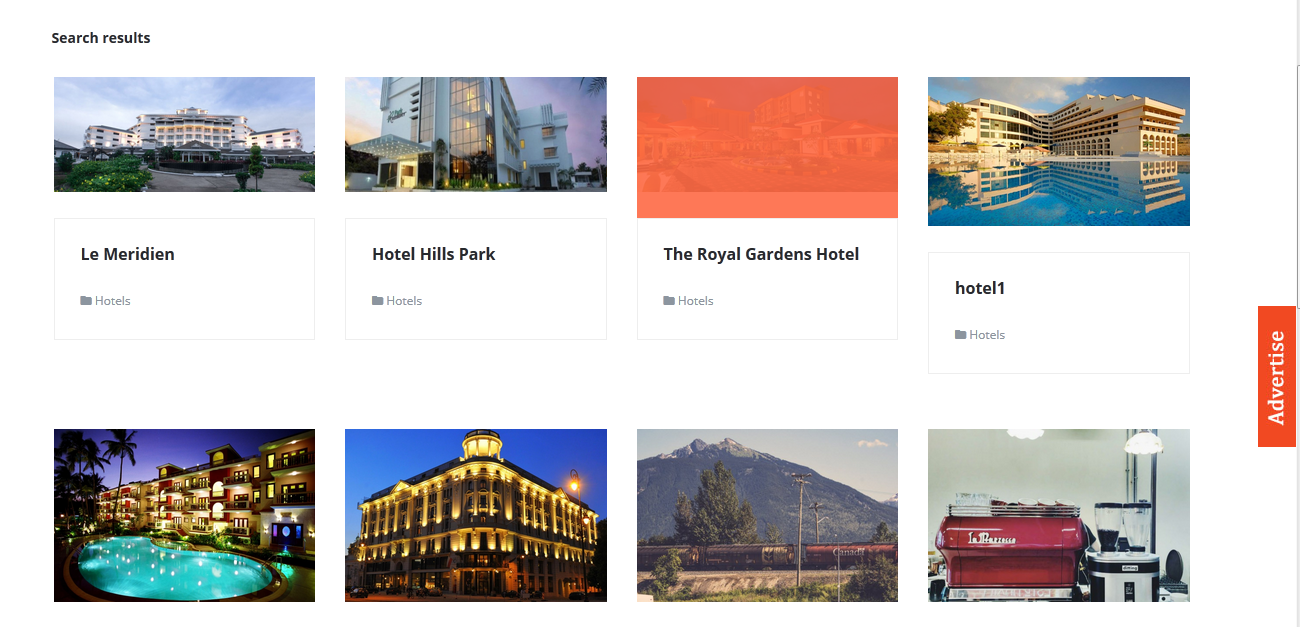
When uploading image for each k2 item , the width of each image are same but height of the images are different.How to set fixed height?
pavit Moderator
pavit
- Join date:
- September 2007
- Posts:
- 15749
- Downloads:
- 199
- Uploads:
- 2274
- Thanks:
- 417
- Thanked:
- 4028 times in 3778 posts
April 15, 2016 at 10:31 am #918271Hi
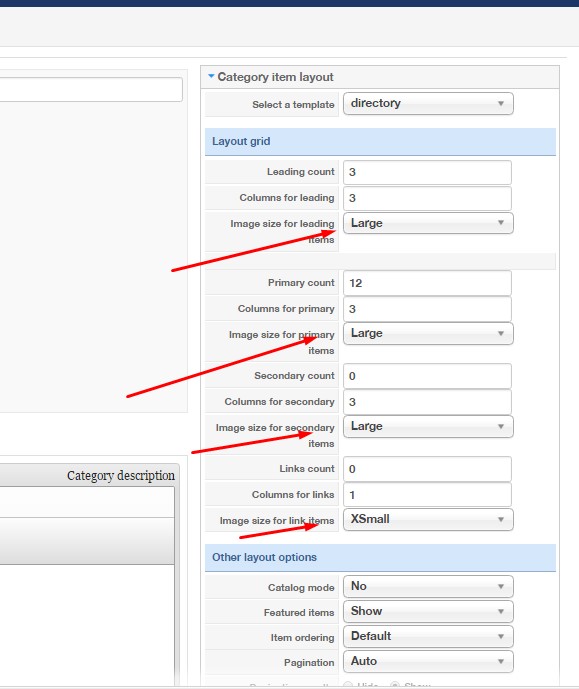
In K2 component images dimensions can be set editing categories and set the default width for each specific layout
Hope it helps.
April 15, 2016 at 10:49 am #918277Is there any option for setting height?
April 15, 2016 at 10:51 am #918279Attachment:
pavit
- Join date:
- September 2007
- Posts:
- 15749
- Downloads:
- 199
- Uploads:
- 2274
- Thanks:
- 417
- Thanked:
- 4028 times in 3778 posts
April 15, 2016 at 11:07 am #918287You can override settings via css
create a custom.css file in this folder /templates/ja_directory/css/ and add
span.catItemImage img {
max-height:250px;
}
change the 250 value as per your desired height
Let me know if this help
1 user says Thank You to pavit for this useful post
AuthorPostsViewing 5 posts - 1 through 5 (of 5 total)This topic contains 4 replies, has 2 voices, and was last updated by
pavit 8 years, 9 months ago.
We moved to new unified forum. Please post all new support queries in our New Forum
Jump to forum