-
AuthorPosts
-
Victor Lai Friend
Victor Lai
- Join date:
- September 2014
- Posts:
- 188
- Downloads:
- 0
- Uploads:
- 54
- Thanks:
- 40
- Thanked:
- 3 times in 1 posts
August 15, 2012 at 8:42 am #179944There are 3 featured articles at homepage: Trustworthy financial market, We have many different tools, and Great People for your company. I try to remove this 3 featured articles’ date and author name, but not successful. May I know how to remove it?
 Ninja Lead
Moderator
Ninja Lead
Moderator
Ninja Lead
- Join date:
- November 2014
- Posts:
- 16064
- Downloads:
- 310
- Uploads:
- 2864
- Thanks:
- 341
- Thanked:
- 3854 times in 3563 posts
August 16, 2012 at 11:04 am #464416Go Admin area -> Menus->Main Menu->Edit Home->Article Options Tabs
Article Options: Hide

Show Modify Date: Hide

Show Publish Date: Hide

Show Author: Hide
2 users say Thank You to Ninja Lead for this useful post
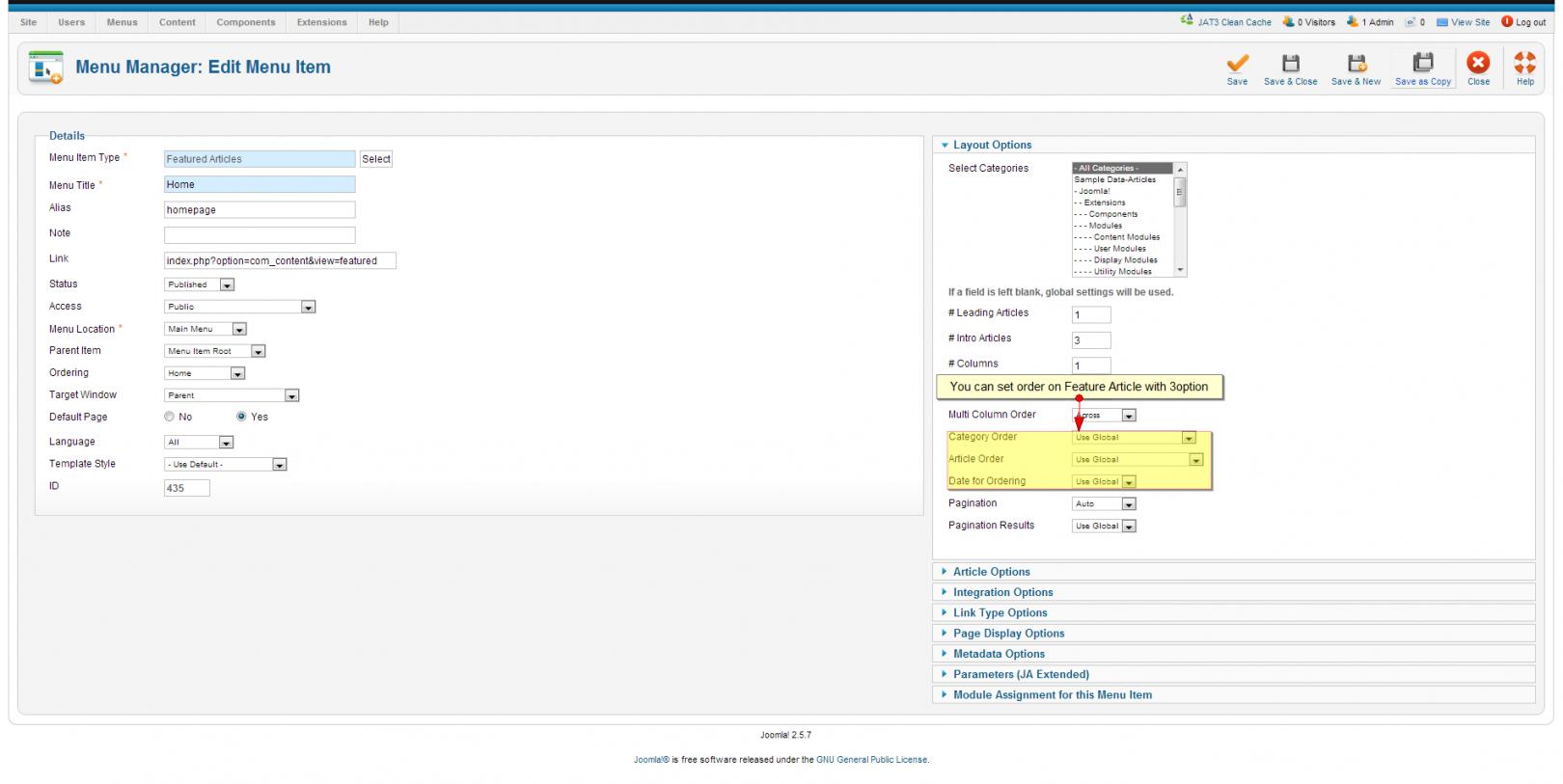
October 11, 2012 at 1:28 pm #469778Dear Ninja Lead,
Thanks for your help above.How can you order the featured articles; which article comes at top. Is this based on date/time etc.
I can not change the order field when I have an overview of the featured articles.
Can you please tell me how this works?
Thanks,
Sander
Ninja Lead
Moderator
Ninja Lead
- Join date:
- November 2014
- Posts:
- 16064
- Downloads:
- 310
- Uploads:
- 2864
- Thanks:
- 341
- Thanked:
- 3854 times in 3563 posts
October 12, 2012 at 2:59 am #469836You can do that.
<blockquote>Admin Area->Menus->edit Menu and follow with my screenshot</blockquote>
AuthorPostsViewing 4 posts - 1 through 4 (of 4 total)This topic contains 4 replies, has 3 voices, and was last updated by
Ninja Lead 12 years, 3 months ago.We moved to new unified forum. Please post all new support queries in our New Forum
How to remove the featured articles’ date and author name at homepage?
Viewing 4 posts - 1 through 4 (of 4 total)