-
AuthorPosts
-
arthurjohnston Friend
arthurjohnston
- Join date:
- November 2010
- Posts:
- 170
- Downloads:
- 152
- Uploads:
- 16
- Thanks:
- 58
- Thanked:
- 27 times in 2 posts
May 4, 2012 at 3:24 am #176711I disabled all instances of the Search Modules within Joomla! and still.
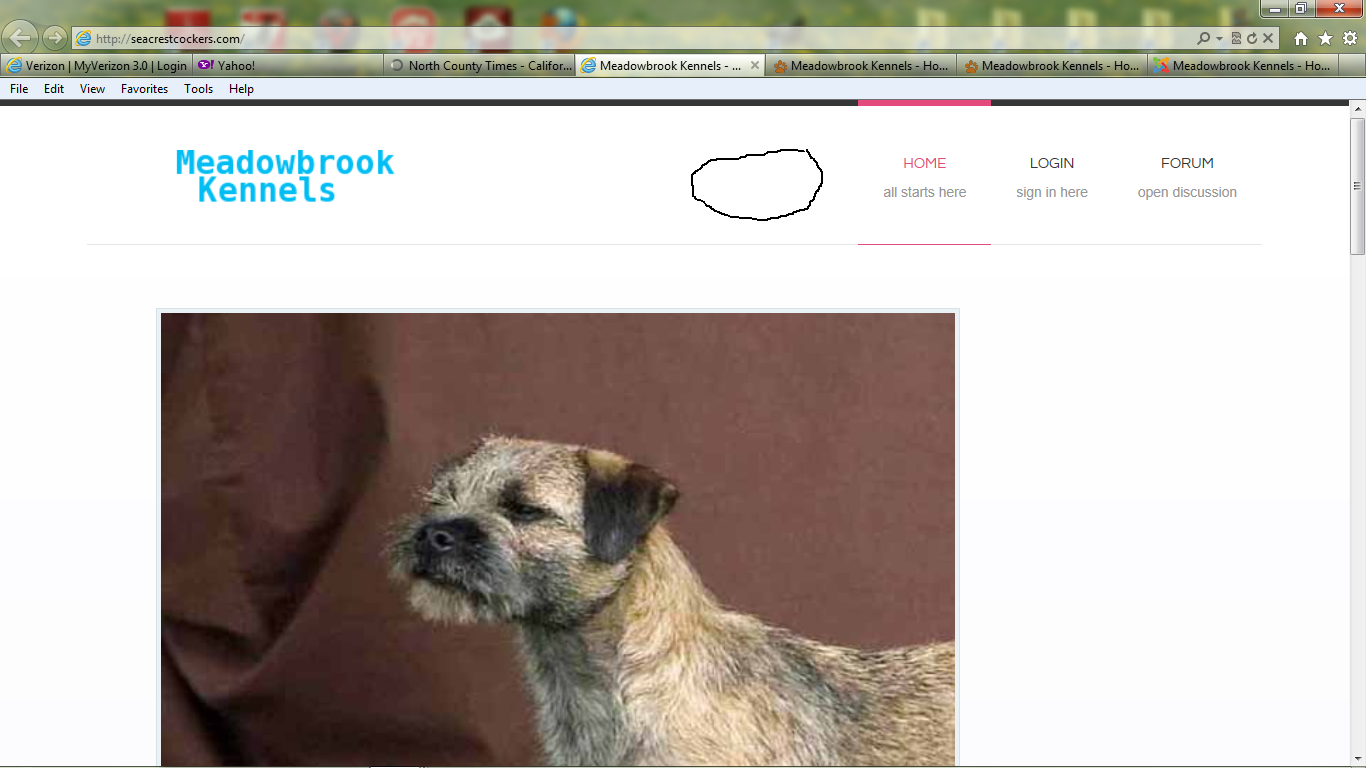
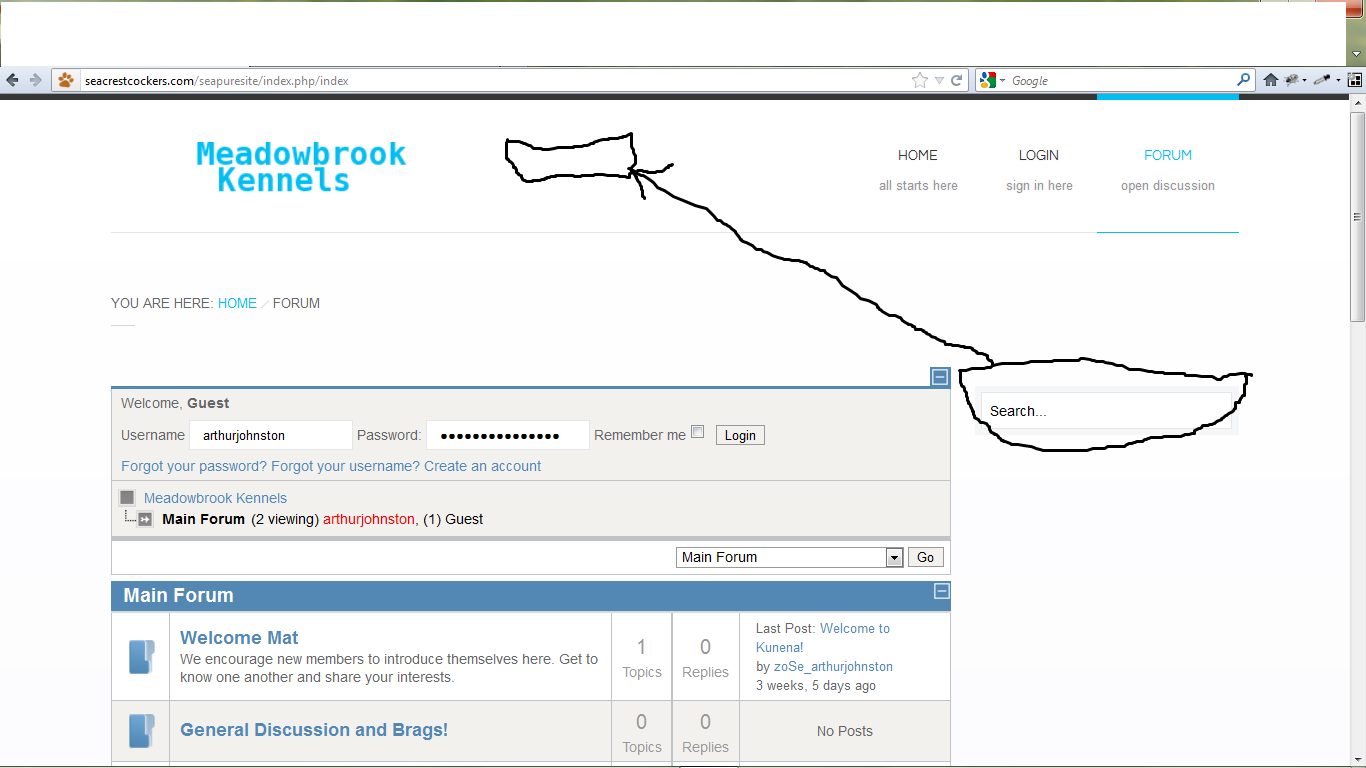
(1.) The Search box hoovers on the right above the Mega Menu.
I would like to move it as is shown in the attachment.
(2.) Although, disabled the Search Module appears on other sub pages.
See attached:

khoand Friend
khoand
- Join date:
- February 2011
- Posts:
- 4500
- Downloads:
- 0
- Uploads:
- 179
- Thanks:
- 169
- Thanked:
- 1166 times in 1060 posts
May 4, 2012 at 10:01 am #451411(1). You replace the code from /templates/ja_puresite/css/template.css
#ja-search {

bottom: 15px;

position: absolute;

right: 0;

}
with
#ja-search {

bottom: 15px;

position: absolute;

right: 500px;

}
(2.) The search module has its id is 841 user says Thank You to khoand for this useful post
arthurjohnston
- Join date:
- November 2010
- Posts:
- 170
- Downloads:
- 152
- Uploads:
- 16
- Thanks:
- 58
- Thanked:
- 27 times in 2 posts
May 5, 2012 at 4:43 am #451523Thank you,
But now that I have relocated it to approximately where I would like it, how do I make it visible? Site looks the same, unless being viewed in “?tp=1” mode.
khoand
- Join date:
- February 2011
- Posts:
- 4500
- Downloads:
- 0
- Uploads:
- 179
- Thanks:
- 169
- Thanked:
- 1166 times in 1060 posts
May 5, 2012 at 8:47 am #451536<em>@arthurjohnston 317783 wrote:</em><blockquote>Thank you,
But now that I have relocated it to approximately where I would like it, how do I make it visible? Site looks the same, unless being viewed in “?tp=1” mode.</blockquote>
I don’t understand what you mean clearly. Could you explain more?arthurjohnston
- Join date:
- November 2010
- Posts:
- 170
- Downloads:
- 152
- Uploads:
- 16
- Thanks:
- 58
- Thanked:
- 27 times in 2 posts
May 6, 2012 at 12:36 am #451646My apologies for not responding sooner. (Dog show weekend!)
The Search Module does not appear to the left of the Mega Menu as desired. See Attached.
Thank you,
khoand
- Join date:
- February 2011
- Posts:
- 4500
- Downloads:
- 0
- Uploads:
- 179
- Thanks:
- 169
- Thanked:
- 1166 times in 1060 posts
May 6, 2012 at 7:36 am #451654Could you give me username+password of your backend? I will check it.
khoand
- Join date:
- February 2011
- Posts:
- 4500
- Downloads:
- 0
- Uploads:
- 179
- Thanks:
- 169
- Thanked:
- 1166 times in 1060 posts
May 7, 2012 at 5:06 pm #451889I set position of search module has id = 63 is search
1 user says Thank You to khoand for this useful post
arthurjohnston
- Join date:
- November 2010
- Posts:
- 170
- Downloads:
- 152
- Uploads:
- 16
- Thanks:
- 58
- Thanked:
- 27 times in 2 posts
May 8, 2012 at 3:25 am #451946<em>@khoand 318227 wrote:</em><blockquote>I set position of search module has id = 63 is search</blockquote>
Thank you, but what did you change? Also, where can I change the color of the module?
Thank you again!
AuthorPostsViewing 8 posts - 1 through 8 (of 8 total)This topic contains 8 replies, has 2 voices, and was last updated by
arthurjohnston 12 years, 9 months ago.
We moved to new unified forum. Please post all new support queries in our New Forum
Jump to forum
melih