-
AuthorPosts
-
 Pankaj Sharma
Moderator
Pankaj Sharma
Moderator
Pankaj Sharma
- Join date:
- February 2015
- Posts:
- 24589
- Downloads:
- 144
- Uploads:
- 202
- Thanks:
- 127
- Thanked:
- 4196 times in 4019 posts
January 24, 2017 at 1:02 am #1004902Hi
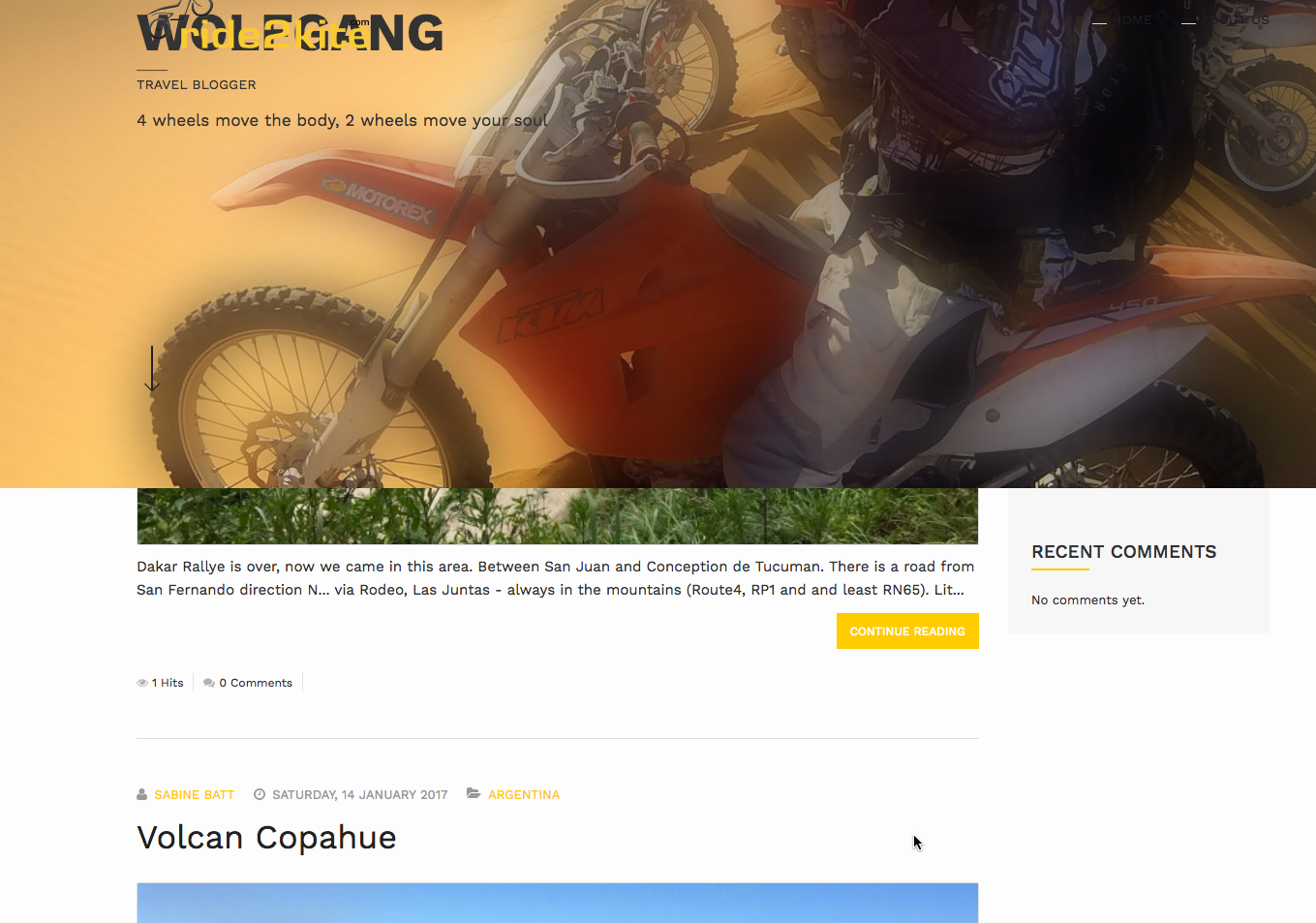
Not sure how you are adding the dashboard because the component section is the mainbody the display the output of menu. Could you share the site URL and a detailed screenshot so i check it better?mberwing Friend
mberwing
- Join date:
- April 2006
- Posts:
- 201
- Downloads:
- 26
- Uploads:
- 46
- Thanks:
- 7
- Thanked:
- 8 times in 1 posts
January 24, 2017 at 2:54 pm #1005161Hello Pankaj,
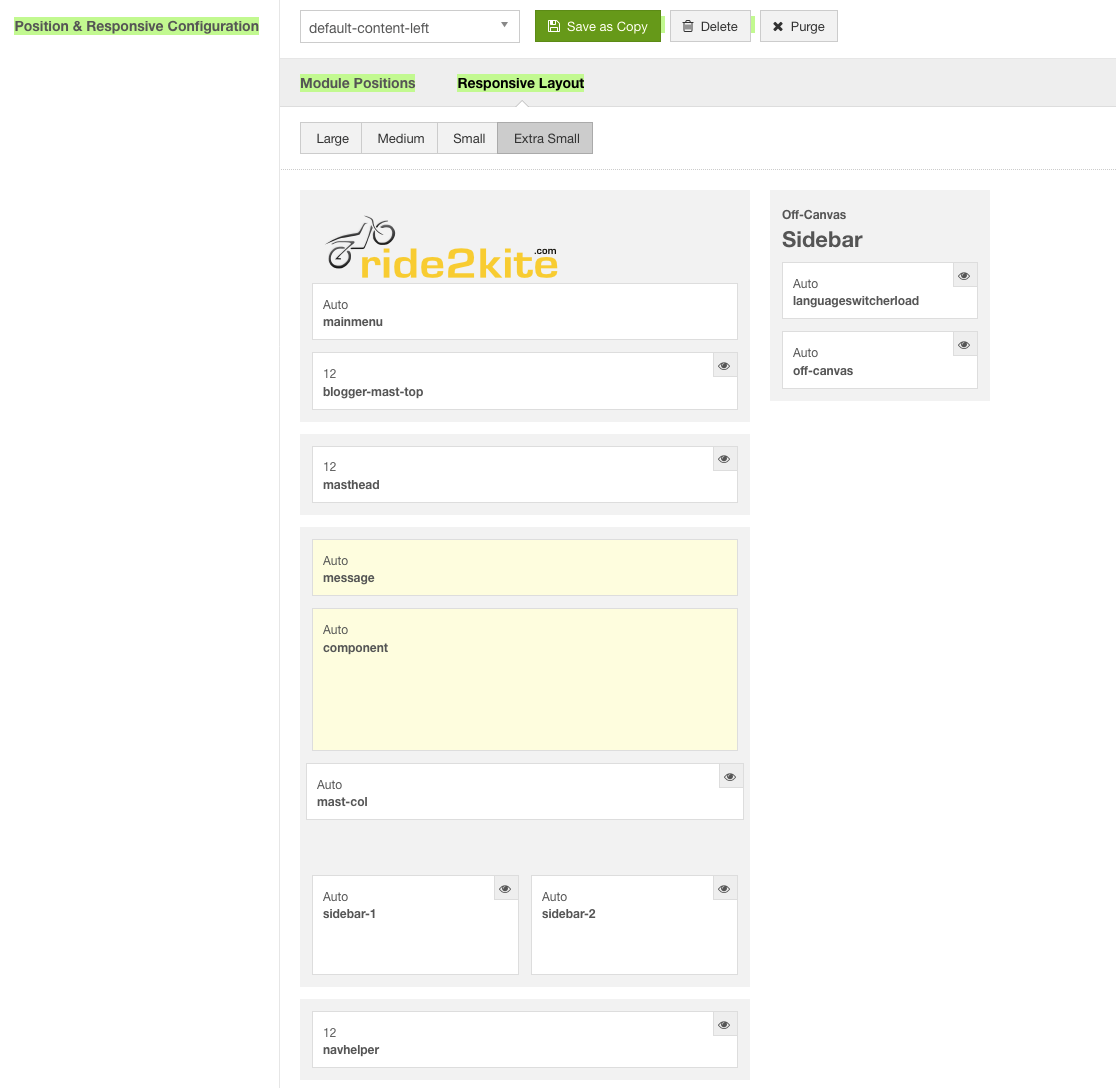
please see the screenshot from Layout ‘ja_resume – Default’ with position ‘blogger-mast-top’ (Introduction with picture based on ACM) and position ‘component’ (AUTO) on which we have enabled EasyBlog Dashboard (as per official information EasyBlog is fully supported third party component in JA Resume template.
The only change in Layout I made was to replace position ‘masthead’ by ‘blogger-mast-top’ since we want to have similar layout as we have with seeded ‘JA Resume Home Blogger’The URL is: http://www.ride2kite.com/r2k-multilanguage/index.php/en/
Please note the setup on the page with its menus is not yet completed.
If it would help you I could send you the admin login credentials also.Thanks
MarkusPankaj Sharma
Moderator
Pankaj Sharma
- Join date:
- February 2015
- Posts:
- 24589
- Downloads:
- 144
- Uploads:
- 202
- Thanks:
- 127
- Thanked:
- 4196 times in 4019 posts
January 24, 2017 at 3:51 pm #1005178Hi
T3 mast top is fixed position this is why the other container behind it.
Add below code in custom.css file to fix it.com_easyblog .t3-mast-top {position:absolute;}Hope it helps.
mberwing
- Join date:
- April 2006
- Posts:
- 201
- Downloads:
- 26
- Uploads:
- 46
- Thanks:
- 7
- Thanked:
- 8 times in 1 posts
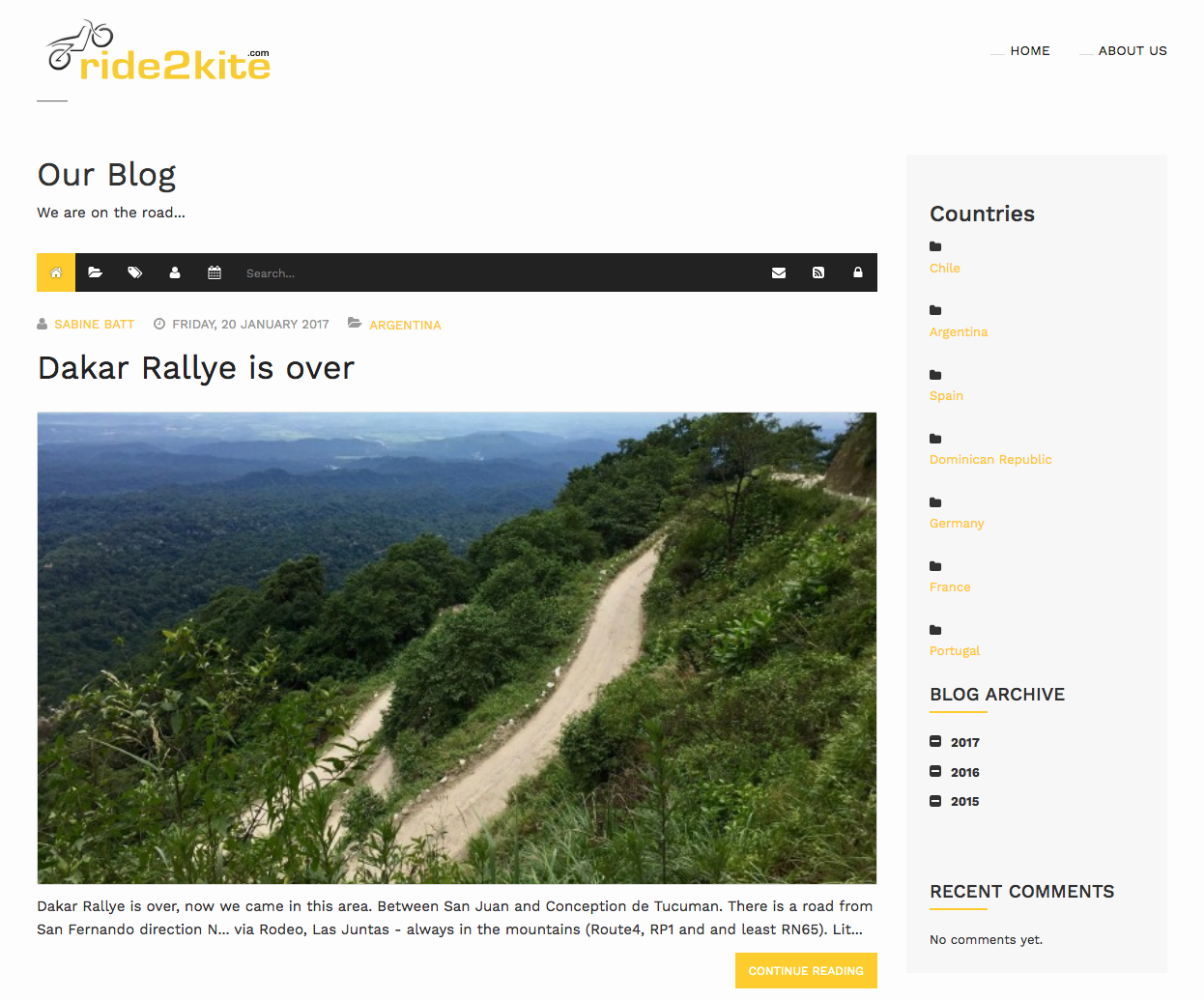
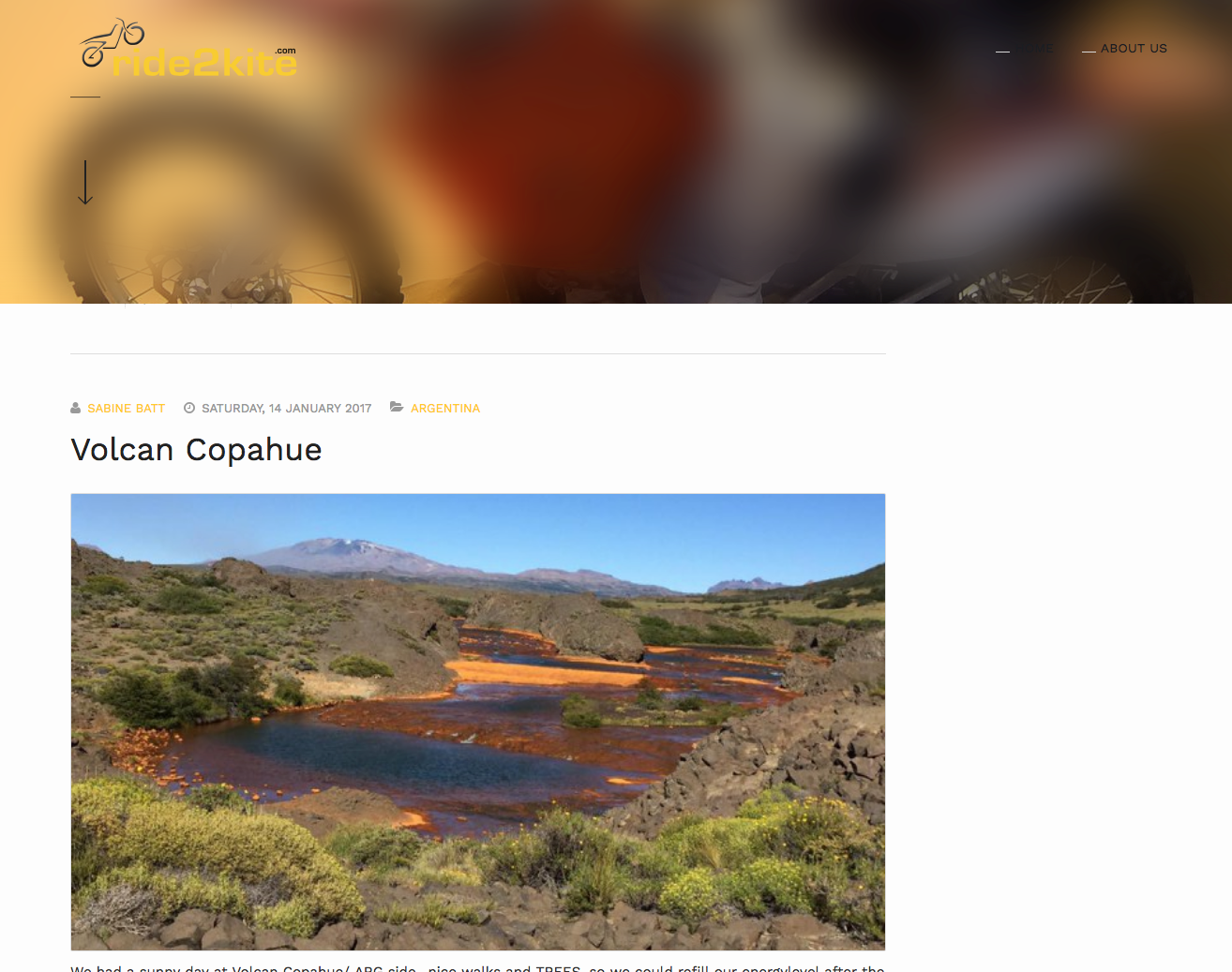
January 24, 2017 at 4:19 pm #1005186H Pankaj, this was the solution and Easyblog Dashboard is now visible ….great. But unfortunately the EasyBlog menu and the first post is not visible / cut. That means it only starts with the 2nd post in the Blog
When I disable the position ‘blogger-mast-top’ with the introduction (ACM with the picture), then I can see the complete Dashboard. Also position side-bar1 with module EasyBlog Archivbe is only visible without active position ‘blogger-mast-top’. See uploaded files
 Pankaj Sharma
Moderator
Pankaj Sharma
Moderator
Pankaj Sharma
- Join date:
- February 2015
- Posts:
- 24589
- Downloads:
- 144
- Uploads:
- 202
- Thanks:
- 127
- Thanked:
- 4196 times in 4019 posts
January 25, 2017 at 2:14 am #1005296Hi
Try this code in custom.css file.itemid-244 .t3-mainbody {padding-top:250px;}If this does not help give me site super user details via Private reply I will help to create a new position for this module.
Regards
mberwing
- Join date:
- April 2006
- Posts:
- 201
- Downloads:
- 26
- Uploads:
- 46
- Thanks:
- 7
- Thanked:
- 8 times in 1 posts
January 25, 2017 at 10:03 am #1005383Hi Pankaj,
your proposal worked but with different padding-top since I have only seen last line from first EasyBlog post and the bottom part of the module ‘EasyBlog – Latest Comments’.
With .itemid-244 .t3-mainbody {padding-top:1100px;} all is fine now.Just one obvious setback …..when I make the Browser window smaller to simulate the Responsive Layout (small and extra small) for mobile devices, I have now quite some big white space between blogger-mast-top’ with the introduction and the EasyBlog Dashboard.
Not sure whether we can get this also fixed so that there is no space.Pankaj Sharma
Moderator
Pankaj Sharma
- Join date:
- February 2015
- Posts:
- 24589
- Downloads:
- 144
- Uploads:
- 202
- Thanks:
- 127
- Thanked:
- 4196 times in 4019 posts
January 25, 2017 at 10:10 am #1005387Hi
yes you can use media queries to apply different paddings.I saw you changed the padding value to 1100px that is too much kindly set it near 280 and its fine in all size i just check with value 280px and all find.
.itemid-244 .t3-mainbody {padding-top:280px;}mberwing
- Join date:
- April 2006
- Posts:
- 201
- Downloads:
- 26
- Uploads:
- 46
- Thanks:
- 7
- Thanked:
- 8 times in 1 posts
January 25, 2017 at 11:34 am #1005407Hi Pankaj,
I tried different padding and only with 1100px it works in my case. Have a 27” screen and use just 3/4 window size and with your recommendation 280px, you see in uploaded screen only bottom part of first post.
So it is not fine in all size as you said ;-(Pankaj Sharma
Moderator
Pankaj Sharma
- Join date:
- February 2015
- Posts:
- 24589
- Downloads:
- 144
- Uploads:
- 202
- Thanks:
- 127
- Thanked:
- 4196 times in 4019 posts
January 25, 2017 at 11:47 am #1005410Hi
Replace the older code with this code@media(max-width:1400px) { .itemid-244 .t3-mainbody {padding-top:280px;}} @media(min-width:1401px) { .itemid-244 .t3-mainbody {padding-top:1100px;}}1100px work till screen size is 1401px and below 1400px 280lx will work.
I hope it will help, Sorry i was not aware about your screen size.mberwing
- Join date:
- April 2006
- Posts:
- 201
- Downloads:
- 26
- Uploads:
- 46
- Thanks:
- 7
- Thanked:
- 8 times in 1 posts
January 25, 2017 at 4:15 pm #1005508Perfect….this way it works fine with both sizes and fixed our issues.
Your great support and dedication is very much appreciated !!!!!
Thanks so much
Cheers
MarkusPankaj Sharma
Moderator
Pankaj Sharma
- Join date:
- February 2015
- Posts:
- 24589
- Downloads:
- 144
- Uploads:
- 202
- Thanks:
- 127
- Thanked:
- 4196 times in 4019 posts
January 25, 2017 at 4:20 pm #1005514This reply has been marked as private.AuthorPostsViewing 11 posts - 1 through 11 (of 11 total)This topic contains 11 replies, has 2 voices, and was last updated by
Pankaj Sharma 8 years ago.The topic ‘EasyBlog Dashboard is hided because ACM module with picture is overlaying’ is closed to new replies.
Jump to forum
melih