
JA Google Map Plugin Introduction
Quick Info
- Updated on:25 Mar, 2024
- Version:2.8.1 Changelog
- Download:0
A Google Map Plugin allows users to embed Google Maps, into articles. A step further, it comes with Code Generator, which allows generation of multiple maps with varied configurations and layouts.
- Supports various map types viz., | Road Map | Satellite Map | Hybrid Map | Terrain | Physical Map | Direction Maps.
- Easy back-end, descriptions and usage instructions in the tooltips.
- Customize place description details, shown as a popup on front-end.
- Preview map settings right in the back-end.
- Various button | layout options for Zoom Toolbar and Map type toolbar.
- Display or hide various available options.
- Show images | Wikipedia Articles | You Tube Movies as layers on your maps.
- Generate unlimited customized maps to use anywhere in your site, using unique Code Generator.
Main Features
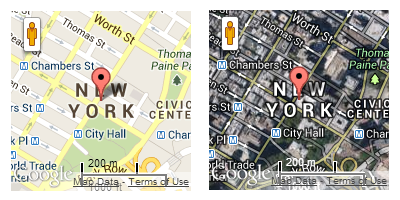
Supports various map types
The plugin supports 4 map types named: Road Map, Satellite Map, Hybrid Map, Physical Map. These settings can be overridden when you embed Google map to content.
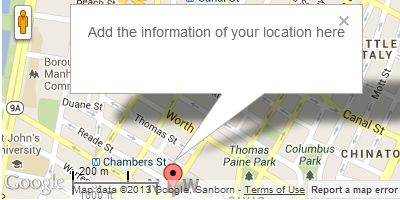
Place description details in Popup
Each time you embed Google map into content, you can add description of the defined location then display it in Popup in front-page when users click on Location point.
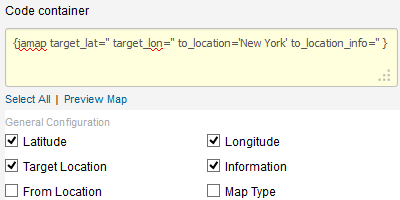
Preview map in the back-end
To have right tags to add to content to embed Google, we provide map preview settings in back-end, select the configuration then its code will be generated in the Code container field.
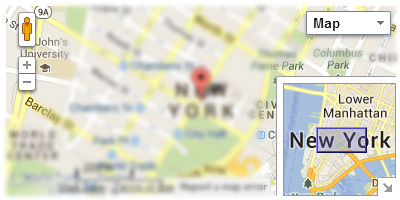
Various button / layout options
Multiple options to customize button, layout for Zoom Toolbar, Map type, etc. For each of those option, you can configure its position to display in front-page.
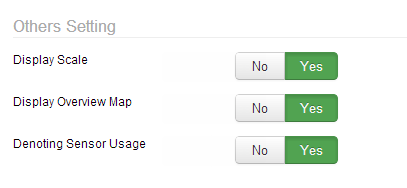
Easy Back-end configuration
The plugin comes with powerful admin panel, all built-in functionality is included in back-end settings. Each setting has very clear tooltip that shows the setting's functionality and usage.
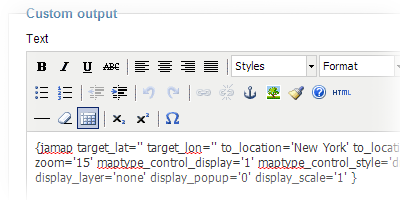
Use anywhere in your site, with unique Code Generator
You can embed Google map anywhere in your site, in article or in Custom HTML Module. All you have to do is to add embed code into article/custom HTML module.
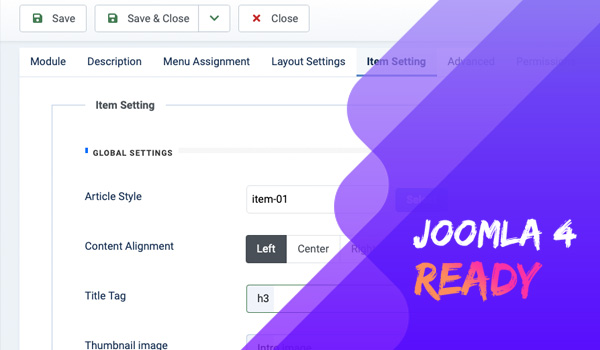
Joomla 4 Google map extension
Joomla 4 stable is out with huge updates and improvements. The extension is updated to fully support the latest Joomla version. Install and set it up on your Joomla 4 website.