
| JA Spica - Reach a higher limit |
|
|
| Thursday, 11 May 2006 | |
|
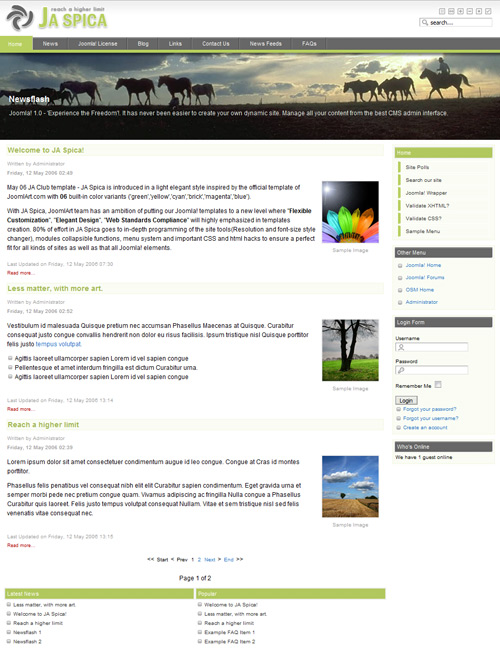
JA Spica - Reach a higher limit May 06 JA Club template - JA Spica is introduced in a light elegant style inspired by the official template of JoomlArt.com with 06 built-in color variants ('green','yellow','cyan','brick','magenta','blue'). With JA Spica, JoomlArt team aspires to raise our joomla! templates to a new level where "Flexible Customization", "Elegant Design", "Web Standards Compliance" are highly emphasized in template creation. A great effort was made with JA Spica toward in-depth programming of the site tools (Resolution and font-size style changer), modules collapsible functions, menu system, important CSS and html hacks to ensure a perfect fit for all kinds of sites as well as all Joomla! elements. JA Spica comes with a built-in JA split colorized menu system giving you the option to dynamically assign each site section/menu to a specific CSS style with an unique look and color. Your Joomla! navigation is improved when ‘mainmenu’ tab stays active & highlighted when your visitors are in any sub level elements. The flexiblity to add more colors to the menu with simple and easy changes via separate color CSS files is another key feature of JA Spica. JA Spica Features:
Live Demo:View JA Spica in live demo at our Templates Demo Page. Template screenshots and modules guide:JA Spica Overview and modules guide ![]() JA Spica - Modules and Templates Guide Dynamic 6 Colors VariationsThe option to assign any color to any menu/section. ![]() 06 Colors Variations Color Palette. ![]() JA Spica Colors Palette Download:JoomlArt Templates Club members please login to the member area to Download. Not a member yet? Join now! Installation and template tuning:Please download, unzip and read carefully the readme.txt file for installation and configuration guides. The index.php file is well-commented for the ease of customization. |
|
| Last Updated ( Friday, 01 June 2007 ) |
| < Prev | Next > |
|---|


