Thanks for the login details.
This is related to the Color Palettes feature in the template. A palette is a predefined set of color settings, including background color, text color, link color, and link hover color, which makes it easier to customize the site’s appearance consistently. Each palette can be assigned to specific sections through the template’s Layout settings.
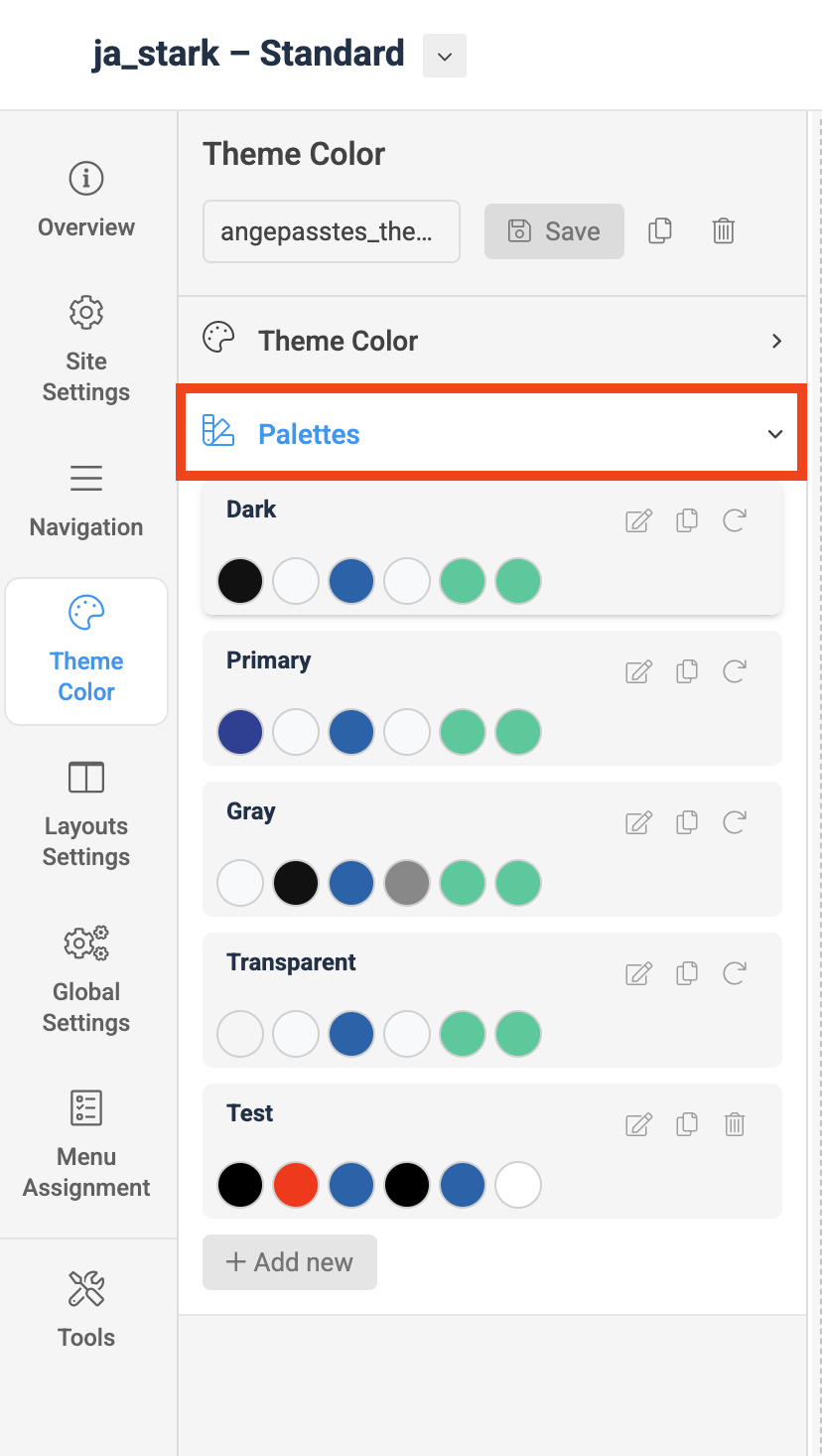
On your site, both the Topbar and Footer sections are currently assigned to the Dark palette. This palette is configured with a dark background, white text, and related color settings, as shown under the Theme Color settings.
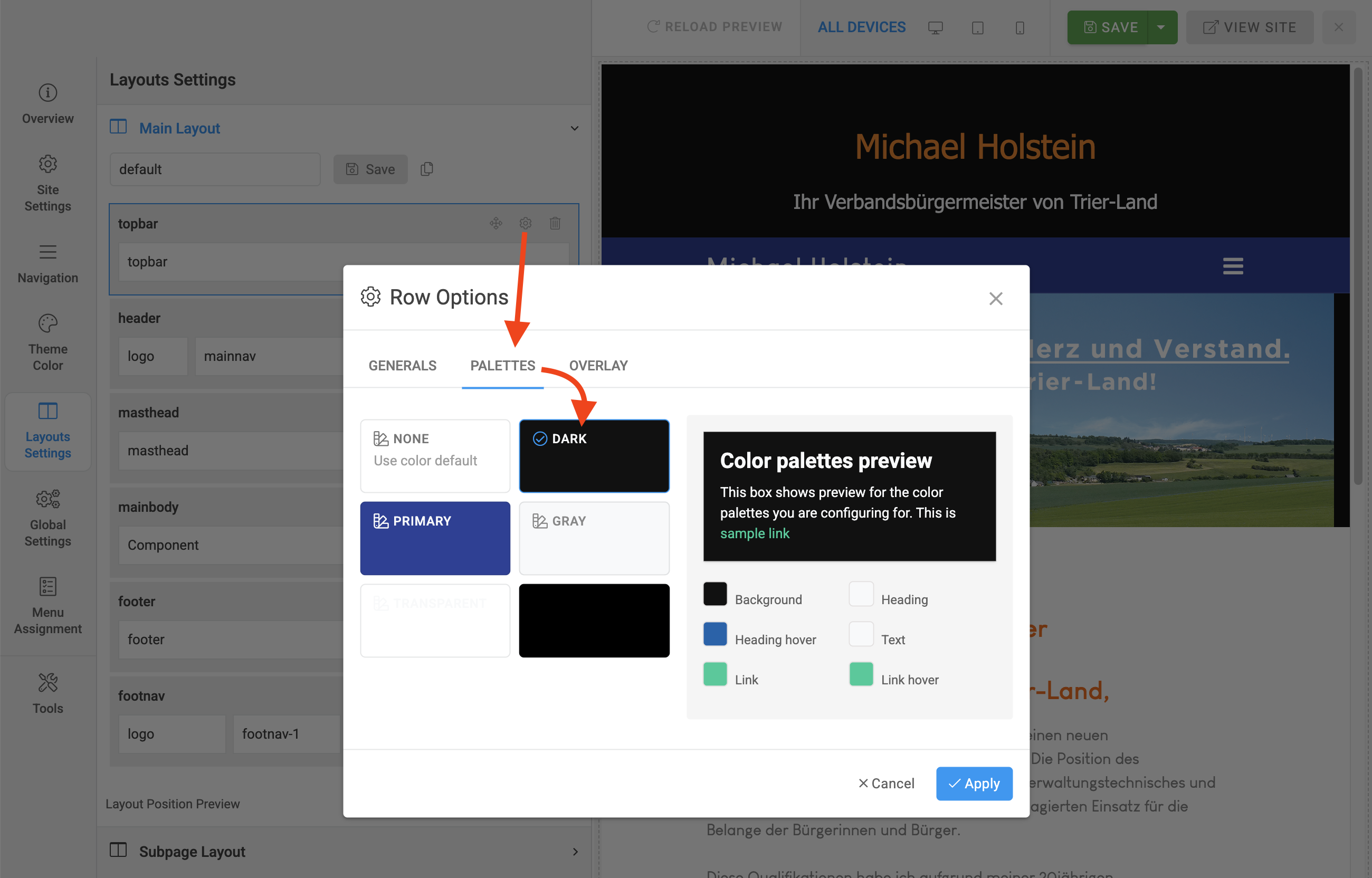
To change the appearance, simply assign a different palette to the Topbar and Footer sections in the Layout settings. The new color scheme will then be applied automatically.