I had some issues with JA Agrivita and Virtuemart not working well together when using quickstart for installation. E.g. New Products created in any categories weren't showing in those categories in the shop on the front end and Parent products with children, weren't working properly (couldn't select any variants under the product pages when using Multi Variant or Generic Child Variant). So I had to do a "Reset all Virtuemart tables and do a fresh install", under virtuemart configuration > tools & migration. After doing this the variants in the product pages now work correctly, but the cart summary at the top right in the header-r position isn't functioning the same now, instead of popping up above everything, it's now stretching out the menu height and showing the summary in the menu area, rather than a pop up over it, it seems the css is off now for that module, also the icon changed for it e.g. it's in a grey box now. Please see attached screenshots.
First screenshot is the correct layout and functionality 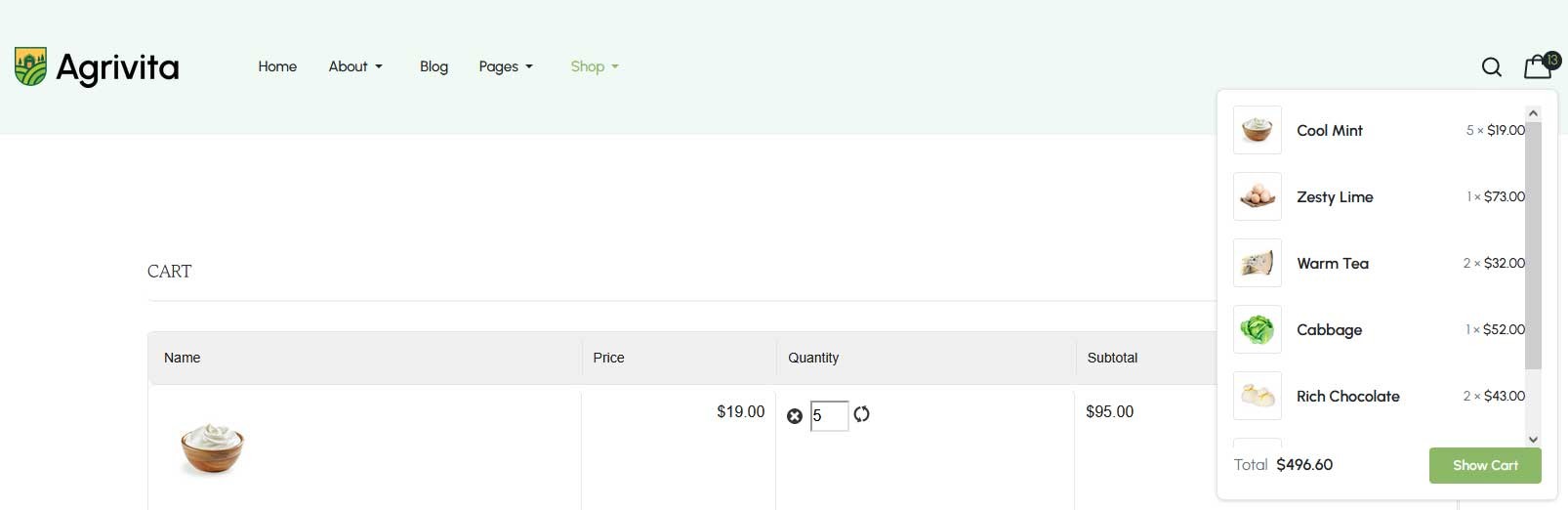
2nd screenshot is after the "Reset all Virtuemart tables and do a fresh install"
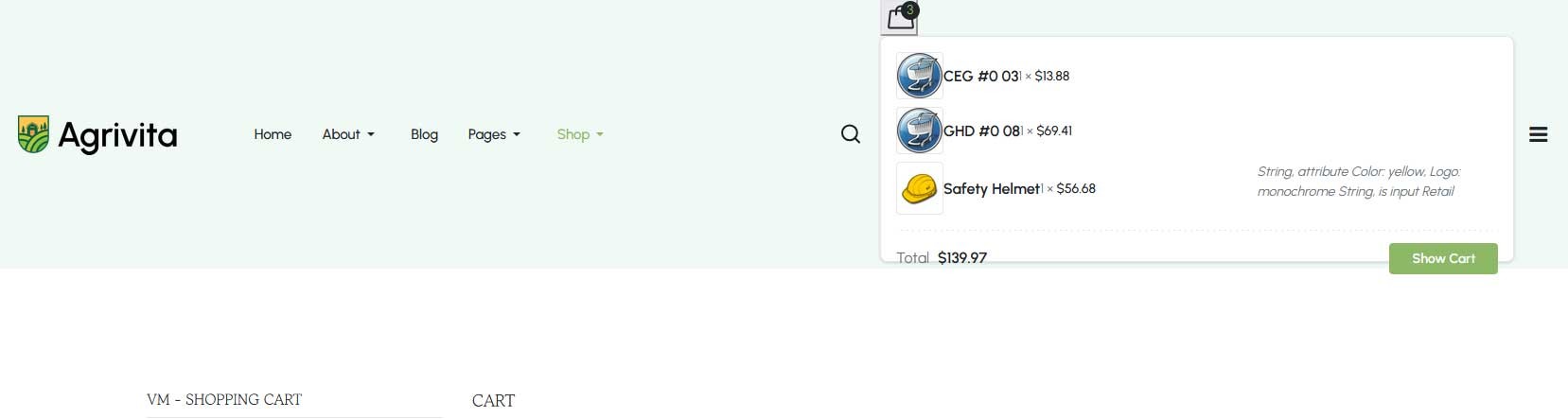
How can I correct this and get it back to the original look and functionality, If I do a reset and fresh install in virtuemart?