Hi cloudten10,
The template has supported the class of Fontawesome icon, you can add the icon class to the Menu > menu item > Link type:
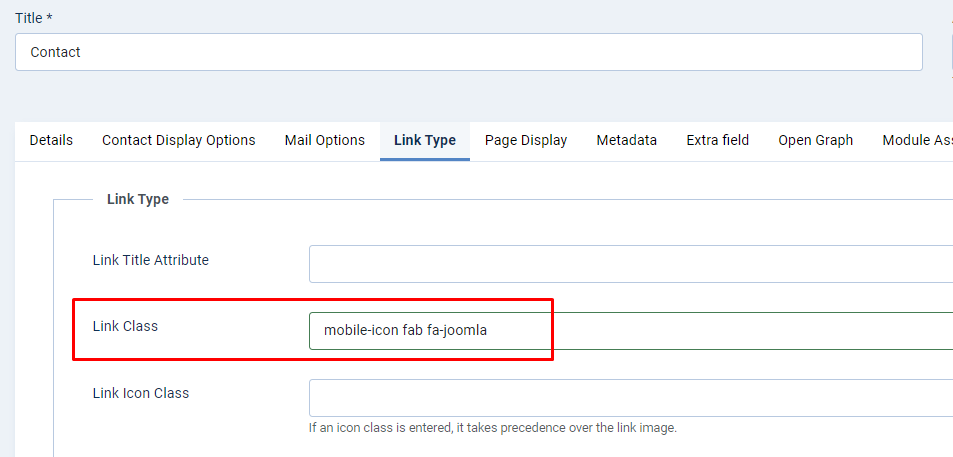
Then add the following CSS code to the Backend > Site template styles > Ja-impact - default > Tools > Custom CSS:
/*Hidden on the desktop*/
@media (min-width: 992px) {
#t4-megamenu-mainmenu.t4-megamenu .navbar-nav li a.mobile-icon:before {
   display: none;
}
}

/*improve style on mobile*/
@media (max-width: 992px) {
.t4-offcanvas .t4-off-canvas-body .navbar .mobile-icon:before {
    margin-right: 10px;
}
}
If you still face this issue, you can provide the site URL and a screenshot about the position that you want to add the icon, I will check and help you resolve it.